3DPrintCAD › Guides › Pegboard generator
Pegboard generator: hooks and holders for IKEA SKÅDIS and any pegboard
Make your own accessories for the IKEA SKÅDIS pegboard, a classic ¼″ or ⅛″ pegboard with round holes, or any board you measure yourself - hooks, forks, pegs, rings, jar holders, cups, boxes, trays, shelves, tool racks, cable holders and Gridfinity shelves - sized for what you want to hang. Every part gets pegs that fit your board's holes and hook behind it, so it cannot be pulled out. You can also put pegs on the back of anything you already made.
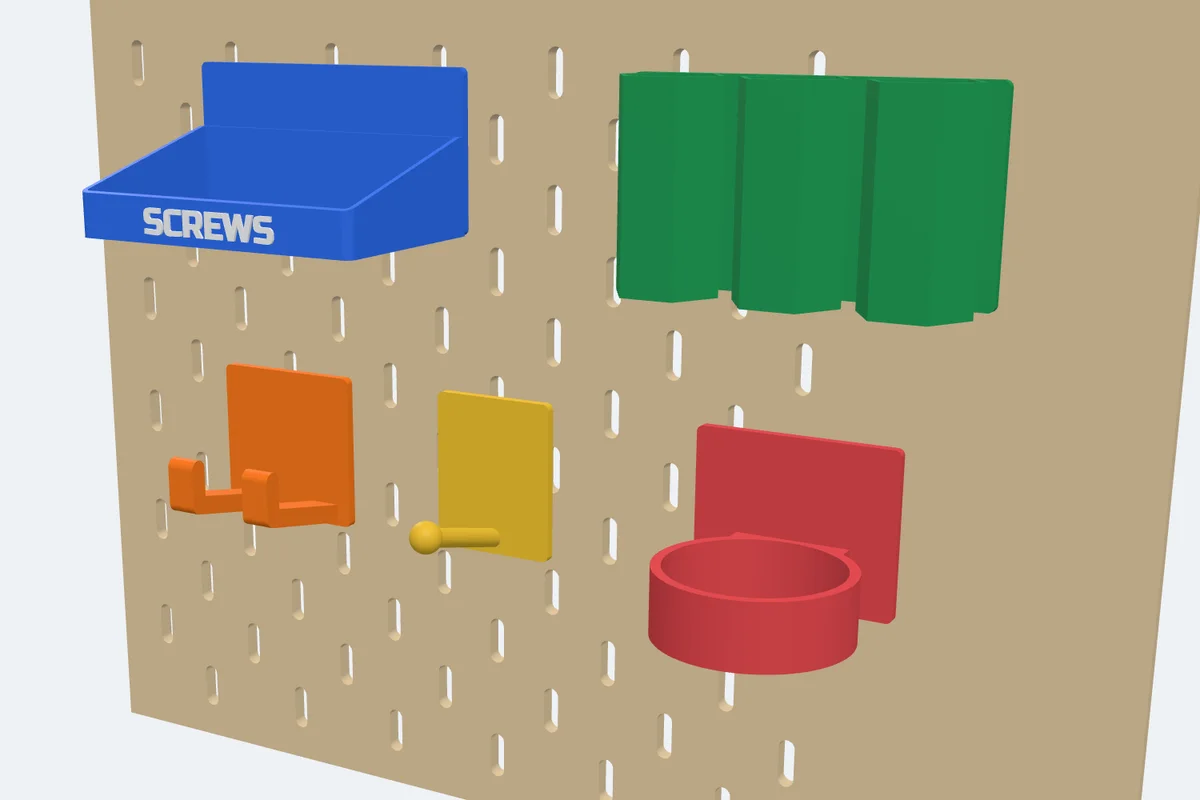
Watch the tutorial
Every option in under five minutes, with subtitles: all the kinds on the board, hook sizes, peg styles and play, separate pegs, a label, printing and pegs on your own body. Watch on YouTube ↗
1Open the Pegboard generator
Click Pegboard in the Generators list on the left, or use the button above. The generator opens with a hook, and every change shows at once in the view. Nothing is added to your project until you click Create.
The panel goes step by step: 1 · Your board, 2 · What to make, then its size, the back plate, the pegs, a label and printing. First pick your board - IKEA SKÅDIS is chosen at the start (see Your board and the pegs for the others).
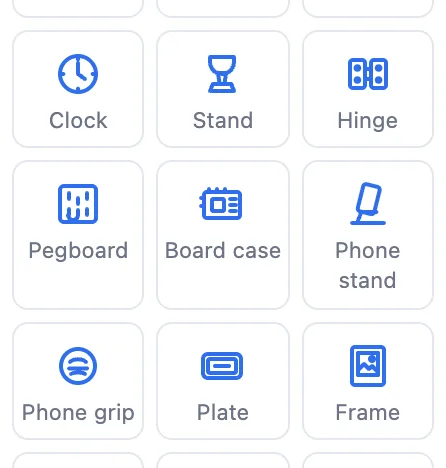
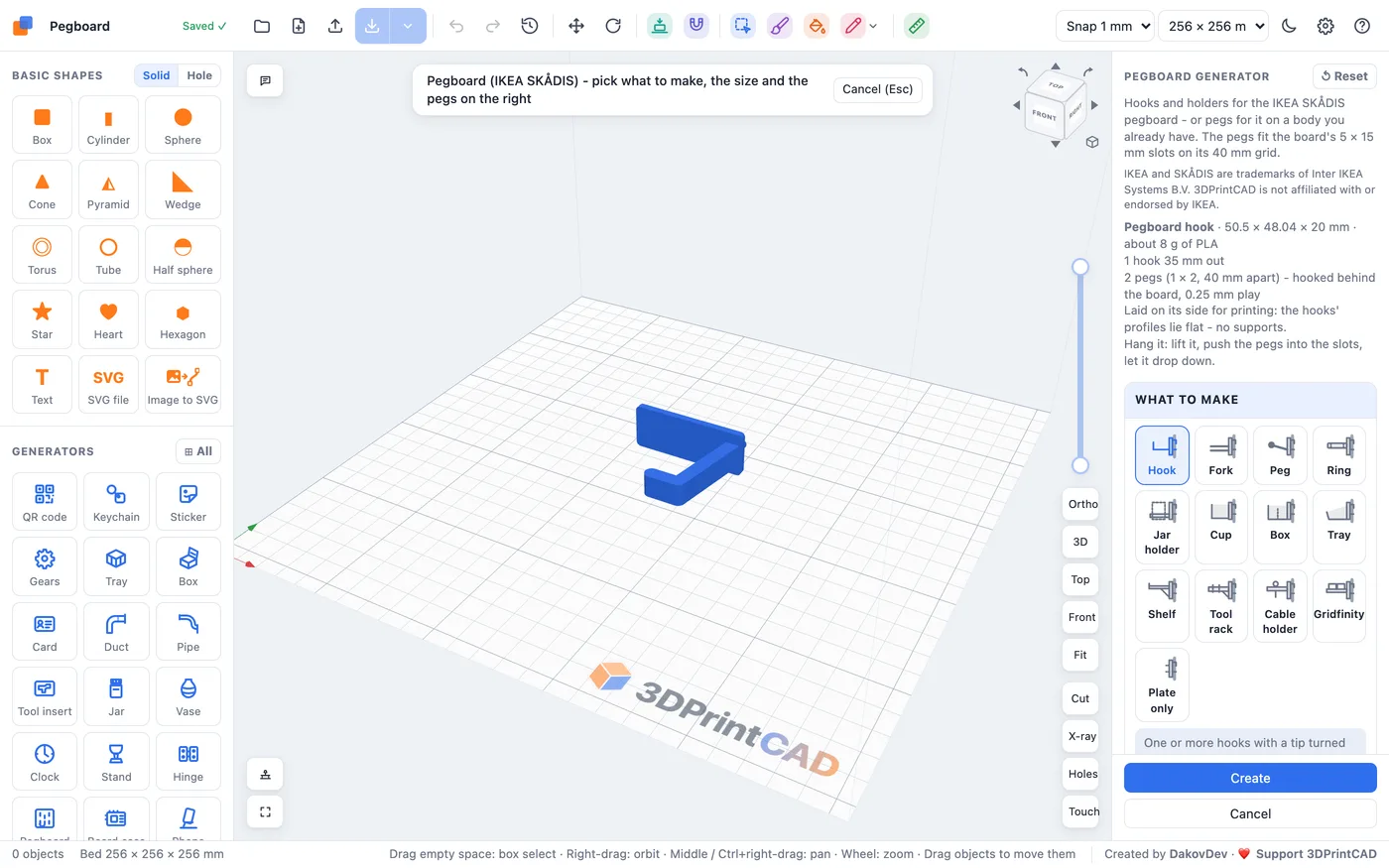
The panel's first line tells you the part's size, about how many grams of PLA it needs, how many pegs it has and how it is printed. Warnings show there too, in orange.
2What to make: the 13 kinds
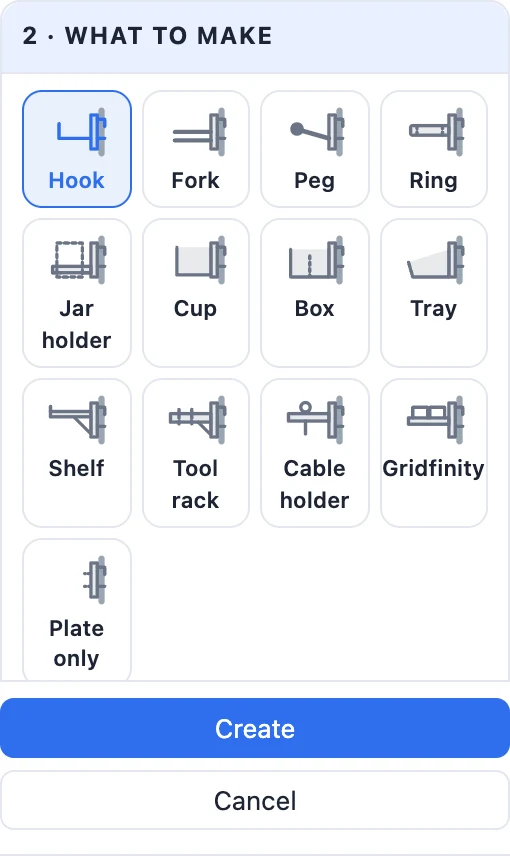
Each tile in What to make is a small side view: the grey bar on the right is the board. Click one and the part changes; the pegs, the play and the colours you set stay as they are. A see-through piece of board with its slots shows behind the part, so you see exactly where it will hang.
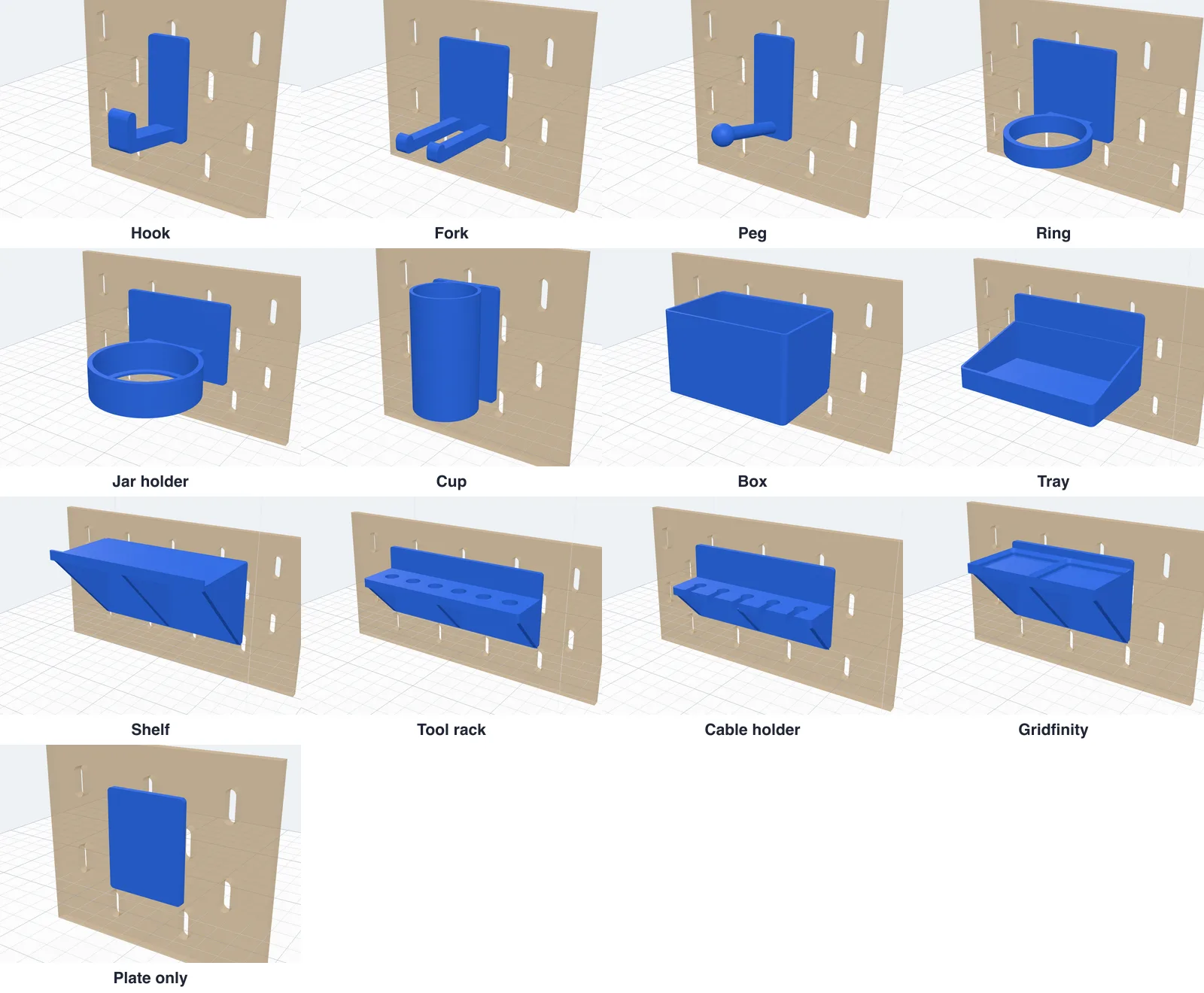
- Hook - one or more hooks with a tip turned up, for tools, keys, cables and headphones.
- Fork - two prongs with a gap, for screwdrivers, pliers and scissors hung by their heads.
- Peg - round pegs sloping up with a ball on the end, for spools, tape and rolls.
- Ring - rings to drop things into: pens, screwdrivers, spray cans, bottles.
- Jar holder - a ring with a ledge underneath that holds a jar or a can by its bottom.
- Cup - round, hexagonal or square cups with a floor, for pens, brushes and small parts.
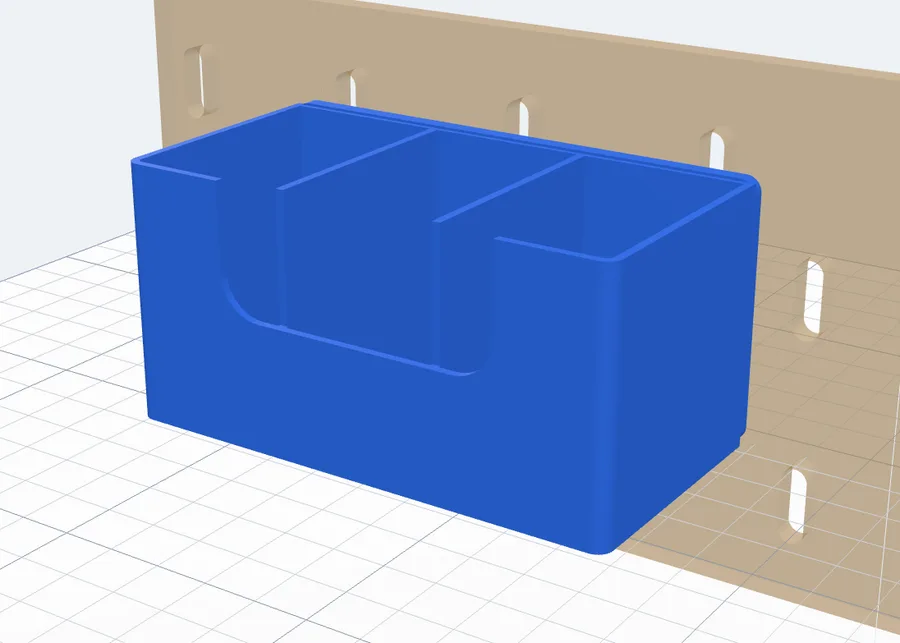
- Box - an open box with dividers; a full front, a low front with a notch, or a sloped front.
- Tray - a shallow bin with a sloped front, to grab parts from the front.
- Shelf - a flat shelf on 45° gussets, with a lip at the front.
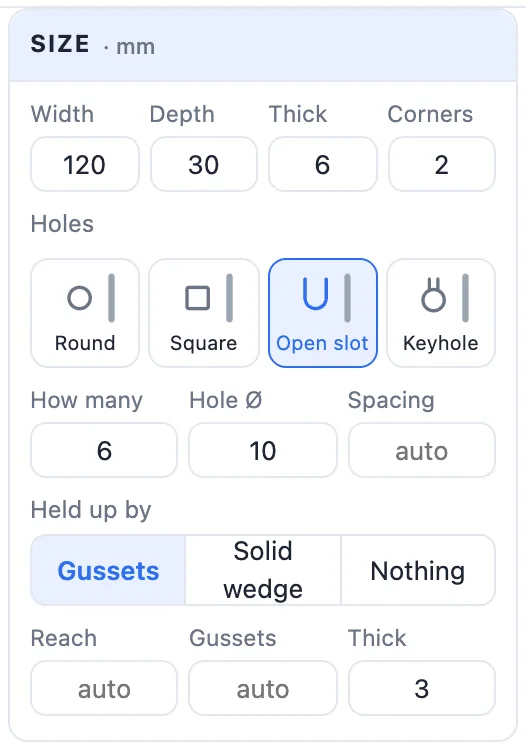
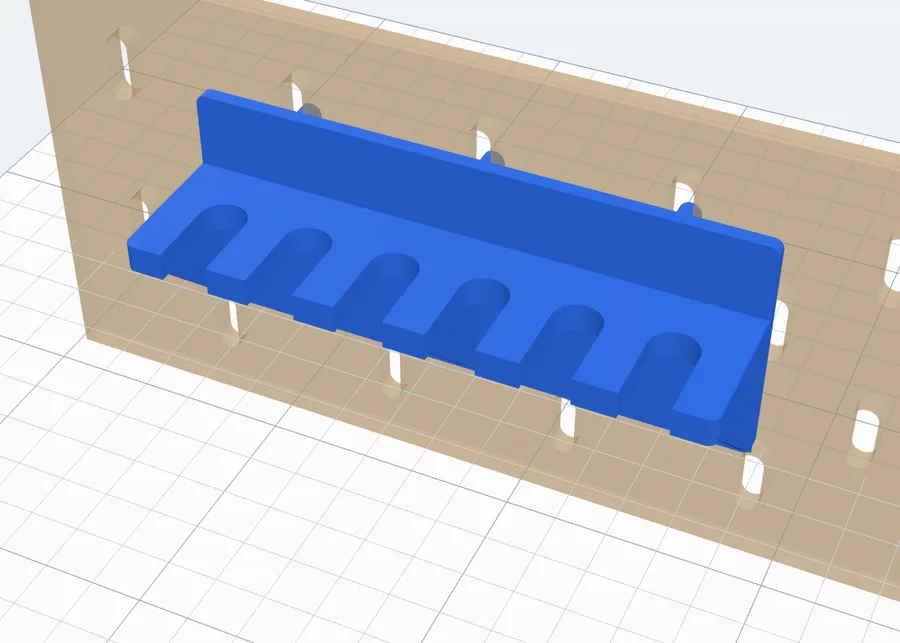
- Tool rack - a thick shelf with a row of holes for screwdrivers, hex keys, bits and files.
- Cable holder - a shelf with keyhole slots open at the front: push cables in, the plugs stay on top.
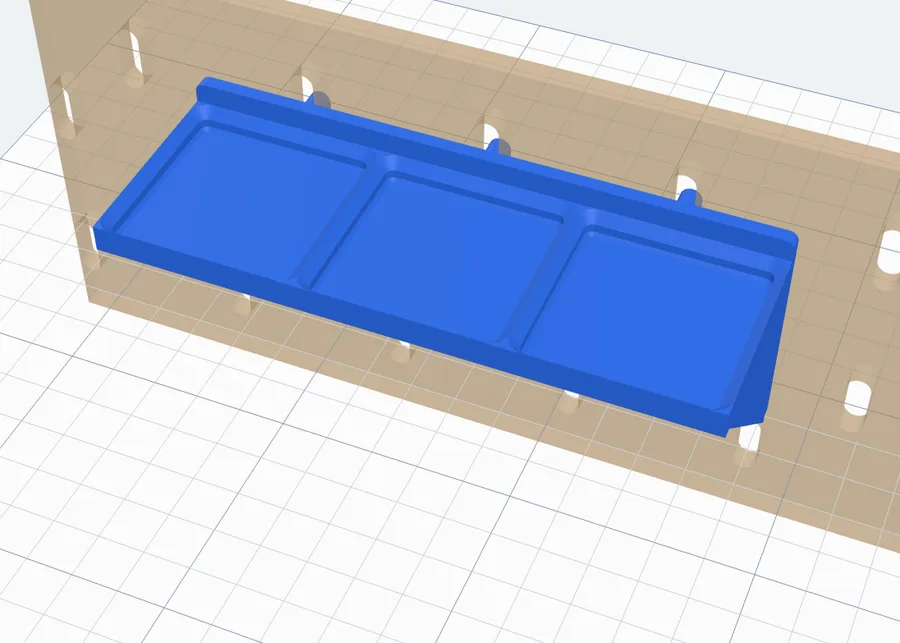
- Gridfinity - a shelf with Gridfinity sockets on top: your Gridfinity bins click into it.
- Plate only - just the plate with its pegs, to screw under something or to put on a body you have.
3Hooks, forks and pegs
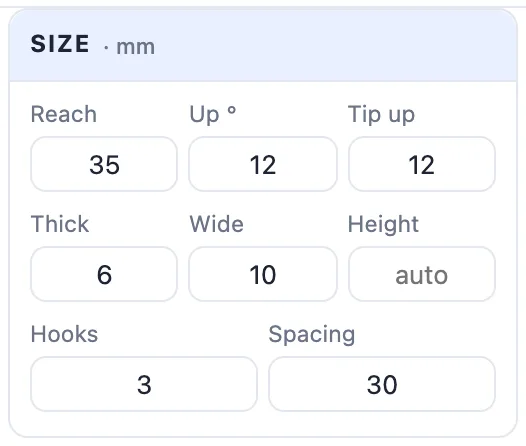
The Size card (all in mm) changes with the kind. For a hook:
- Reach - how far it reaches out from the board (35 mm).
- Up ° - how much the arm rises from level, so things slide toward the board (12°).
- Tip up - the tip turned up at the end so things do not slide off; 0 is no tip.
- Thick and Wide - the arm's size up and down and side to side.
- Height - where the arm sits on the plate; empty puts it at the bottom.
- Hooks and Spacing - several hooks side by side on one plate, and the room between them. The plate grows to hold them.
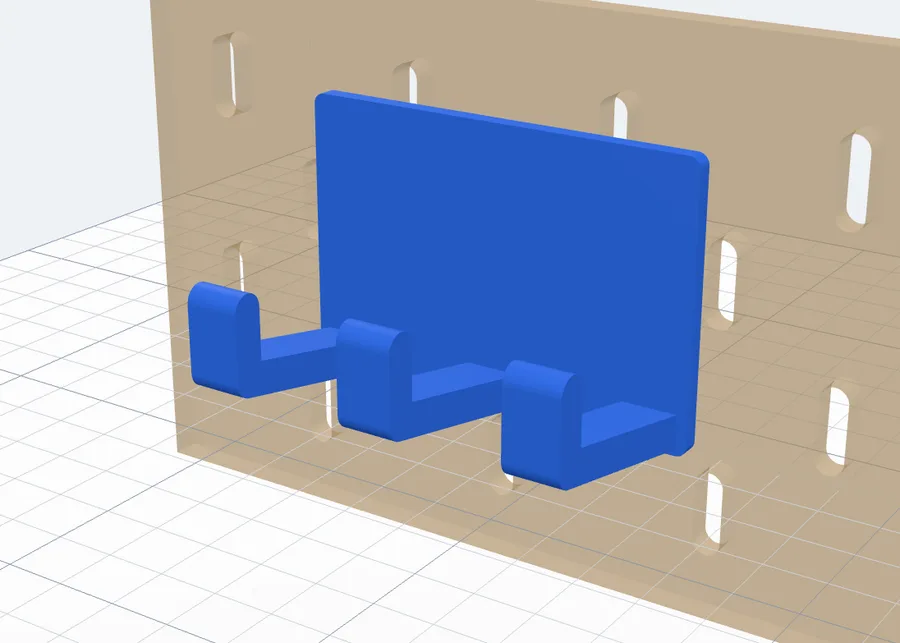
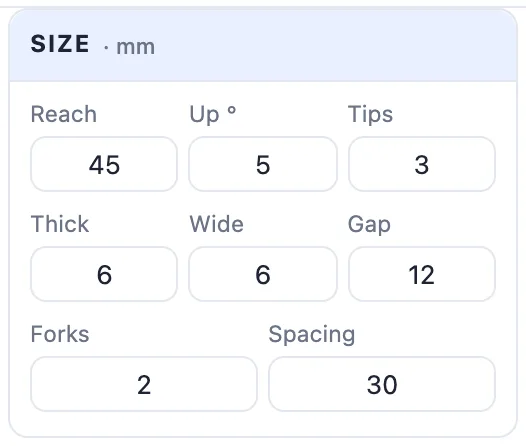
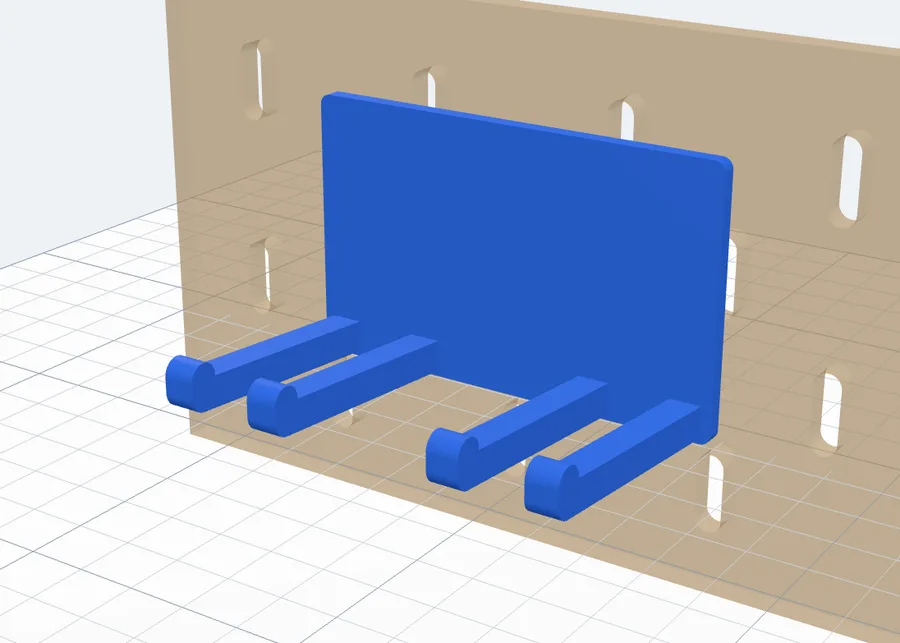
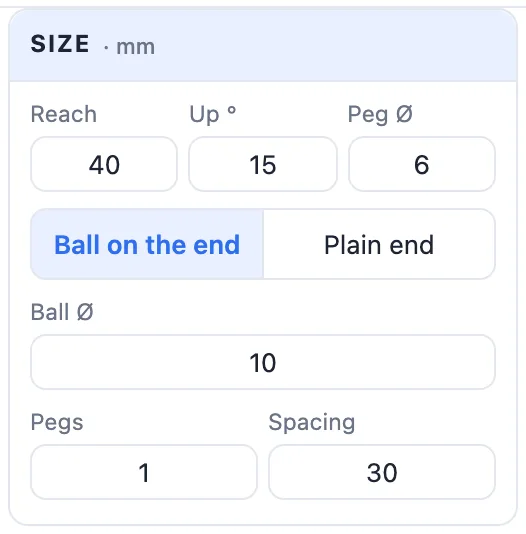
A fork has the same fields, with Gap (the room between the two prongs, where a tool's shaft goes) in place of Height; Forks sets how many pairs. A peg is a round rod: Reach, Up °, Peg Ø, Ball on the end or Plain end, the Ball Ø, and how many pegs side by side.
4Rings, jar holders and cups
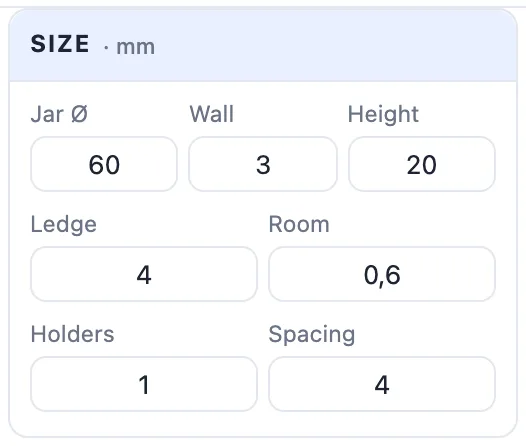
A ring has its Inside Ø (the hole), Wall and Height. A jar holder takes your jar's diameter as Jar Ø and adds Room round it (0.6 mm per side), and a Ledge under it that holds the jar by its bottom - how far it reaches in. Rings / Holders and Spacing put several in a row.
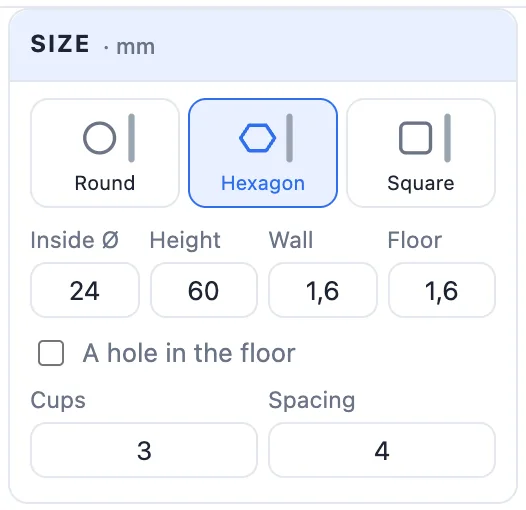
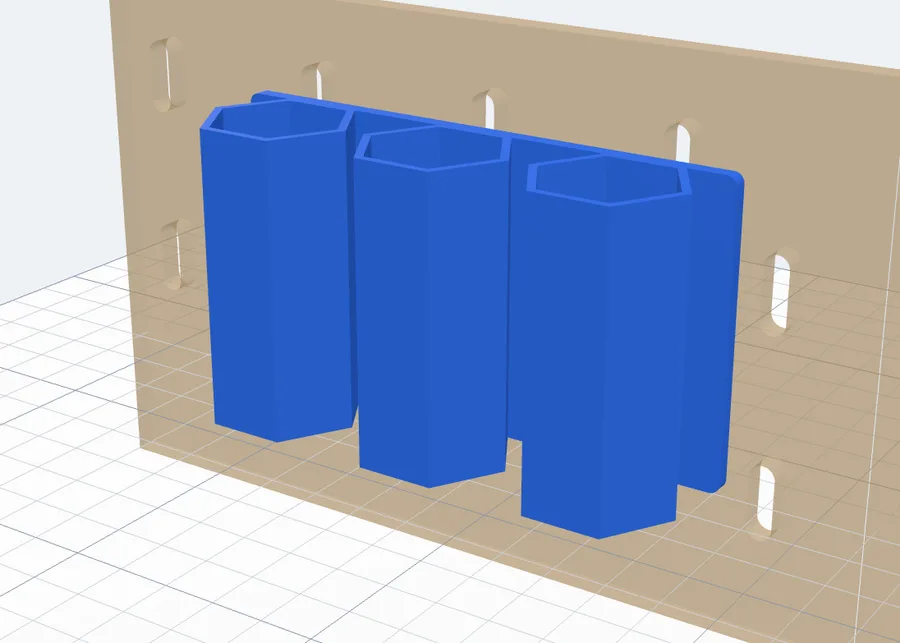
A cup is Round, Hexagon or Square, with its Inside Ø, Height, Wall and Floor. A hole in the floor lets water or dust out. Cups and Spacing put several side by side - here three hexagonal cups 24 mm inside.
5Boxes and trays
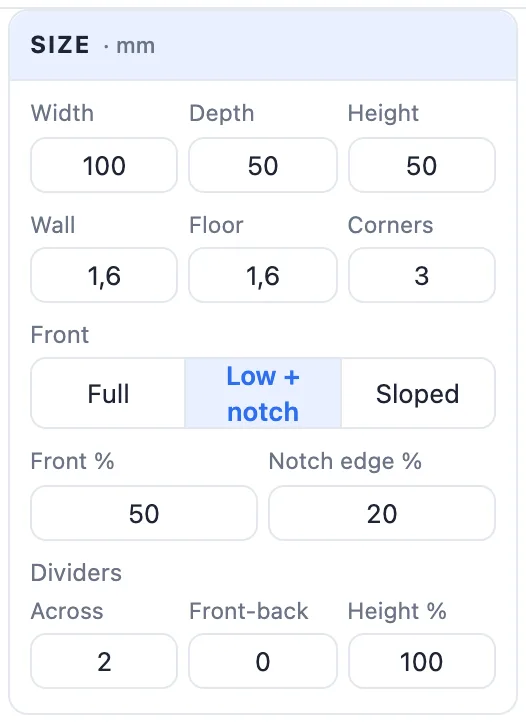
A box and a tray share their settings: Width, Depth (how far it reaches out) and Height, Wall, Floor and Corners (the radius of the front corners). The back plate is the box's back wall.
- Front - Full (a plain wall), Low + notch (a notch to reach in: Front % is the front's height, Notch edge % how far in from each side the notch starts) or Sloped (the sides slope down to a low front - the tray's default).
- Dividers - Across (walls from front to back), Front-back (walls from side to side) and their Height %.
6Shelves, tool racks, cable holders and Gridfinity
These four are a flat shelf held out from the plate:
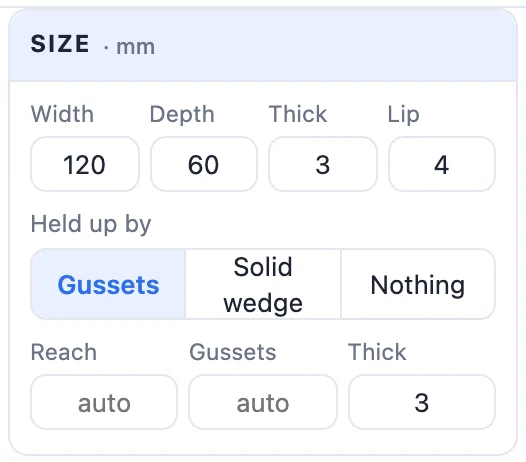
- Width, Depth and Thick; a shelf has a Lip at the front so things do not roll off (0 is none), the others Corners.
- Held up by - Gussets (45° triangles at the ends and every 80 mm or so: print without supports), a Solid wedge the whole width, or Nothing (only the plate holds it - for light things). Reach is how far the brace goes under the shelf (empty: all the way), Gussets how many and Thick how thick.
A tool rack has a row of Holes: Round, Square (hex keys, chisels), Open slot (open at the front - slide the tool in) or Keyhole (a round hole with a narrower neck to the front), with How many, Hole Ø, Spacing (empty: spread over the width) and the keyhole's Neck. A cable holder is the same with keyhole slots: push a cable in through the neck, its plug rests on top.
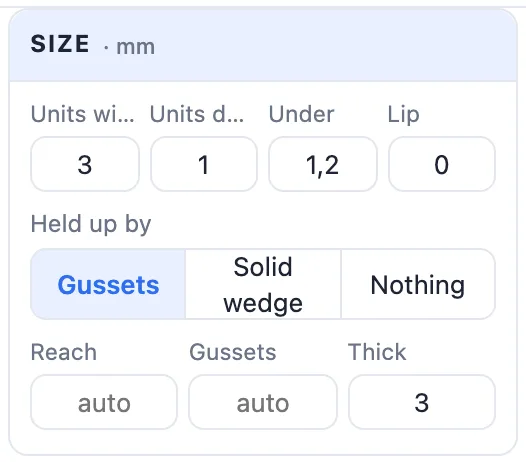
Gridfinity puts Gridfinity baseplate sockets on the shelf: Units wide (1-8) and Units deep (1-4) of 42 mm, Under - the shelf under the sockets - and a Lip at the front. Any Gridfinity bin clicks in.
7The back plate and Plate only
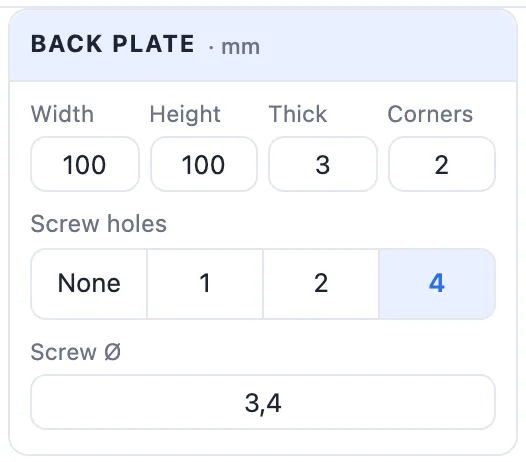
Every part hangs from a back plate with the pegs on its back. Its card:
- Width - for hooks, forks, pegs, rings and cups; it grows by itself to hold them. A box, tray or shelf takes its own width.
- Height - empty is tall enough for two rows of pegs, or for the part.
- Thick (3 mm) and Corners.
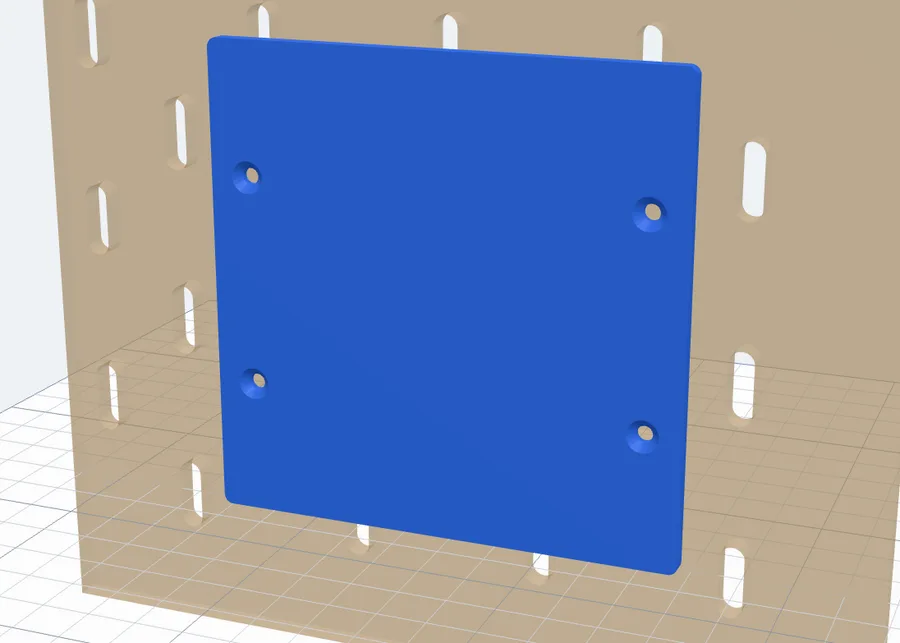
- For Plate only: Screw holes - None, 1, 2 or 4 countersunk holes from the front, between the rows of pegs - and the Screw Ø. Screw the plate under a shelf, a desk or onto a box, and it hangs on the board.
8Your board and the pegs: how it hangs
The first card, Your board, says which pegboard the part hangs on. The pegs, their spacing and the see-through board behind the part follow it:
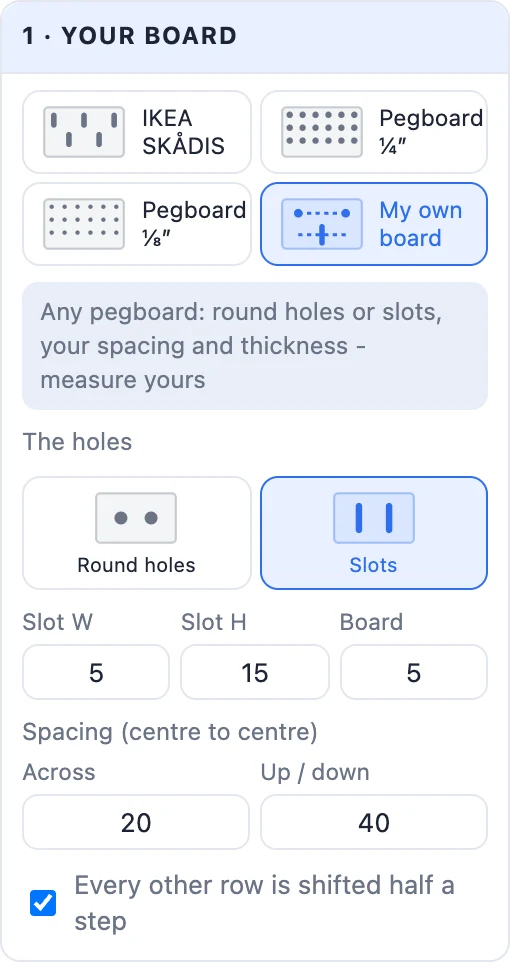
- IKEA SKÅDIS - slots 5 × 15 mm with round ends, 20 mm apart, every other row shifted; rows 40 mm apart in a 5 mm board.
- Pegboard ¼″ - the common hardboard or metal pegboard: round ¼″ (6.35 mm) holes on a 1″ (25.4 mm) square grid.
- Pegboard ⅛″ - the thinner board: round 3/16″ (4.8 mm) holes on a 1″ grid in a 3.2 mm board.
- My own board - any other board: pick Round holes or Slots, then type the hole's diameter (or the slot's width and height), the board's thickness, the spacing Across and Up / down (centre to centre), and whether every other row is shifted half a step. Measure your board with a calliper - the hole size matters most.
Each preset shows The board's sizes under it; changing a size there turns it into My own board. Pegs sit about 40 mm apart, on the board's own holes.
Then, in Pegs, pick how they hold. For slots:
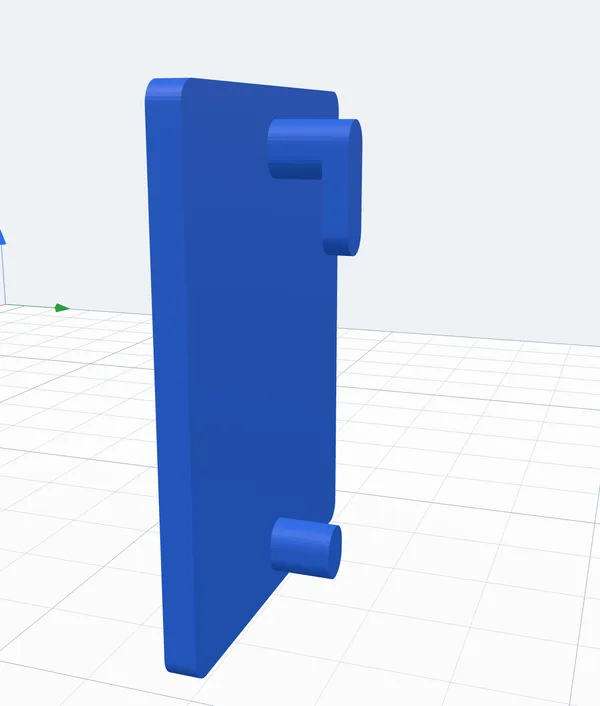
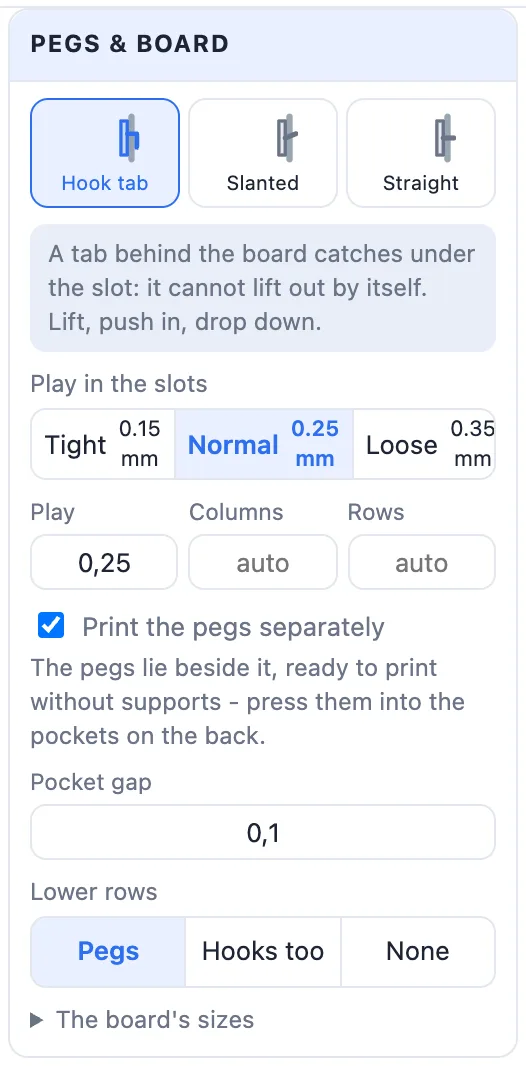
- Hook tab - the peg goes through the board and a tab hangs down behind it. It catches under the slot: lift the part, push it in, let it drop, and it cannot be pulled out forward.
- Slanted - the pegs rise into the board, so the part's weight pulls it in. They print upright with no supports.
- Straight - plain pegs through the board: the quickest to put on and take off.
For round holes:
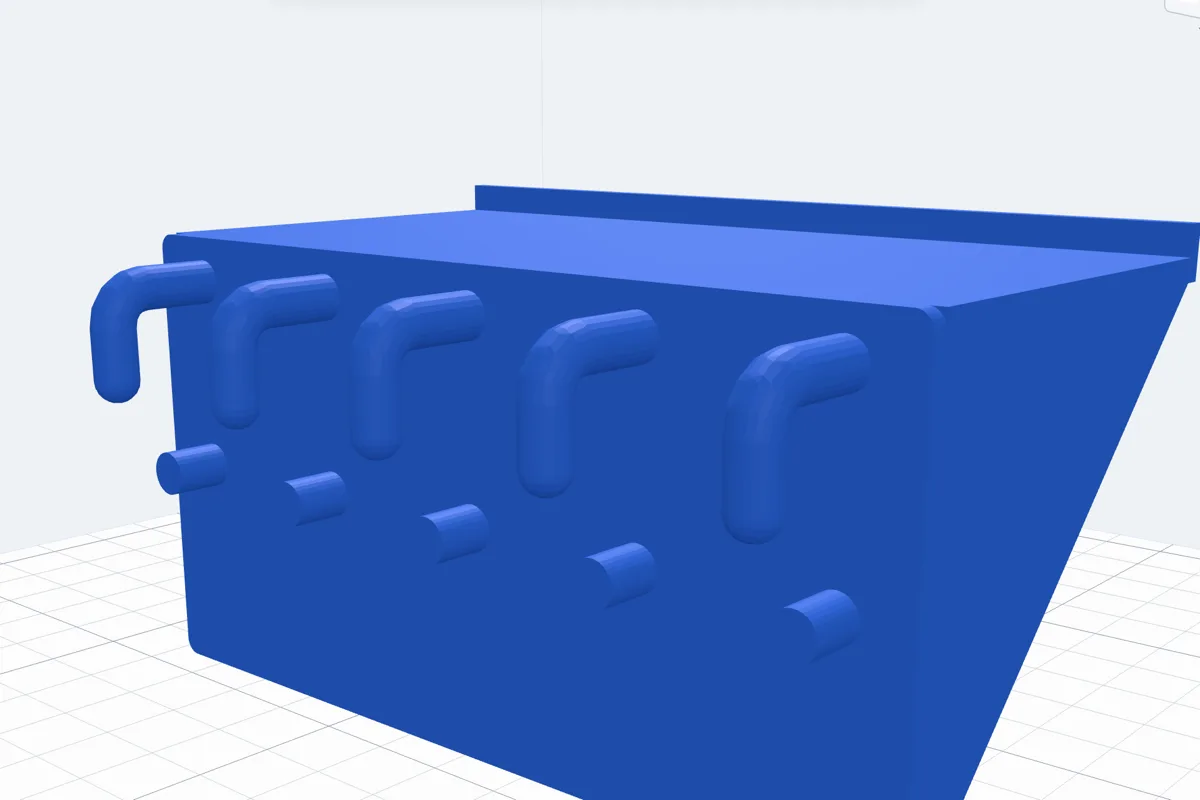
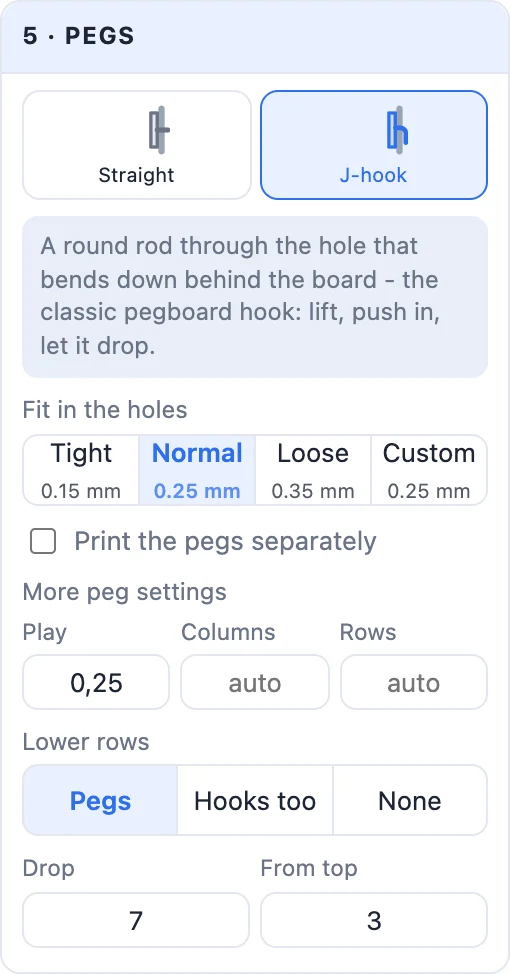
- J-hook - the classic pegboard hook: a round rod through the hole that bends down behind the board. Tilt the part, push the hooks in and let it swing down.
- Straight - plain round pegs.
- Fit in the holes - Tight 0.15, Normal 0.25 or Loose 0.35 mm taken off each side of a peg, or Custom: type any value in Play.
- More peg settings - Columns and Rows (empty fits as many as the plate holds); Lower rows: the top row always hooks, the rows below are straight Pegs (they stop it swinging), Hooks too, or None; the peg's height, the tab's thickness and drop (a J-hook's Drop), Slant ° and how far below the plate's top the top pegs sit.
9Print the pegs separately
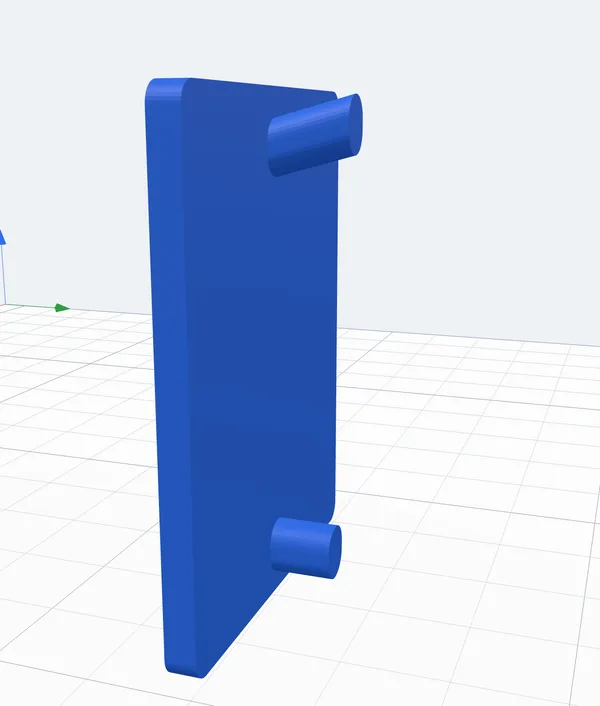
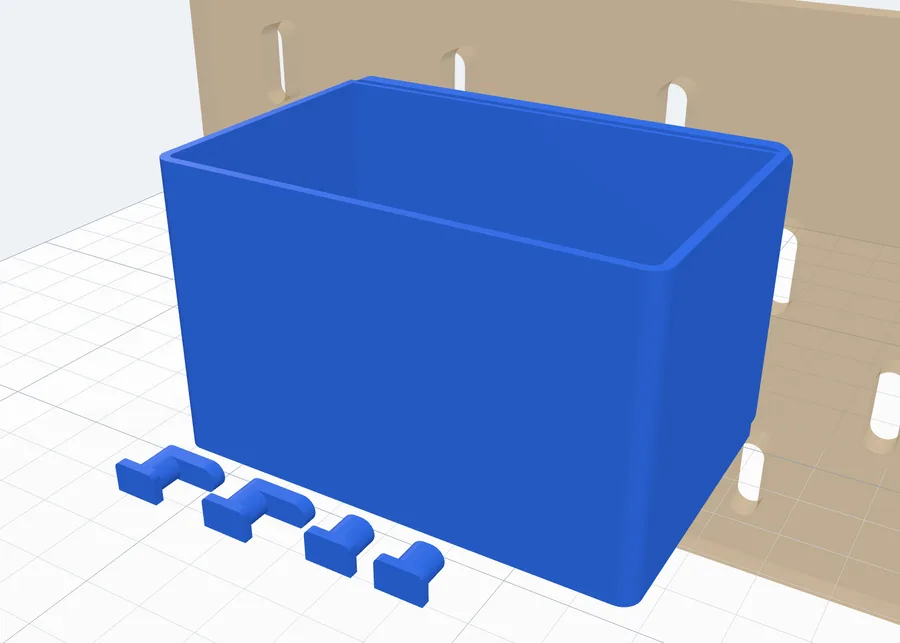
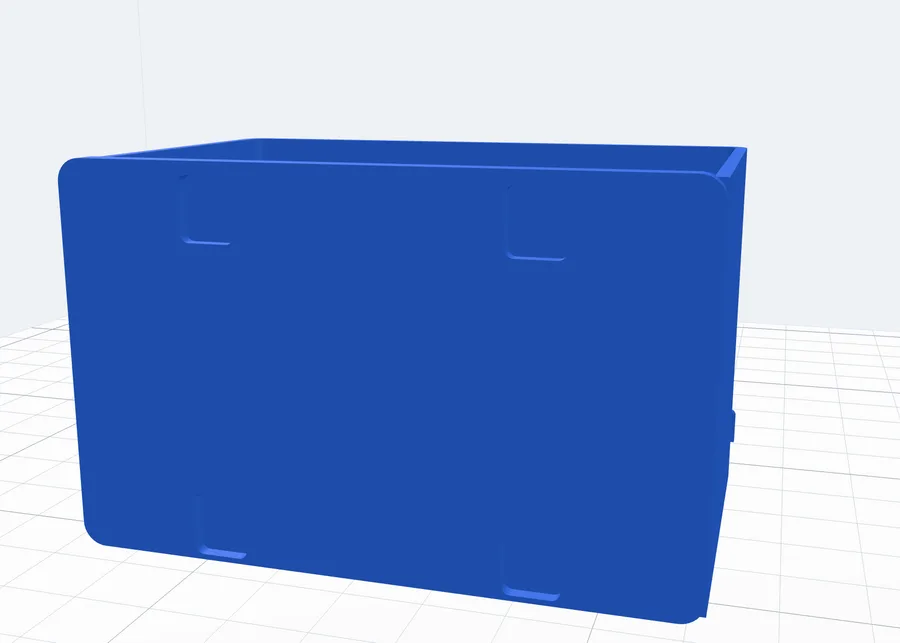
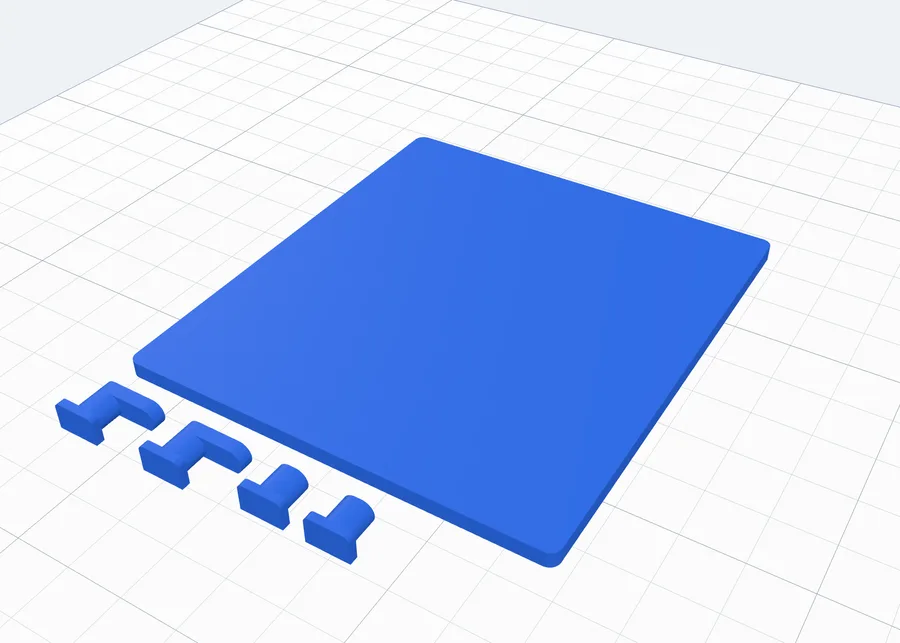
Tick Print the pegs separately and each peg becomes a small clip with a flat head, laid flat beside the part - it prints on its side with no supports. The plate gets a pocket for each head on its back, so the back stays flat and a box or a shelf prints without any support under the pegs.
Press each clip's head into its pocket (a drop of glue keeps it there while you hang it). On the board the head is trapped between the plate and the board, so it cannot come out. Pocket gap is the room round each head: 0.1 mm per side is a press fit. A plate under 2.4 mm thick gets a warning - make it thicker.
10A label on the front
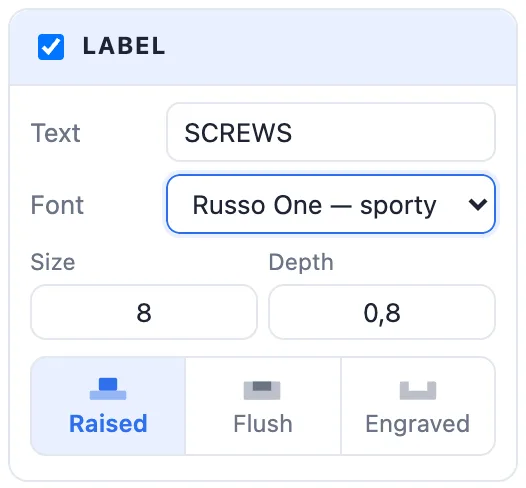
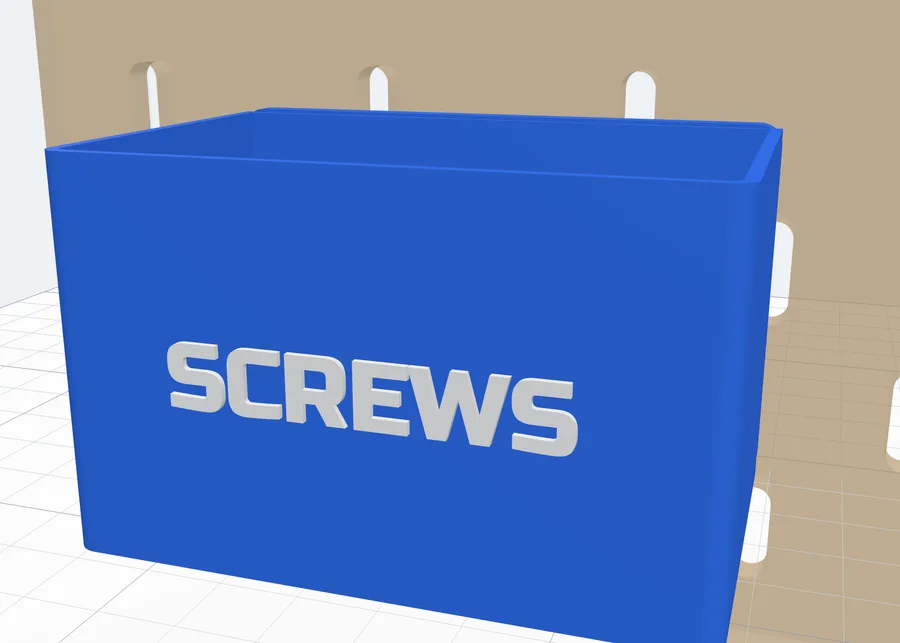
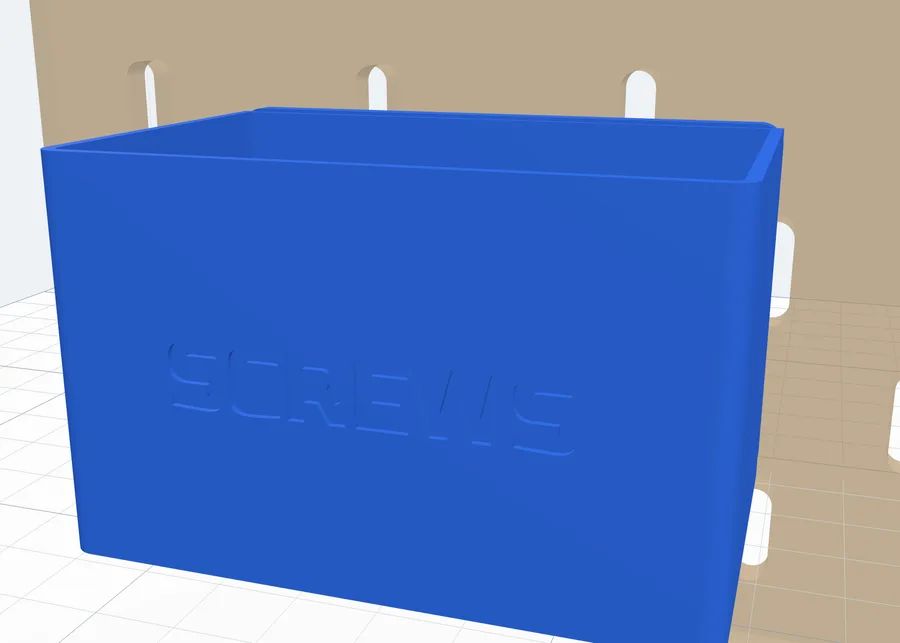
Boxes, trays, tool racks, cable holders, Gridfinity shelves, plates and shelves with a lip or a thick front can carry a Label. Tick it, type the Text, pick a Font, the Size (letter height - it is made smaller, with a note, when it does not fit) and the Depth. Then choose how it is made:
- Raised - the letters stand on the front, in their own colour.
- Flush - inlaid level with the front, in their own colour (multi-colour printing).
- Engraved - cut into the front.
11Printing, the board and colours
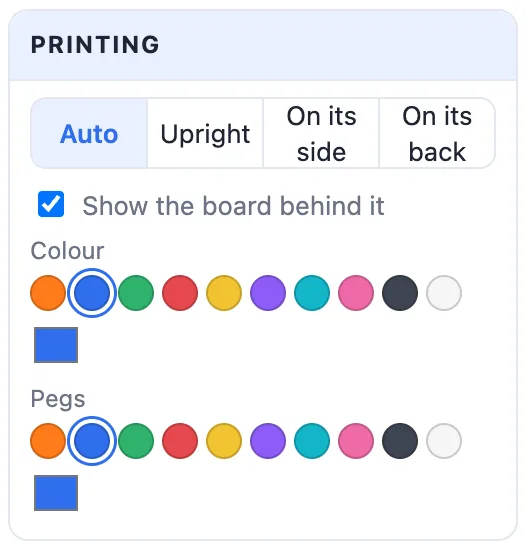
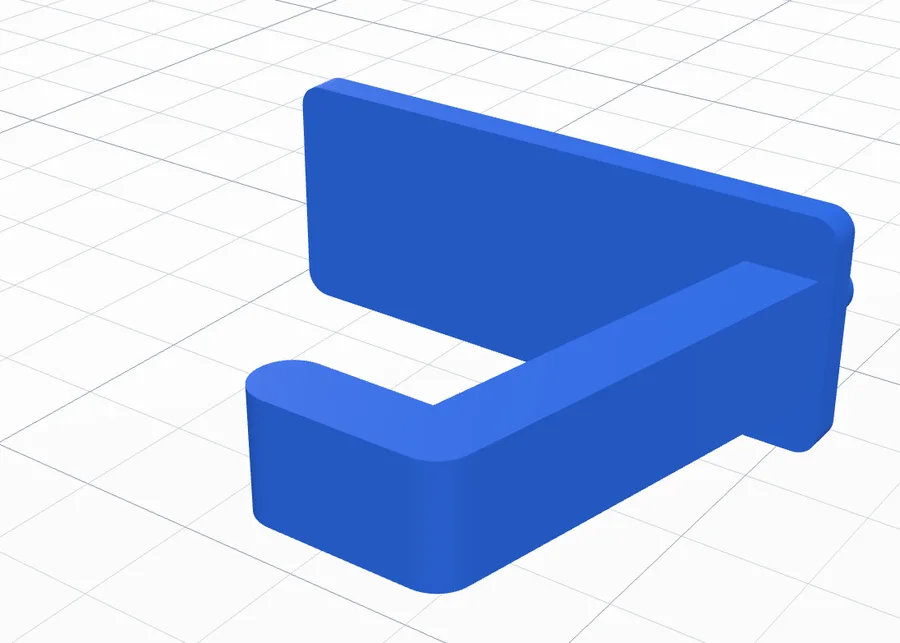
- Auto - hooks, forks, pegs and plates lie on their side (the profile flat on the bed - no supports for the hooks); everything else is upright, as it hangs. With the pegs printed separately a plate lies on its back.
- Upright - as it hangs. Hook tabs then need a little support from the build plate - the panel says so.
- On its side - the profile flat on the bed.
- On its back - only with the pegs printed separately: the flat back on the bed.
- Show the board behind it - the see-through piece of board. It is only for the view, never exported.
- Colour of the part, and of the Label and the Pegs when they are their own parts.
12Pegs on a body you already have
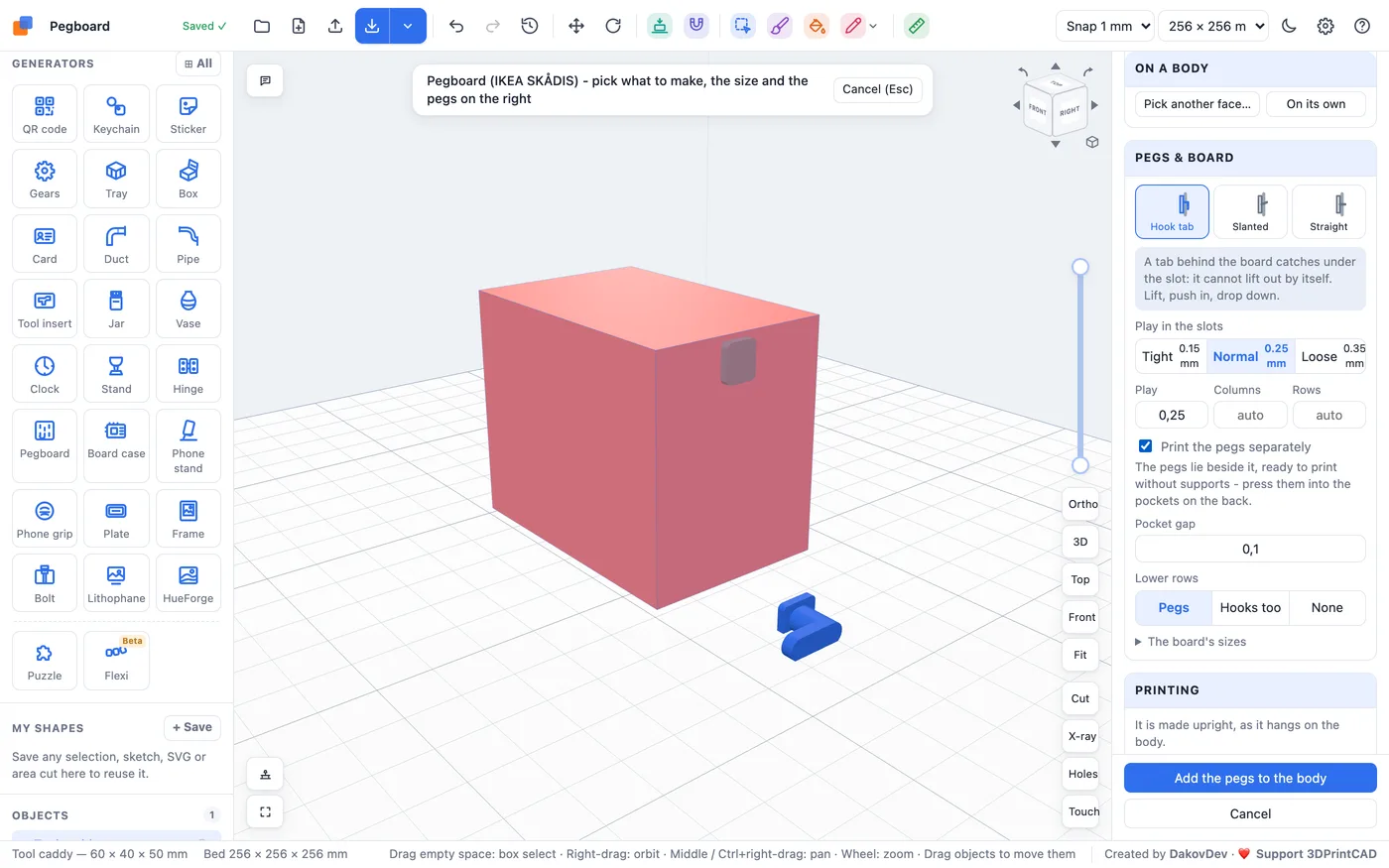
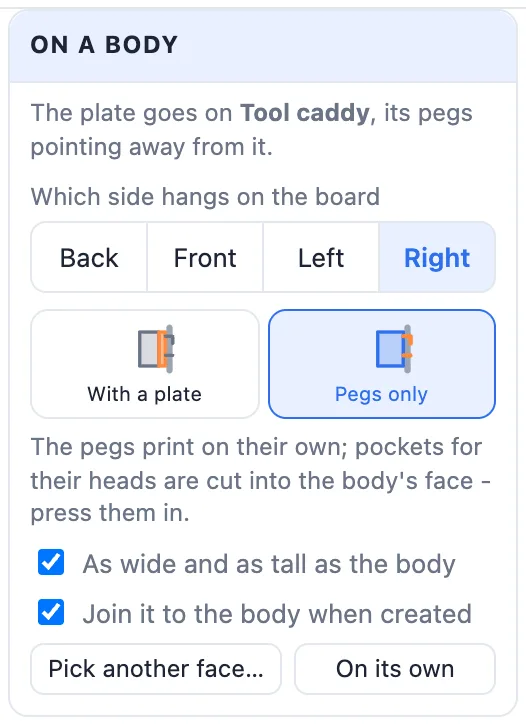
Any model can hang on the board: a holder you drew, a generator's result or an imported STL. Select it and click Pegboard - the generator opens on Plate only with a plate on the body's back, as wide and as tall as that side. Or pick Plate only and click Pick a face of a body…, then click the side of a body that goes against the board.
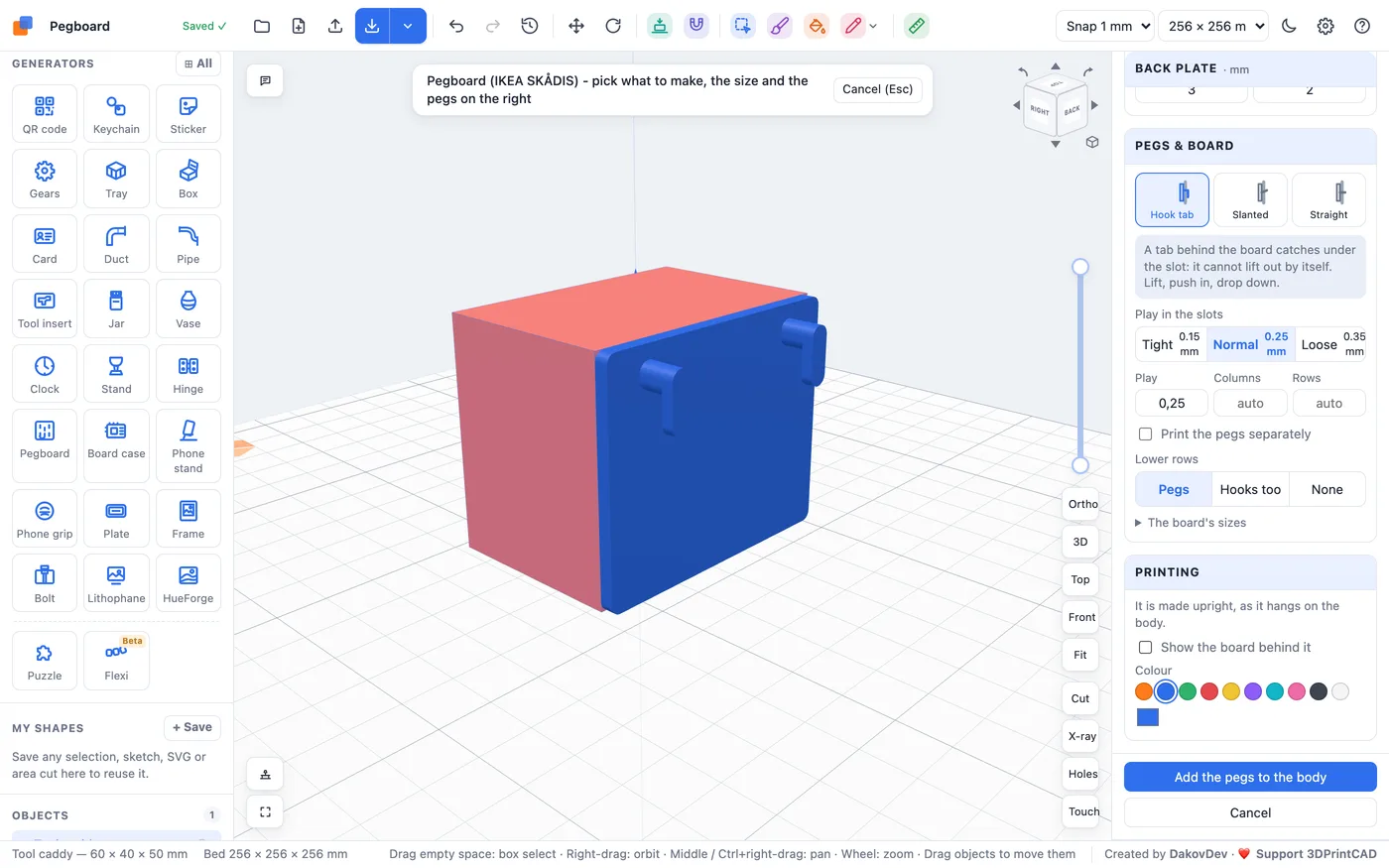
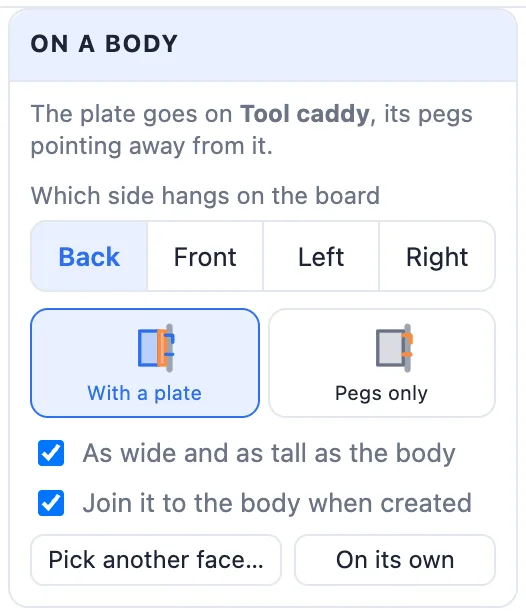
- Which side hangs on the board - Back, Front, Left or Right. Clicking a face picks it for you.
- With a plate - a back plate as big as that side, the pegs on it. Pegs only - no plate: the pegs straight on the body's face.
- As wide and as tall as the body - off, the plate takes the width and height in the Back plate card.
- Join it to the body when created - off, it stays a body of its own right behind it.
- Pick another face… and On its own (the plate on its own again).
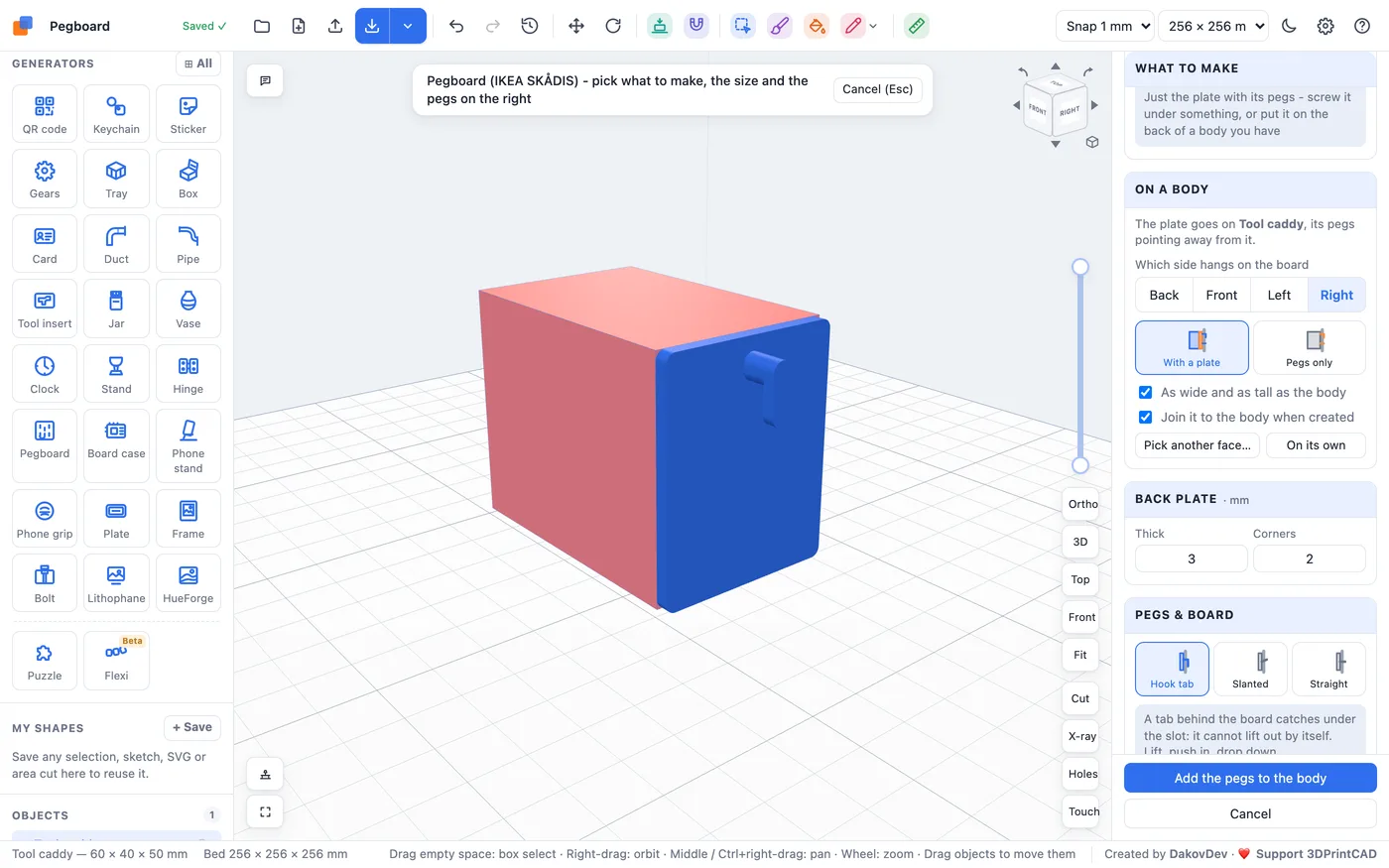
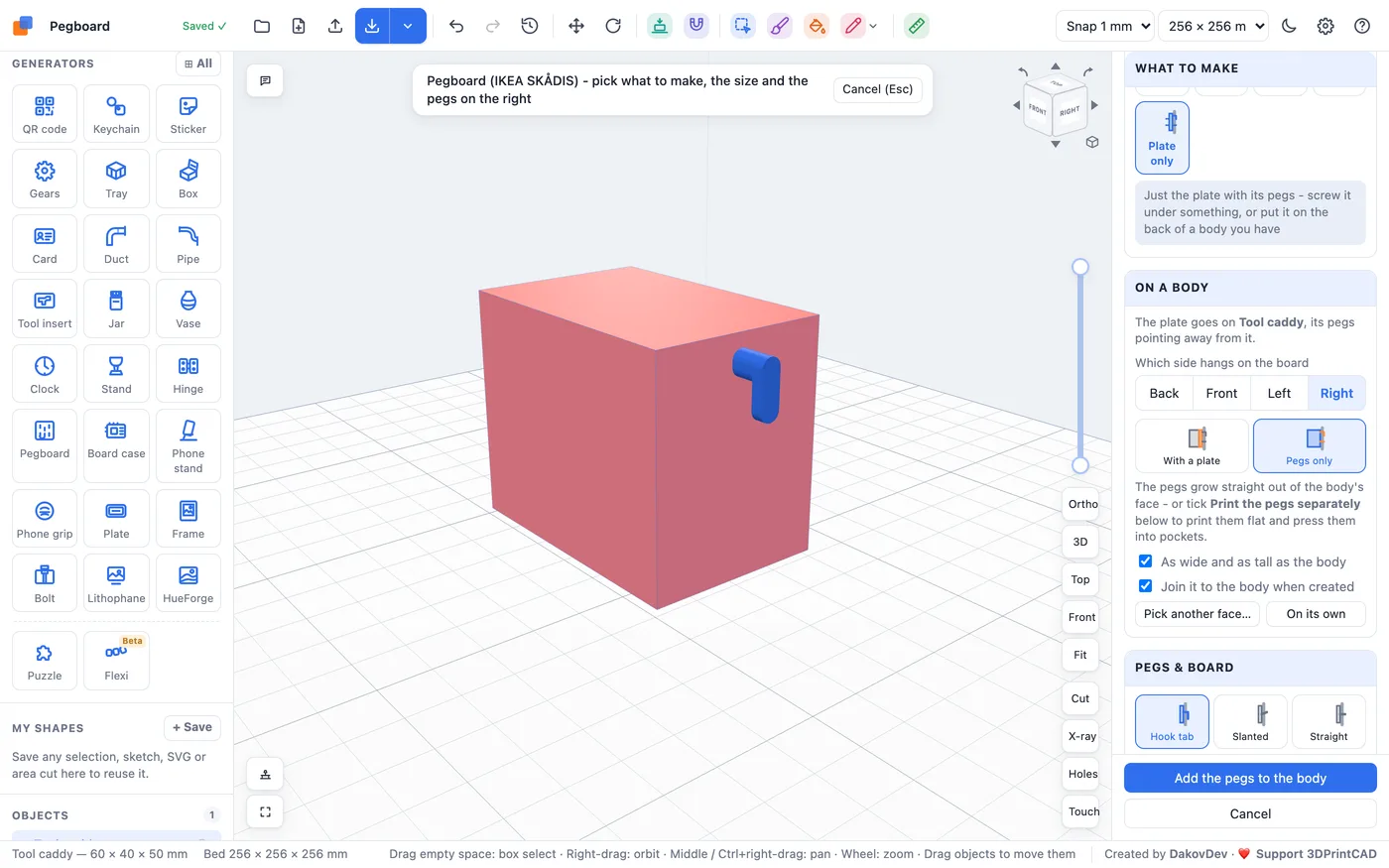
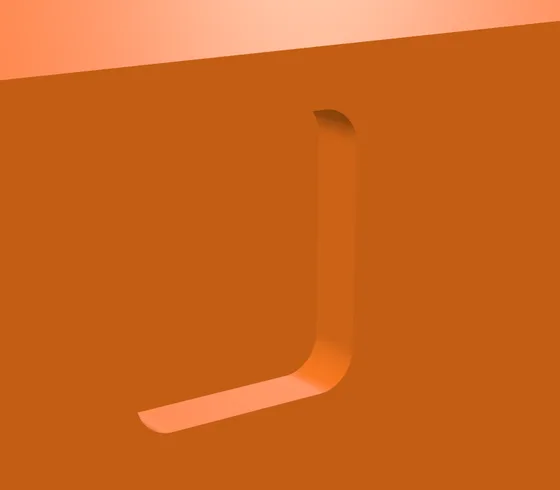
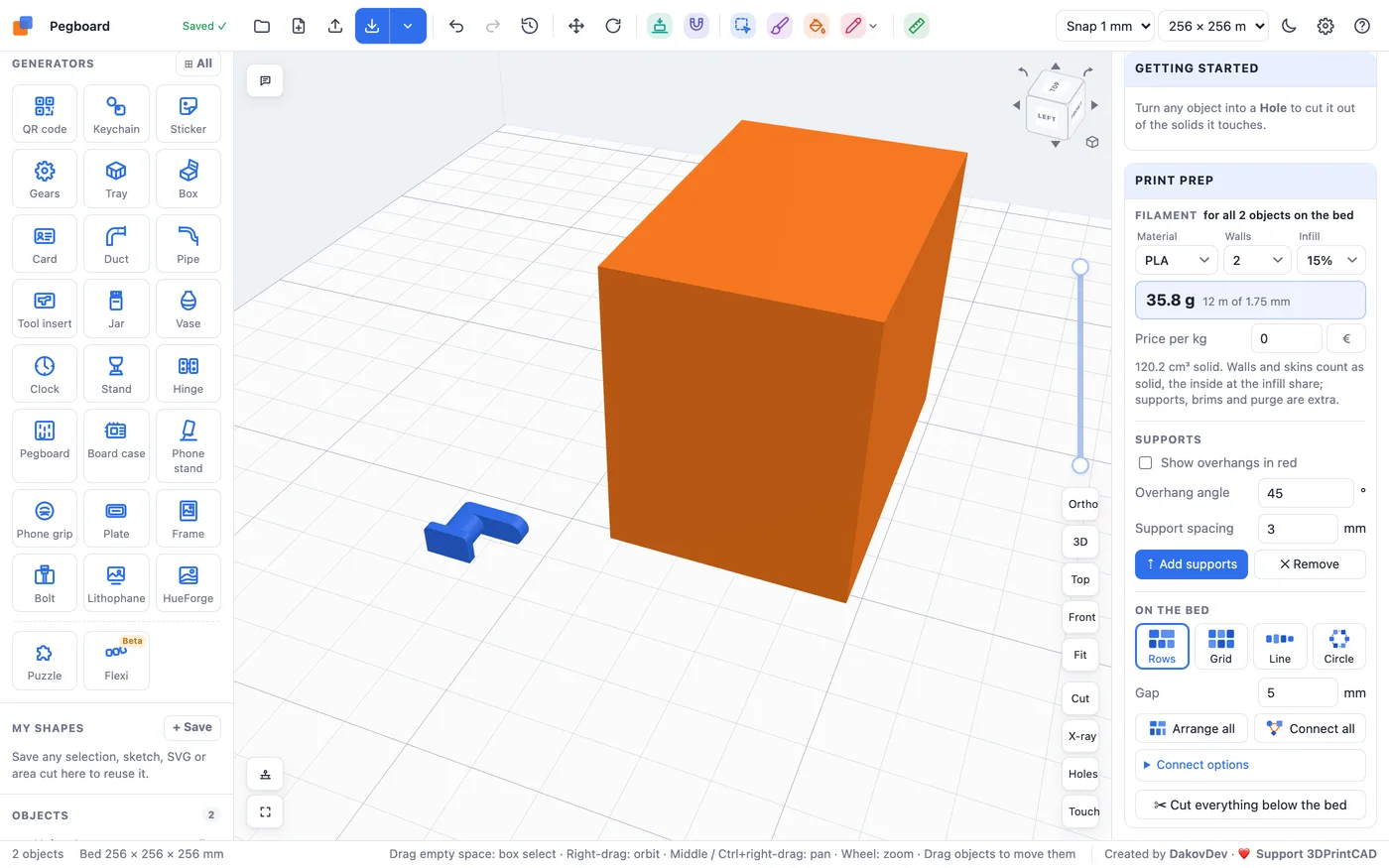
With Pegs only and Print the pegs separately, pockets for the pegs' heads are cut into the body's face (grey in the preview) and the clips print on their own. Click Add the pegs to the body: the pegs or the plate are joined to the body in one undo step (colours are kept), and printed-apart pegs go on the bed as their own body, Pegboard pegs.
13Hang it on the board
- Hold the part a little higher than where it goes and push the pegs into the slots.
- Let it drop down: the hook tabs slide down behind the board and the pegs rest on the slots' round bottoms.
- To take it off, lift it and pull it out.
14Tips for printing
- Print one small Plate only first and try it on your board. Too tight - choose Loose; it wobbles - choose Tight.
- Hook tabs print best with the part on its side (Auto does this for hooks, forks and pegs). For boxes, cups and shelves, print the pegs separately instead of adding supports.
- PLA works for most holders. PETG is tougher and bends instead of snapping - better for hooks that carry heavy tools.
- Print the clips with 100 % infill or 4 walls: they are small and carry the whole part.
- For heavy things, use more columns and Hooks too in the lower rows, and a thicker plate.
Questions
How do I make a hook for the IKEA SKÅDIS pegboard?
Open the Pegboard generator, pick Hook, set its reach, angle and tip, and click Create. Export it as an STL and print it - the pegs on its back fit the board's 5 × 15 mm slots.
Will the hooks fall out of the board?
Not with Hook tab pegs: a tab behind the board catches under the slot, so it cannot be pulled out forward. Lift the part, push the pegs in and let it drop down. Slanted pegs are held by the part's own weight, straight pegs only sit in the slots.
How do I print pegboard hooks without supports?
Hooks, forks, pegs and plates are laid on their side automatically, so their profile lies flat. For boxes, cups and shelves, tick Print the pegs separately: the pegs print as small clips lying flat and press into pockets on the back, which stays flat.
Can I add pegboard pegs to a model I already have?
Yes. Select the body and click Pegboard, or pick Plate only and click Pick a face of a body…, then click the side that goes against the board. A plate as big as that side is joined to it, or choose Pegs only to put just the pegs on its face.
Does it work with pegboards other than IKEA SKÅDIS?
Yes. In Your board pick Pegboard ¼″ (round 6.35 mm holes on a 1 inch grid), Pegboard ⅛″ (4.8 mm holes in a 3.2 mm board) or My own board, and type your board's hole size, spacing and thickness. Round holes get J-hooks that bend down behind the board.
The pegs are too tight or too loose - what do I change?
The play in the slots: Tight 0.15, Normal 0.25 or Loose 0.35 mm taken off each side of a peg, or type your own. Print one small Plate only first to test the fit on your board.
Make your pegboard accessories
Open the generator, pick what to make and set its size - or select a body you have and click Pegboard.
Open the Pegboard generatorAlso see: Tray generator, Box generator, Bolt generator, Tool insert generator and Basic shapes and body tools.
IKEA and SKÅDIS are trademarks of Inter IKEA Systems B.V. 3DPrintCAD is not affiliated with or endorsed by IKEA.