3DPrintCAD › Guides › Gear generator
Gear generator: 3D printable gears that mesh
Make spur, helical, herringbone, rack and pinion, ring, planetary, bevel, worm and hypoid gears in your browser. Type the ratio you need, get the tooth counts, check that every tooth clears, and export STL or a multi-colour 3MF - ready for your slicer.

Watch the tutorial
Every option in about three minutes, with subtitles: the nine gear types, the ratio calculator, the parameters, bores and hubs, the mesh check and printing. Watch on YouTube ↗
1Open the gear generator
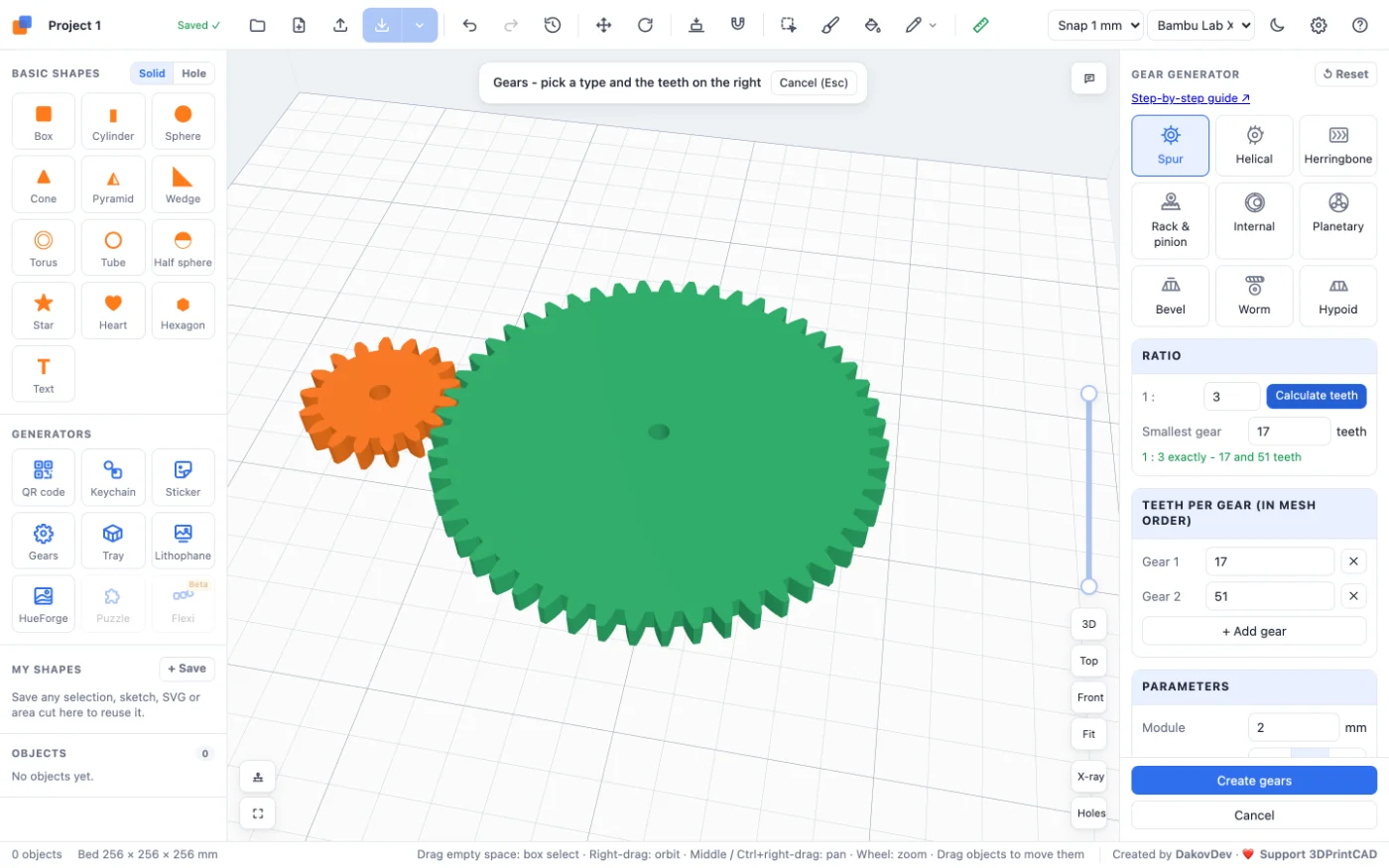
Open the app and click Gears under Generators on the left (or use this link, which starts a new project with the gear generator open). A pair of spur gears appears at once. Every setting on the right updates the preview, so you see the gears change as you go.
2Choose a gear type
The tiles at the top of the panel pick one of nine gear types:
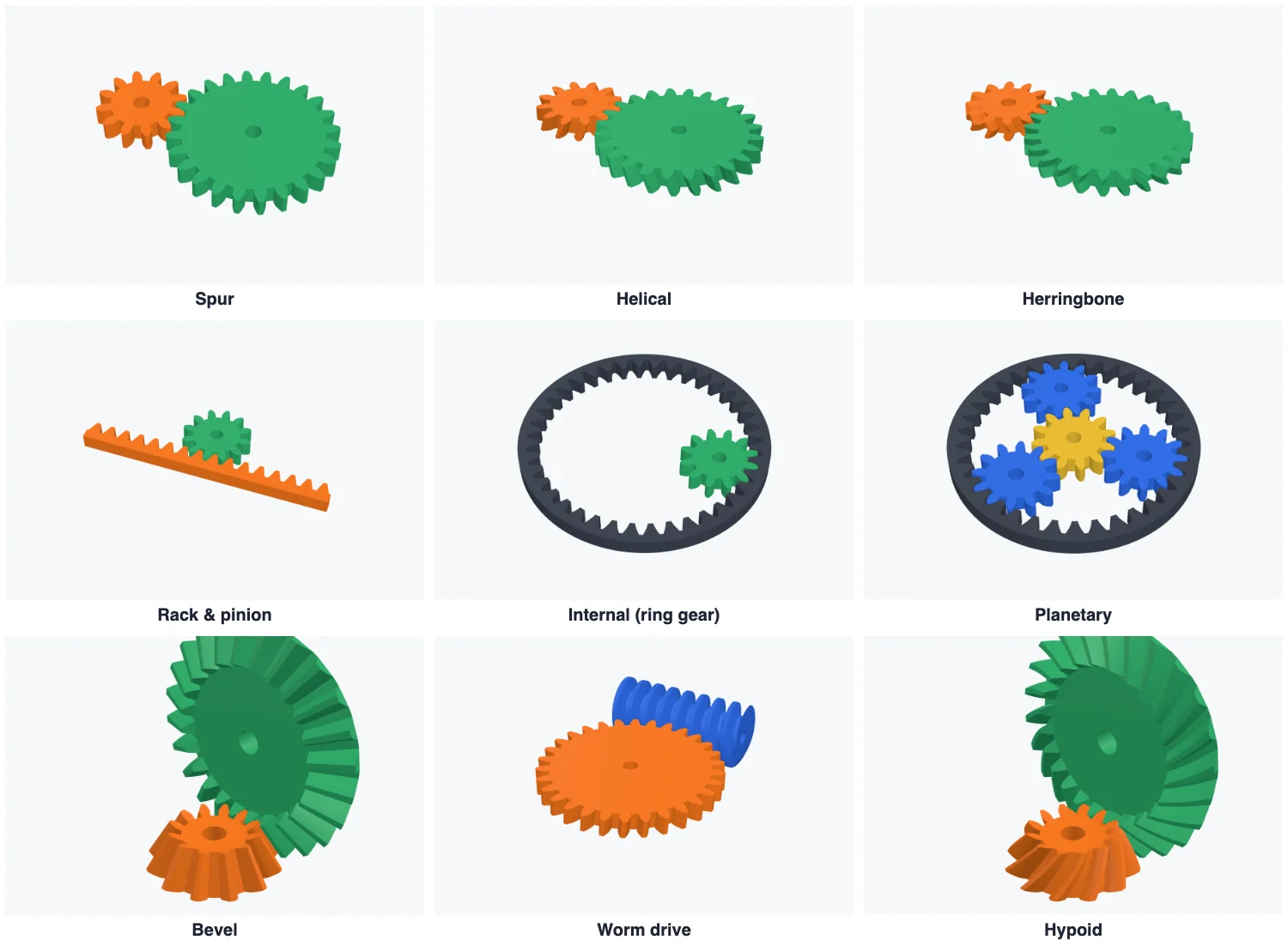
- Spur - straight teeth, the simplest gears; one pair or a train of up to six.
- Helical - slanted teeth that run smoother and quieter. Helix angle sets the slant (15-30° is typical).
- Herringbone - V-shaped teeth: as smooth as helical, and the gears keep themselves centred.
- Rack & pinion - turning becomes a straight movement: one turn of the pinion moves the rack π × module × teeth mm. Set the rack length (in teeth) and the thickness behind its teeth.
- Internal - a pinion running inside a ring gear, with a rim of your choice.
- Planetary - a sun, 1 to 6 planets and a ring: a big ratio in a small, round space. The ring has sun + 2 × planet teeth.
- Bevel - turns the drive through 90°. The shafts meet; print each gear with its wide end down.
- Worm - a worm and a wheel: a big ratio in one step. With one start, the wheel cannot turn the worm back (self-locking).
- Hypoid - bevel gears with curved teeth, also at 90°; Spiral angle sets the curve.
3Set a ratio
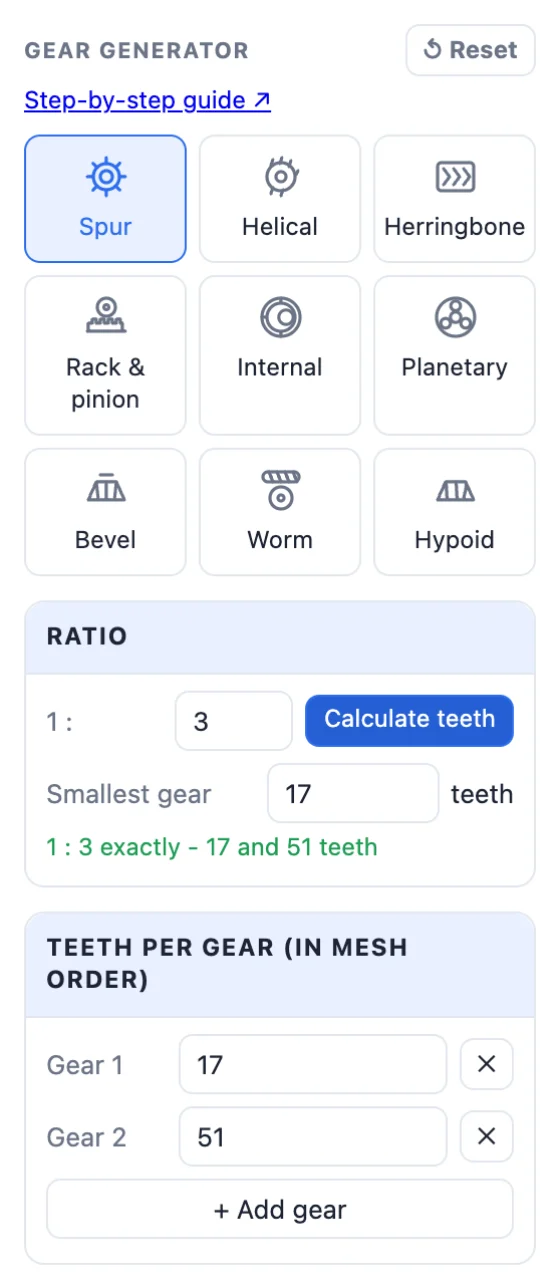
Type the ratio you need in the Ratio box and click Calculate teeth. 4 means 1 : 4: the input turns 4 times for one turn of the output, which turns slower with 4 times the torque. A ratio below 1 makes a speed-up. The tooth counts are worked out for the chosen type:
- Spur, helical, herringbone, bevel, hypoid - the two tooth counts of one pair.
- Internal - the pinion and the ring gear.
- Planetary (the ring held still) - the sun and the planets, more than 1 : 2. The counts are chosen so the planets are evenly spaced and do not touch.
- Worm - the number of starts and the wheel's teeth: ratio = wheel teeth ÷ starts, from about 1 : 4 to 1 : 200.
Smallest gear sets the fewest teeth any gear may have. 12 is the practical minimum; 17 or more avoids thin tooth roots (undercut) at 20°. When the exact ratio is not possible, the closest one is used and the panel says so.
4Teeth and gear trains
You can also type the tooth counts yourself. For spur, helical and herringbone gears, + Add gear adds another gear to the train (up to six, in mesh order) and ✕ removes one. Each gear meshes with the one before it, so the ratios multiply.
5Module, pressure angle, thickness and backlash
- Module is the tooth size: pitch diameter = module × teeth. 1-1.5 for small, fine gears, 2 for most prints on a 0.4 mm nozzle, 3 or more for big, strong gears. Gears only mesh with the same module.
- Pressure angle - 20° is the standard. 25° gives wider, stronger tooth roots; 14.5° is the old standard, for matching old gears.
- Thickness - how thick the gears are (the wheel's thickness for a worm drive).
- Backlash - the play between the teeth: 0.2-0.4 mm for FDM printing. Half is taken from each gear's teeth.
- Helix angle (helical types) - 0 is straight; 15-30° runs smoother and quieter. Ring and planetary gears can be helical or herringbone too.
6Bore, hub and lightening holes
- Bore Ø - the shaft hole. Round, D-flat (round with one flat side, for motor shafts), Hex (for a hex shaft or a nut) or None.
- Hub - a raised collar round the bore, with its own diameter and height, for a stronger hold on the shaft.
- Lightening - 3 to 8 round holes between the bore and the teeth: lighter gears that print faster.

7Check the result
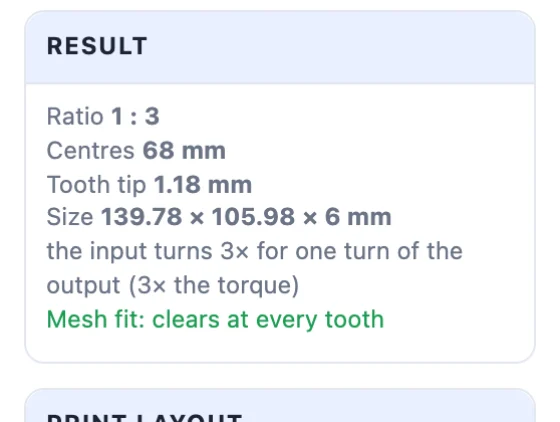
The Result card shows the ratio, the centre distance between the shafts, the tooth tip width and the size. It also checks the mesh: the gears are turned through a whole tooth and their teeth must never overlap. Mesh fit: clears at every tooth means they will turn; if teeth overlap, add backlash or change the tooth counts. Warnings tell you about thin teeth and other things to look at.
8Print your gears
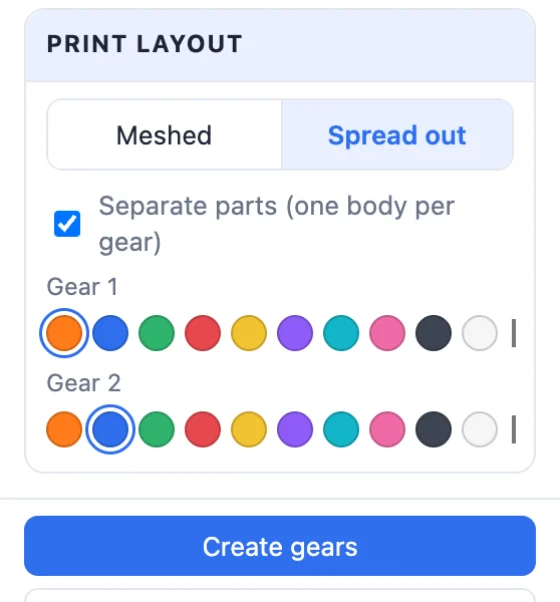
- Print layout - Meshed shows the gears working together; Spread out lays them in a row with gaps, ready to print.
- Separate parts makes one body per gear, each with its own colour (all planets share one). Without it, meshed gears would print fused together.
- Click Create gears. To change them later, double-click them and the generator opens with their settings.
- Export STL for your slicer, or Multi-colour 3MF to print each gear in its own filament.

Printing tips: print gears flat on the bed (bevel and hypoid gears with their wide end down), use 3-4 walls for strong teeth, and test one pair before a long gearbox. PETG and nylon wear better than PLA on gears that run a lot.
Questions
What module should I use for 3D printed gears?
Module 2 is a good start on a 0.4 mm nozzle. Use 1-1.5 for small, fine gears and 3 or more for big, strong ones. The pitch diameter is module × teeth, so a bigger module makes a bigger gear with the same number of teeth.
How much backlash do 3D printed gears need?
0.2-0.4 mm works for most FDM printers (0.3 mm is the default). Too little and the gears bind; too much and they rattle. The result card checks the fit at every tooth.
How do I get a certain gear ratio?
Type the ratio in the Ratio box - 4 means 1 : 4, the input turns 4 times for one turn of the output - and click Calculate teeth. The tooth counts are worked out for the chosen gear type, with at least the number of teeth set in Smallest gear.
Which gear type is best for a big ratio?
A worm drive gives up to 1 : 200 in one step and does not turn backwards with one start. A planetary set gives a big ratio in a small, round space. A spur pair for 1 : 8 or more gets very big.
Can I change the gears after creating them?
Yes. Double-click the gears (or select them and click Edit generator) and the generator opens with their settings.
Why does it warn about undercut?
Gears with fewer than about 17 teeth at a 20° pressure angle get thin tooth roots. They still work, but more teeth or a 25° pressure angle make stronger teeth.
Make your gears now
Open the gear generator, type a ratio and print.
Make gears nowAlso see: Tray generator, Flexi generator, Jigsaw puzzle generator, How to resize an STL file and How to reduce STL file size.