3DPrintCAD › Guides › Wall mount generator
Wall mount generator: 3D print hooks, shelves and two-part mounts
Make the hook, rack, shelf or holder you need for a wall - sized for your coat, your broom, your mug or your guitar - or a mount in two parts that holds a router, a mini PC or a sign and lifts off again. Everything prints without supports, and every size is yours to change. This guide goes through every option of the generator.
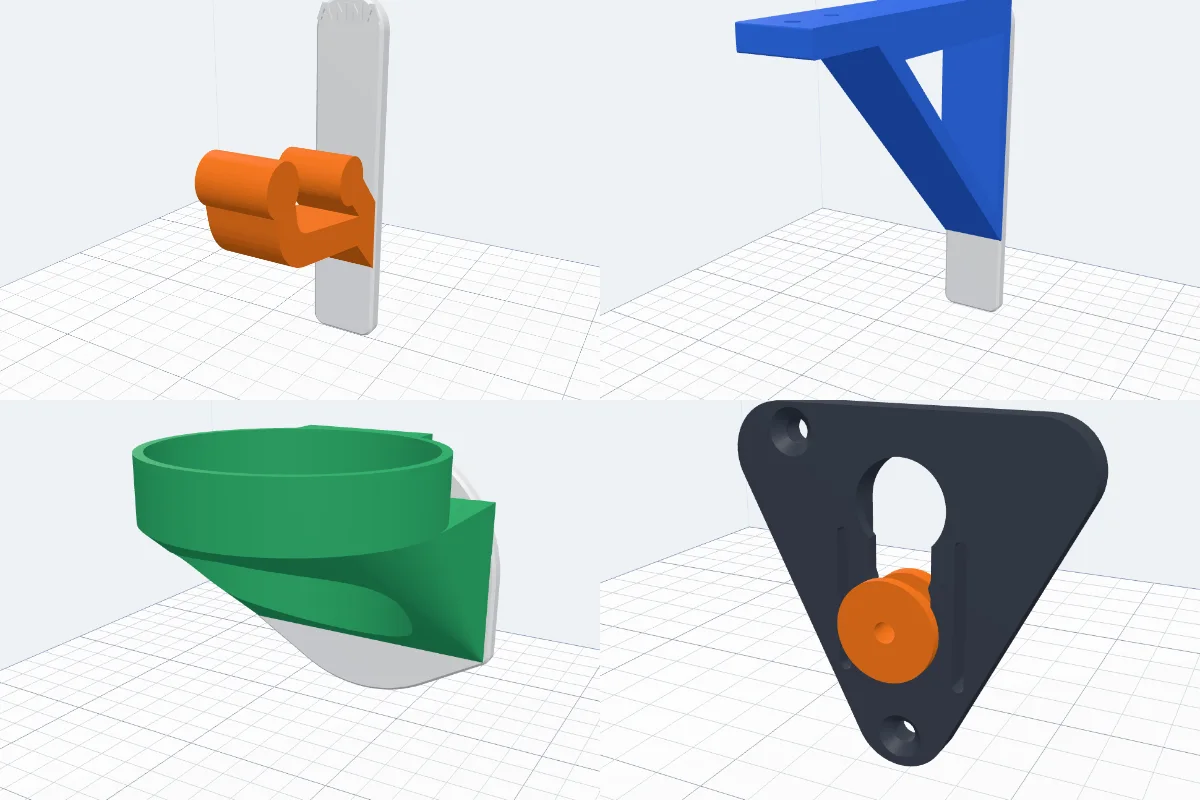
Watch the tutorial
Every option in under five minutes, with subtitles: the 12 wall hooks, their sizes and quick sizes, the plate, every way to fix it to the wall, a label and colours, then the six two-part mounts, how tight they fit and where the screws go. Watch on YouTube ↗
1Open the generator
Click Wall mount in the Generators list on the left, or the button above. The preview builds at once and changes as you go; nothing is added to your project until you click Create wall mount.
2Two types
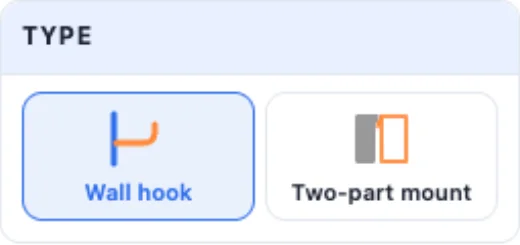
The panel's first card picks the type: a Wall hook is one piece - a plate on the wall with a hook, a shelf or a holder on its front, in 12 styles. A Two-part mount is a wall part and an object part that slide or click together (see below).
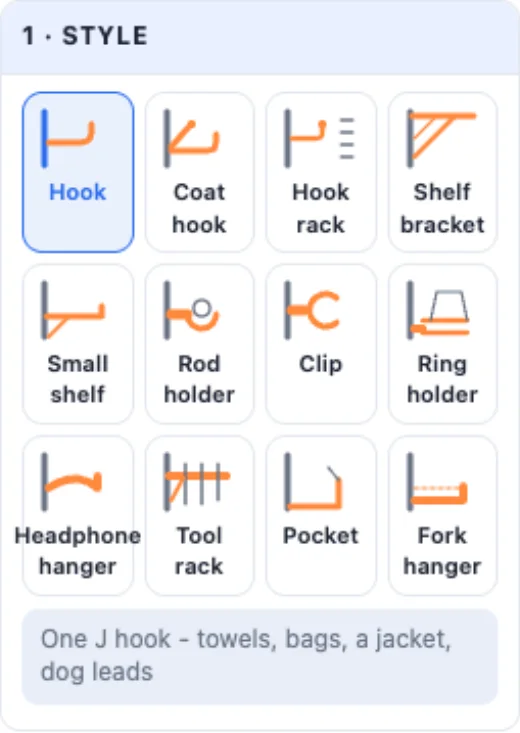
3The 12 wall hooks
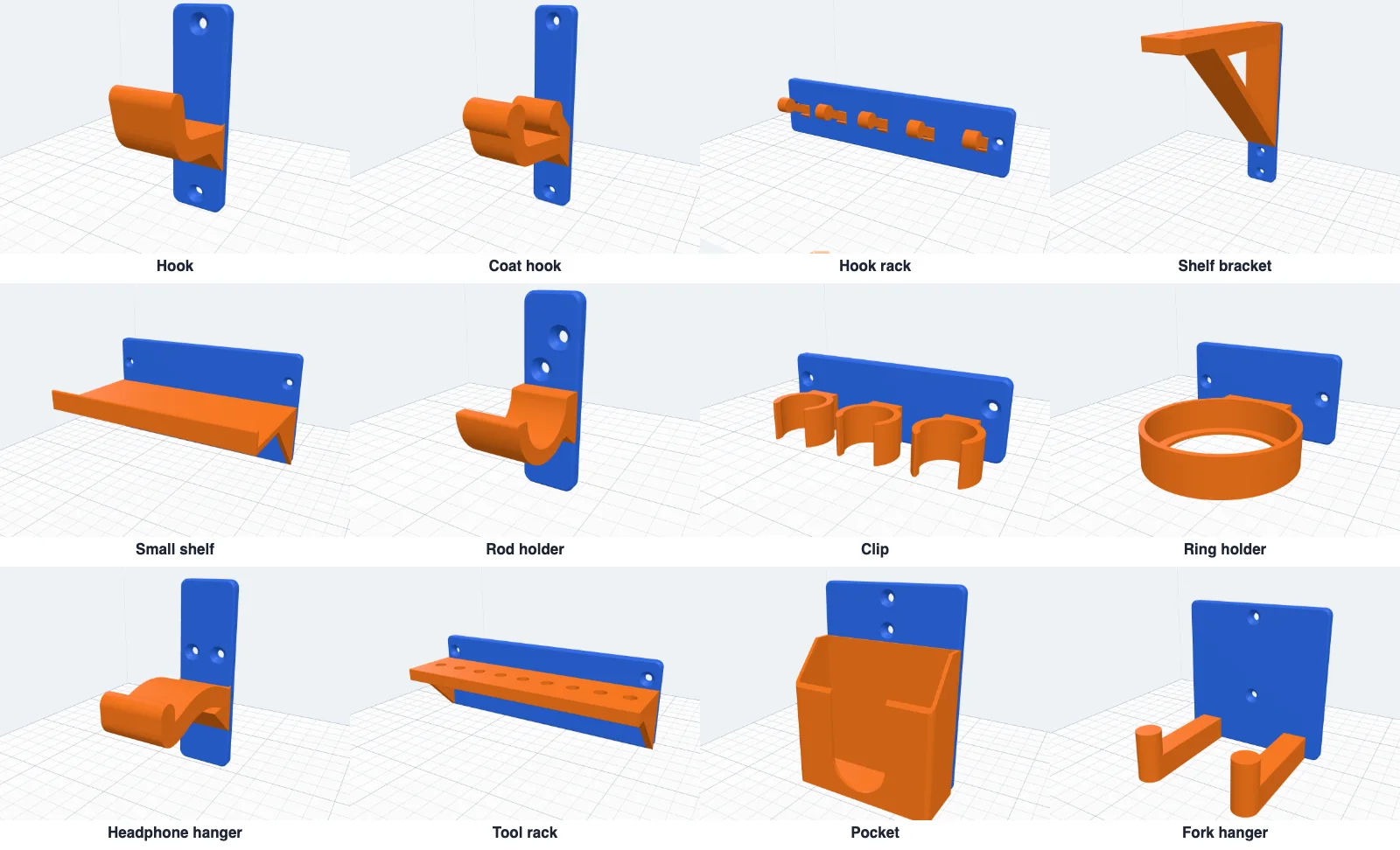
- Hook - one J hook: towels, bags, a jacket, dog leads.
- Coat hook - a long hook below for a coat and a short one above for a hat, both with round ends.
- Hook rack - a row of small hooks for keys, leads, mugs or jewellery.
- Shelf bracket - an L bracket for a wooden board: an open truss, a solid triangle, a curve or nothing under the arm, screw holes up into the board and a lip at its end.
- Small shelf - a little shelf with a lip along the front for spices, a plant, a speaker.
- Rod holder - a cradle for a closet rail, a curtain rod, a dowel or a towel rail: open on top, open to the front (the rod clicks in) or a closed ring.
- Clip - spring clips that hold a broom, a mop, a rake or a hose.
- Ring holder - a ring a mug, a bottle, a spray can or a plant pot drops into: an open ring, an inner ledge or a floor with a drain hole.
- Headphone hanger - a wide arm with a round hump and a raised end - headphones, a bag or a coiled cable.
- Tool rack - a ledge with a row of round holes, square holes or slots open at the front: screwdrivers, pliers, brushes, allen keys.
- Pocket - an open box for a phone while it charges, remotes, mail or glasses: a lower front with sloping sides, a finger notch, a slot for a cable, drain holes.
- Fork hanger - two prongs with raised tips: a guitar, a bass, a ukulele, a racket or a skateboard.
4A style's sizes
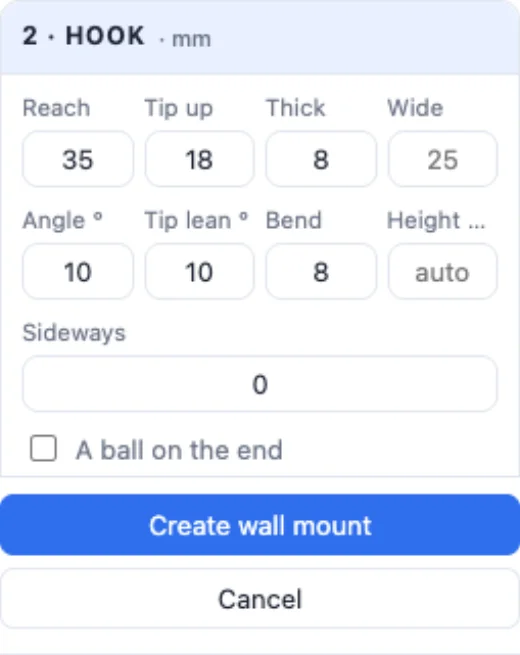
Card 2 holds the style's own sizes. For hooks: how far the arm Reaches, how high the Tip rises, how Thick and how Wide the arm is (empty = as wide as the plate), its Angle, the tip's lean, how round the Bend is and the Height on the plate. A ball on the end is kinder to clothes; A brace under the arm makes it much stronger.
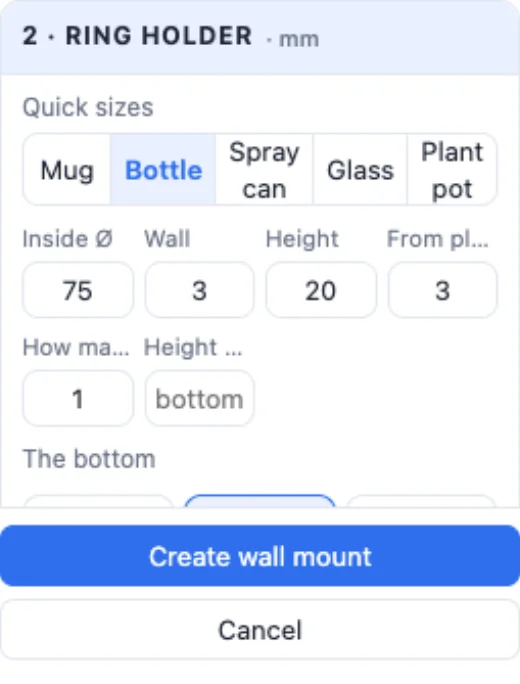
The other styles have their own: the shelf's depth, thickness, lip and braces; the bracket's arm and brace style; the rod's Ø, gap and opening; a clip's handle Ø, wall, opening and squeeze; the tool rack's hole shape, size and spacing; the pocket's width, depth, height, lower front, notch and cable slot; the fork's gap, prong width, reach and tips. Things that stand out of the plate at its bottom print standing; moved higher, a 45° brace goes under them.
5The back plate
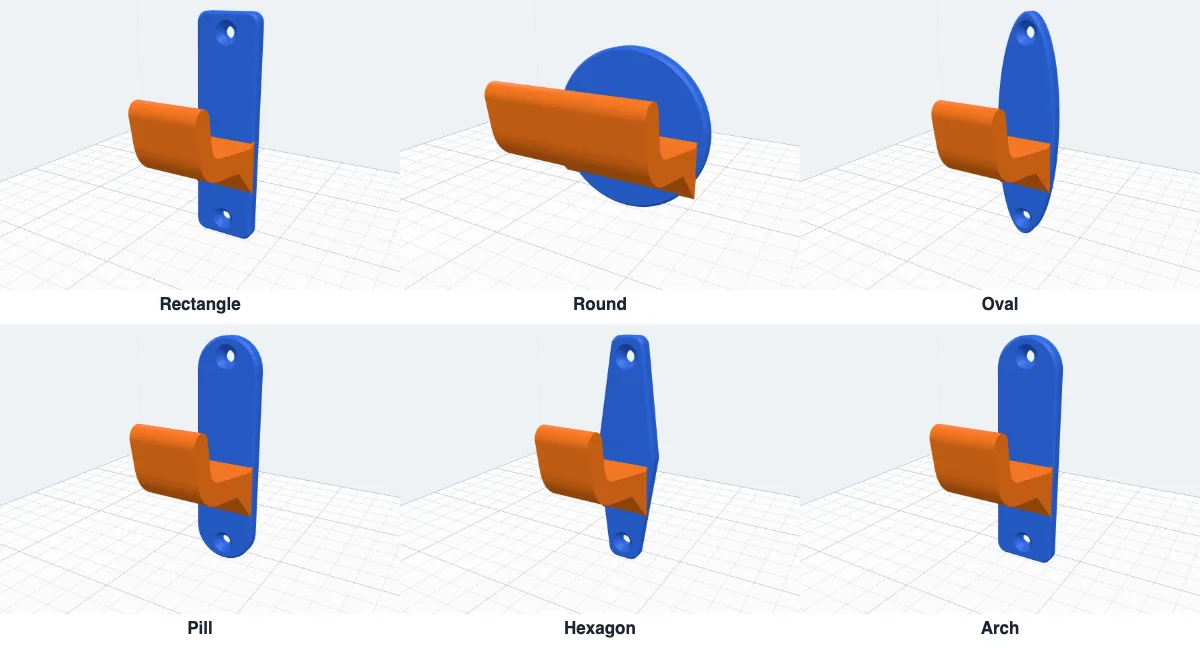
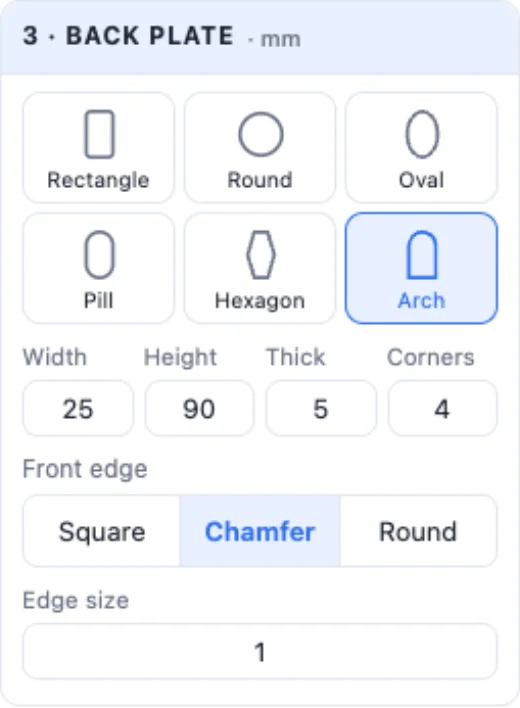
3 · Back plate: six shapes - Rectangle, Round, Oval, Pill, Hexagon, Arch - its width, height and thickness, its corners and a Square, Chamfer or Round front edge. The plate grows by itself to hold what is on it (the info box says so), and hooks, clips and rings are spread across its real width at their height - on a round plate too.
6Screws, keyholes, nails, tape or magnets

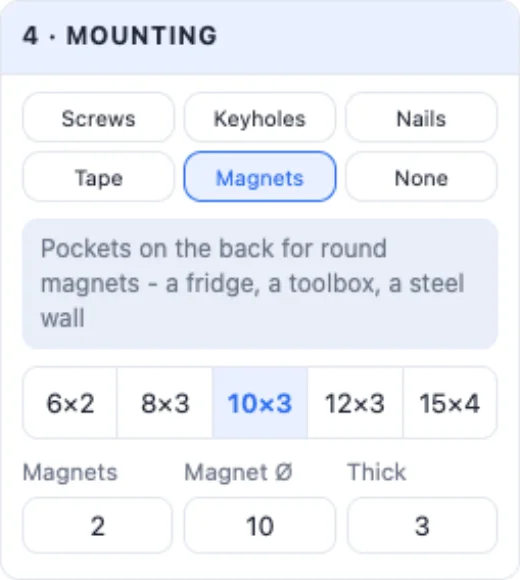
- Screws - countersunk (flush), counterbored for a pan head, or a plain hole; how many, their Ø and head Ø, and where: automatic, up and down, side by side or in the corners. They are moved where a screwdriver reaches them past the hook.
- Keyholes - one or two slots on the back: drive two screws into the wall, hang it on them and pull it down - nothing shows. The plate is made thick enough for the screw heads.
- Nails - small holes at 45° for nails or picture pins.
- Tape - a shallow recess on the back for double-sided tape or a sticky strip.
- Magnets - round pockets on the back (6 × 2 to 15 × 4 mm) for a fridge, a toolbox or a steel wall.
7A label
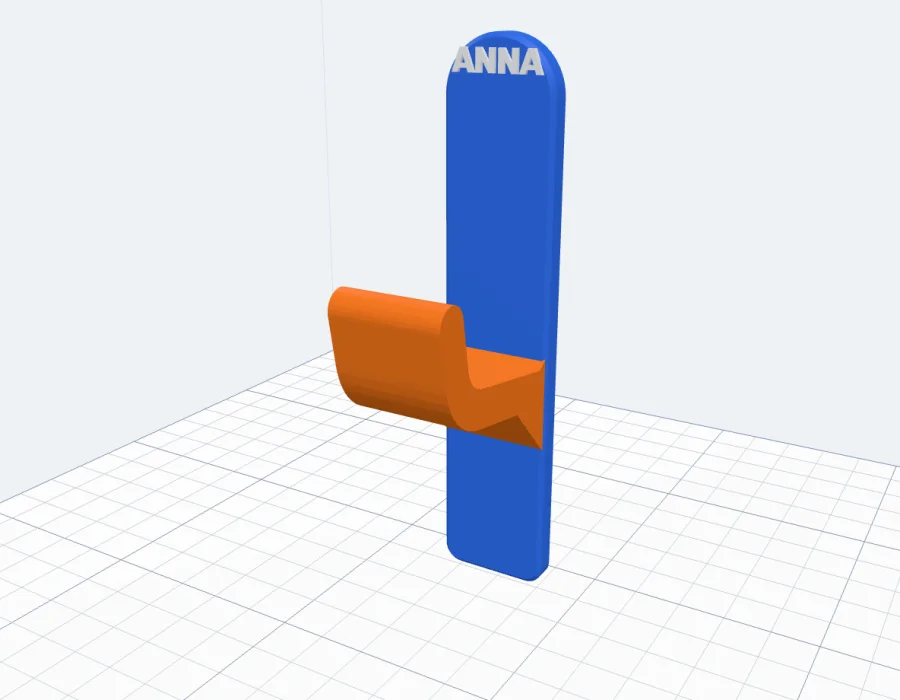
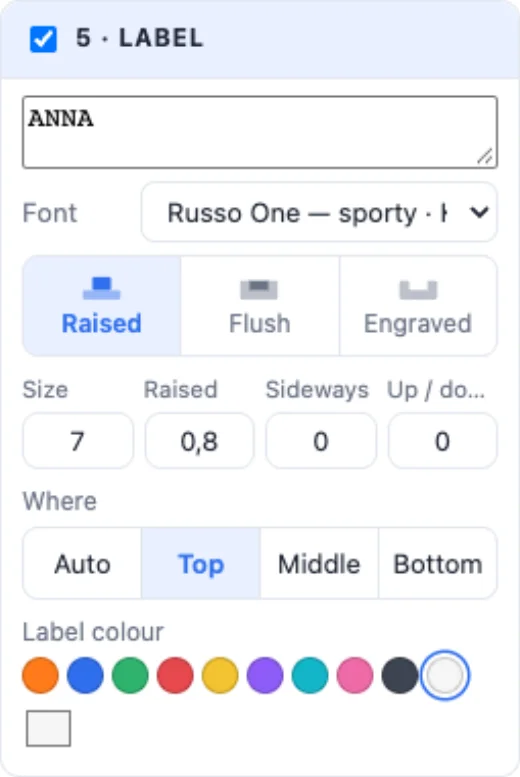
Tick 5 · Label for a name or a word on the plate: up to four lines in any font, Raised, Flush (inlaid in its own colour) or Engraved, its size, and where - automatic (above the hook if there is room), at the top, in the middle or at the bottom, nudged sideways or up and down.
8How it prints
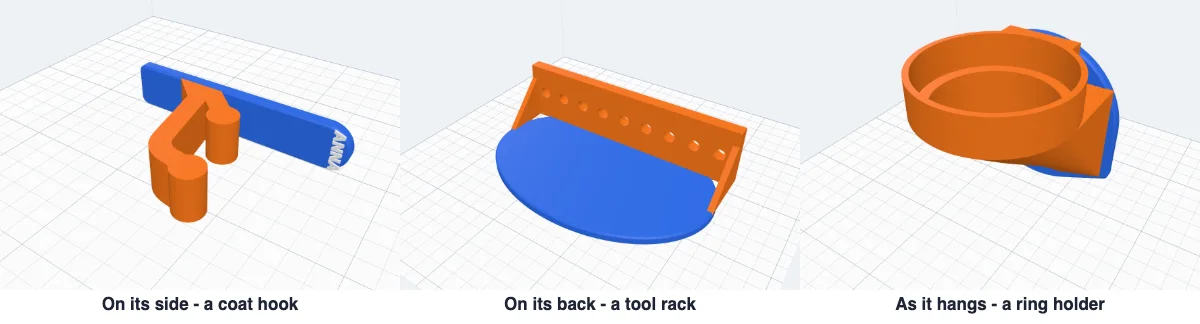
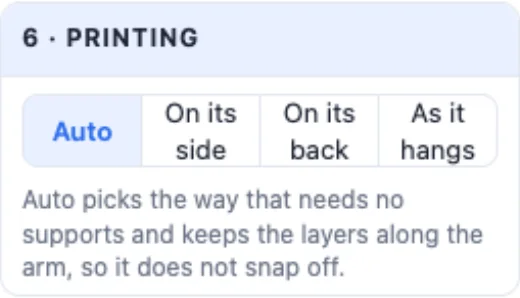
6 · Printing - Auto picks the way that needs no supports and keeps the layers running along the arm, so it does not snap off: hooks, brackets, shelves and rod holders lie on their side, the tool rack and hook rack on their back, rings, clips, pockets and fork hangers stand as they hang. Pick another way and the info box tells you what would need supports.
9Colours
7 · Colours: the plate's colour, and what is on its front - Same (one body) or a colour of its own (two parts for a multi-colour printer, or a filament change). The label has its own colour.
10Two-part mounts
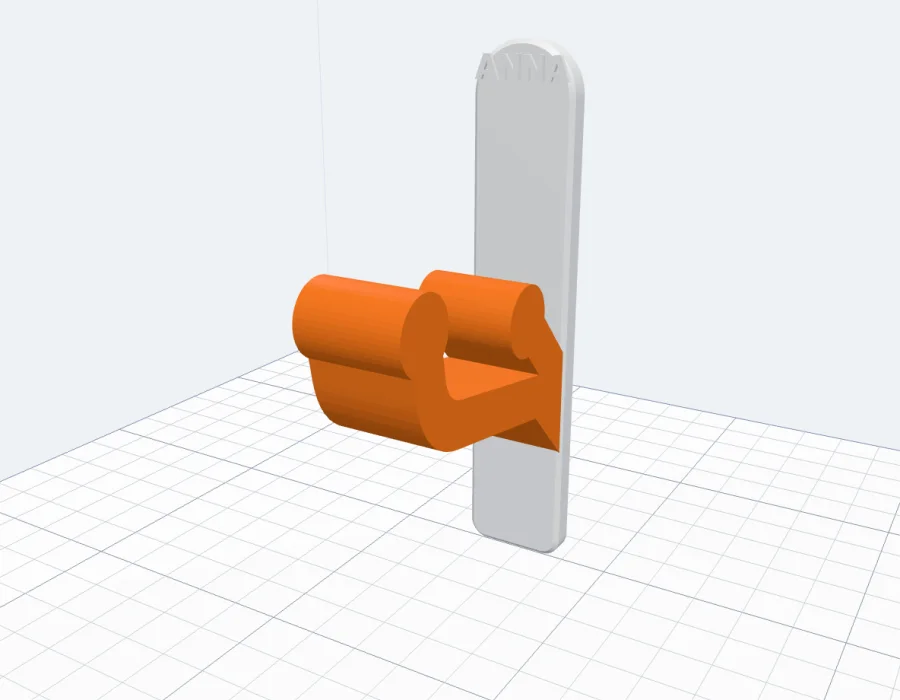
Pick Two-part mount in the Type card for a mount in two parts: the wall part is screwed to the wall, the object part is fixed to your thing - a router, a mini PC, a lamp, a speaker, a sign - and slides, drops or clicks onto the wall part. It lifts off again whenever you need it.
11The 6 two-part styles
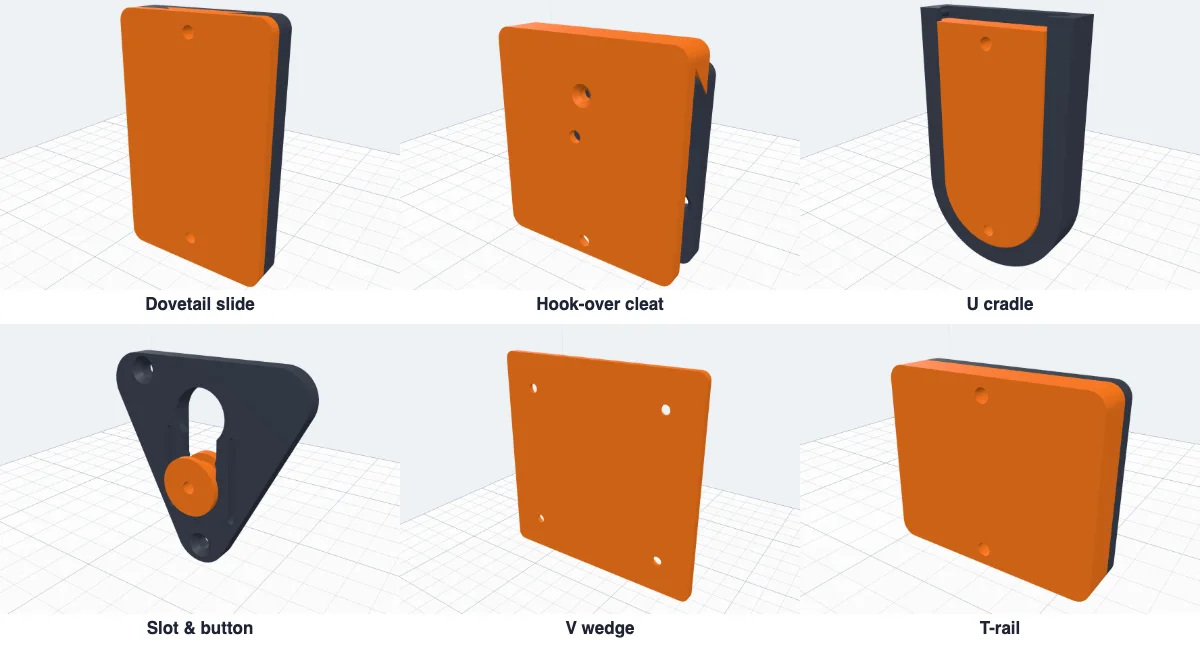
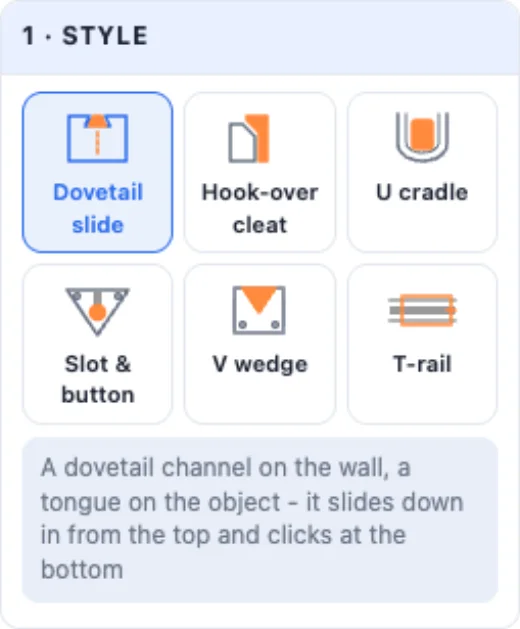
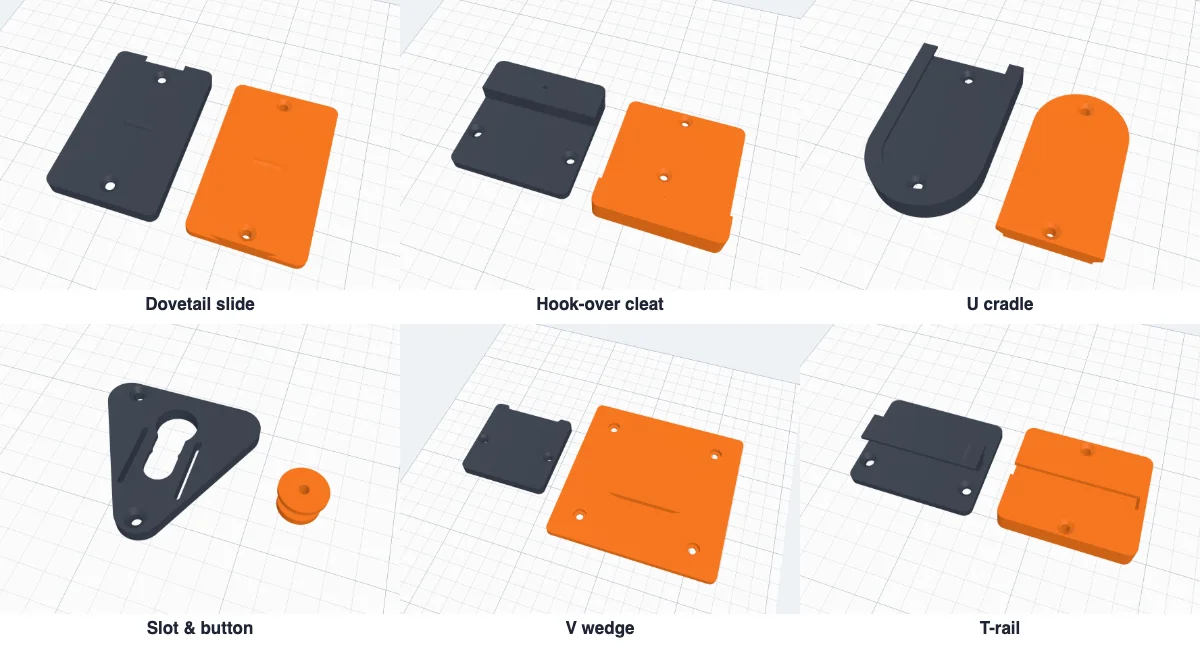
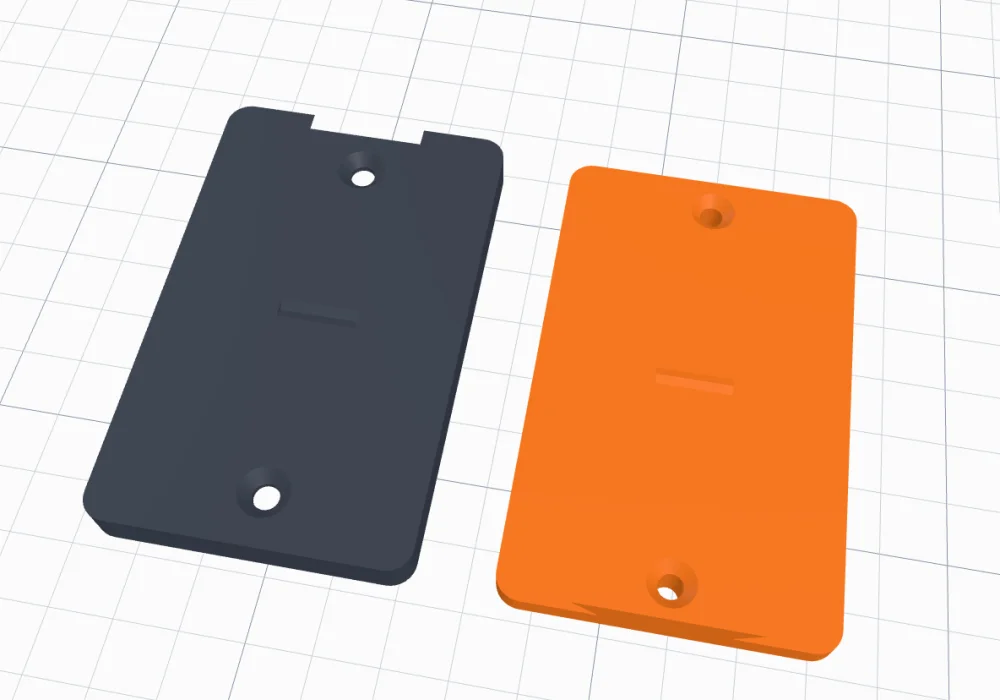
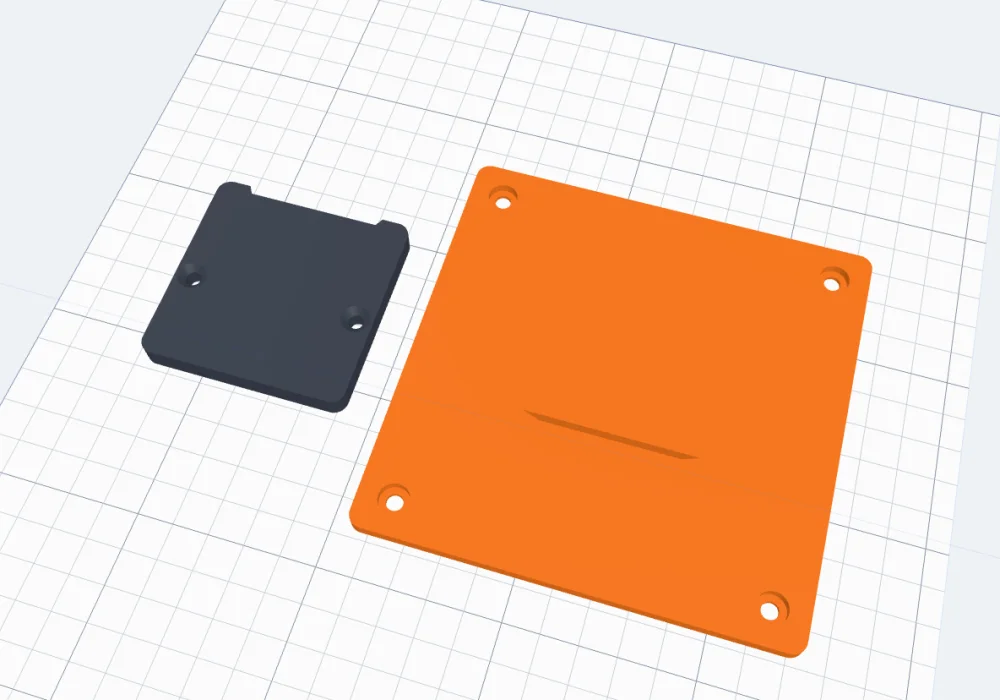
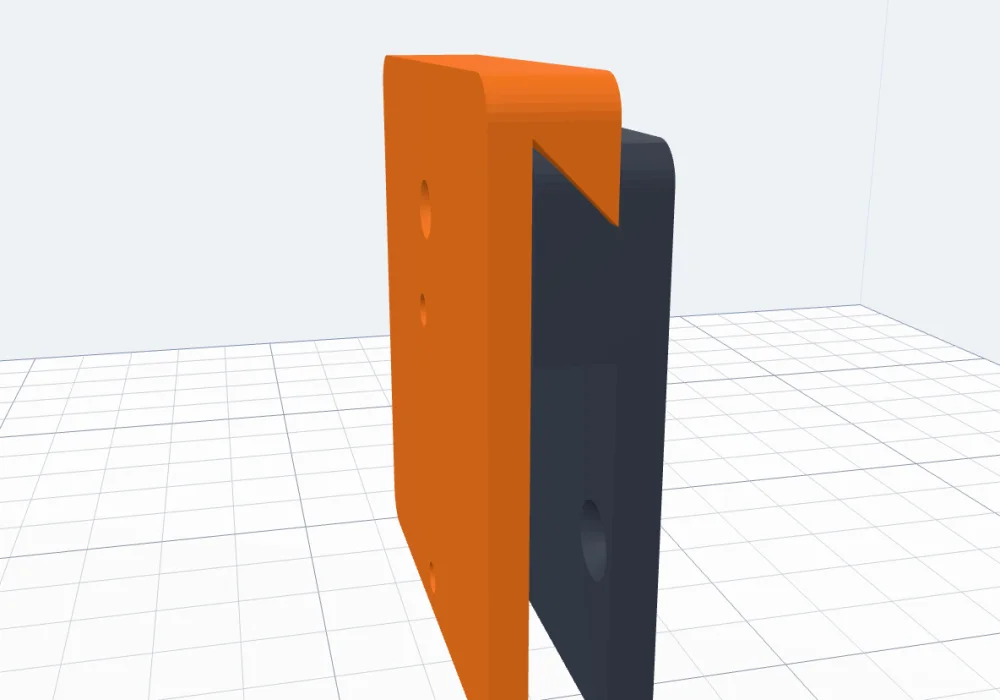
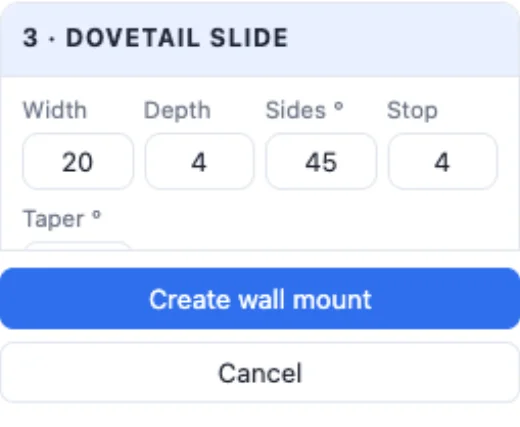
- Dovetail slide - a dovetail channel open at the top of the wall part, a tongue on the object part's back: it slides down in and clicks at the bottom. Its width, depth and side angle, a stop at the bottom (or open, so it slides right through), a taper so it wedges tighter as it goes down, two dovetails side by side.
- Hook-over cleat - two 45° hooks like a French cleat: the object part drops over the wall part's top edge; a lock screw stops it being lifted off by accident.
- U cradle - a U frame with lips; a flat insert slides down under them and clicks past two bumps at the top. Its middle stands out through the window to the object.
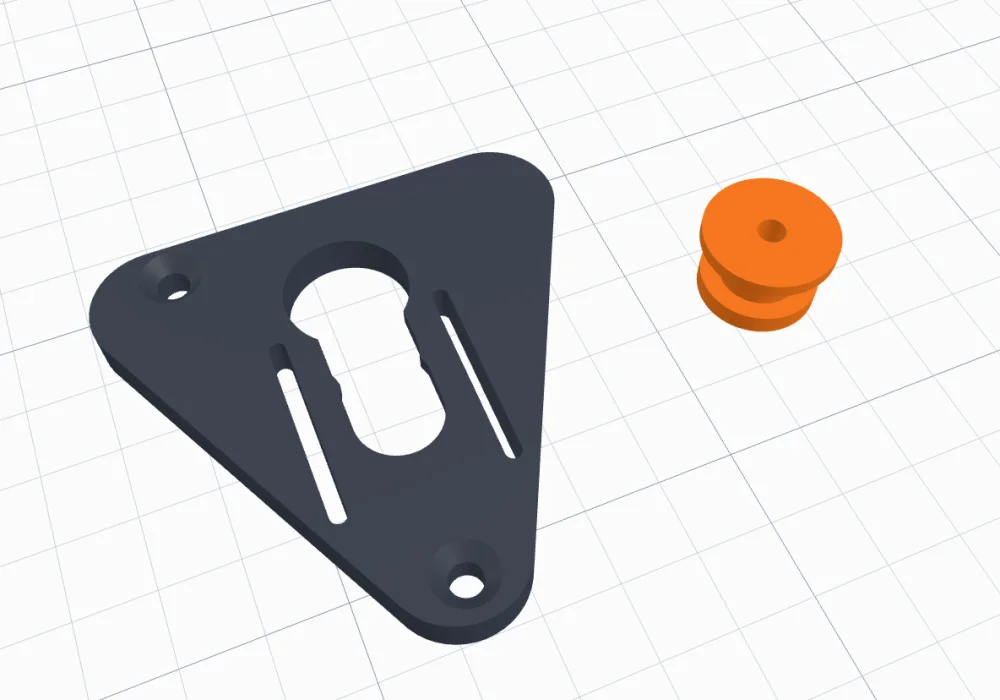
- Slot & button - a plate with a track and a printed spool: the spool's head drops into the round hole and slides down behind the lip; springy edges beside the track click over its thick neck. A triangle, round, rectangular or shield plate, one or two buttons.
- V wedge - a V-shaped dovetail that centres itself as it drops in - a mini PC, a router or a speaker; the object part takes VESA holes.
- T-rail - a rail on the wall part and a slot to match in the object part: slide it on from the side or drop it on from the top until it stops and clicks; one rail or two.
12Fit and fixing
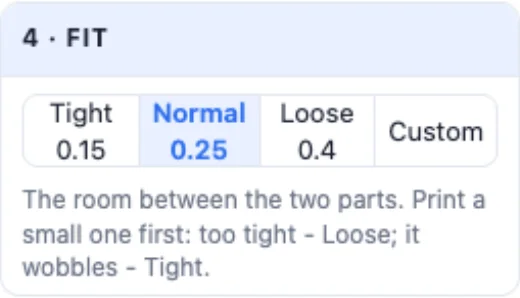
- 4 · Fit - the room between the two parts: Tight 0.15, Normal 0.25, Loose 0.4 mm per side or your own. Print a small one first: if it does not go in, Loose; if it wobbles, Tight.
- 5 · Wall part on the wall - countersunk screws where a screwdriver reaches (in a dovetail, in the channel's floor), tape, magnets or glue.
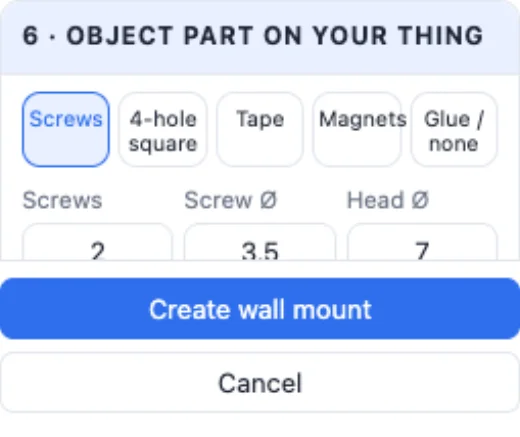
- 6 · Object part on your thing - Screws (how many, their Ø, and where: in the Middle - on a dovetail through the tongue, countersunk on its back so it still slides - Beside or in the Corners), a 4-hole square for VESA 50, 75 or 100 mm or any spacing, tape, magnets or glue.
13Create, print and hang it
Create wall mount adds it to your project - a body, or a group of coloured parts. Export it as STL, or as a multi-colour 3MF for parts in their own colours. Use 3-4 walls and 25-40 % infill for anything that carries weight; PETG creeps less than PLA in a warm room. A 3D print is not rated for a load: test it with a little weight first, and never hang anything heavy, valuable or over a person.
Questions
How do I 3D print a wall hook that does not snap?
Print it on its side, so the layers run along the arm - the generator does this by itself (Printing: Auto). Make the arm thicker, add the brace under it, use 3-4 walls and 25-40 % infill, and PETG rather than PLA in a warm room.
Can I hang it without screws?
Yes: pick Tape for a shallow recess on the back that takes double-sided tape or a sticky strip, or Magnets for a steel surface like a fridge. Tape and strips hold light things only, on smooth, clean walls.
What is a two-part wall mount?
One part is screwed to the wall, the other to your thing - a router, a mini PC, a lamp, a sign. They slide, drop or click together and lift apart again: a dovetail slide, a hook-over cleat, a U cradle with an insert, a slot with a printed button, a V wedge that centres itself and a T-rail.
Can I mount a mini PC with VESA holes?
Yes. Pick the V wedge (or any two-part style), set the object part's fixing to the 4-hole square and choose 50, 75 or 100 mm - or any spacing. The screw heads are sunk from the wall side, so the part still slides into place.
How tight should the two parts fit?
Normal (0.25 mm per side) suits most printers. Print a small one first: if it does not go in, pick Loose (0.4); if it wobbles, Tight (0.15) - or type your own gap.
How much weight can a 3D printed hook hold?
It depends on the plastic, the size and the print settings, so a 3D print is not rated for a load. Test it with a little weight first and never hang anything heavy, valuable or over a person.
Make your wall mount
Pick a style, set its sizes - and print the hook, shelf or holder that fits your thing.
Open the Wall mount generatorAlso see: Pegboard generator, Carabiner generator, Bolt generator and Box generator.