3DPrintCAD › Guides › Carabiner generator
Carabiner generator: 3D print a carabiner with a spring gate
Make a carabiner for your keys, a bag or a water bottle - in your shape, your colours, with your name on it. It prints flat in one go: the gate is a springy arm already in place, so there is nothing to put together. This guide goes through every option of the generator.
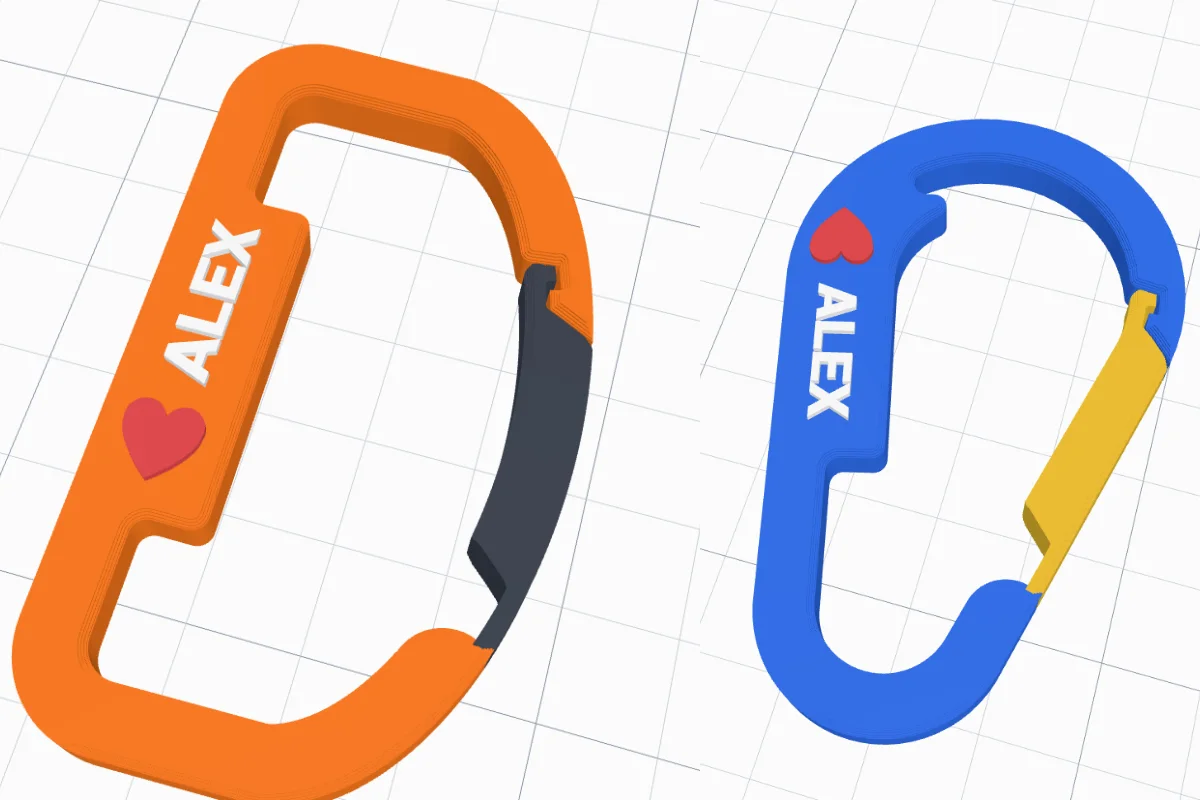
Watch the tutorial
Every option in about three minutes, with subtitles: shapes and sizes, the gate styles and locks, a name and a heart on the spine, hole patterns, the key ring eye, edges and colours. Watch on YouTube ↗
1Open the generator
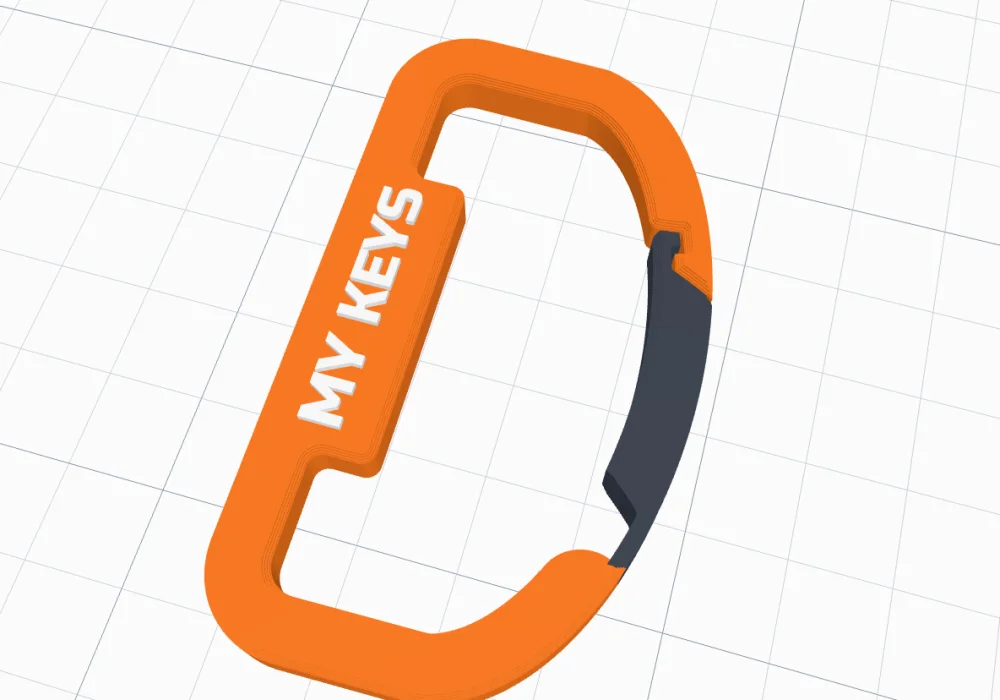
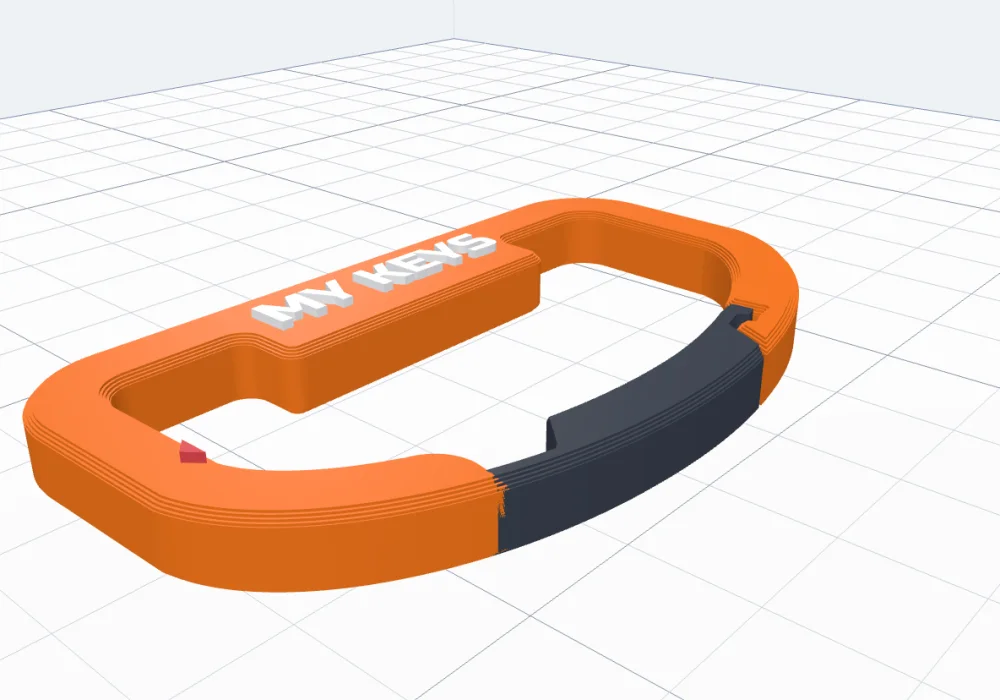
Click Carabiner in the Generators list on the left, or the button above. It starts as a D-shaped keychain carabiner with MY KEYS on its spine; the preview changes as you go, and nothing is added to your project until you click Create carabiner.
2Shape and size
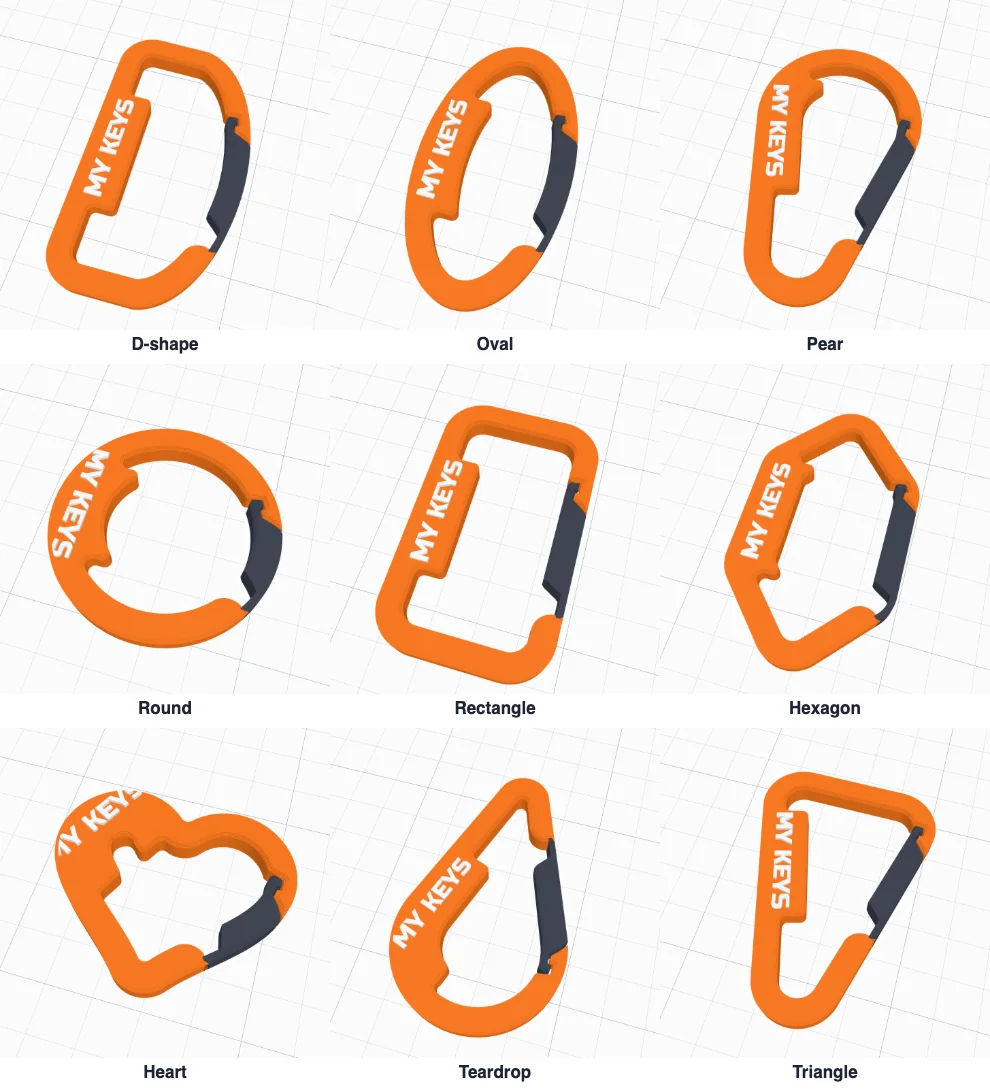
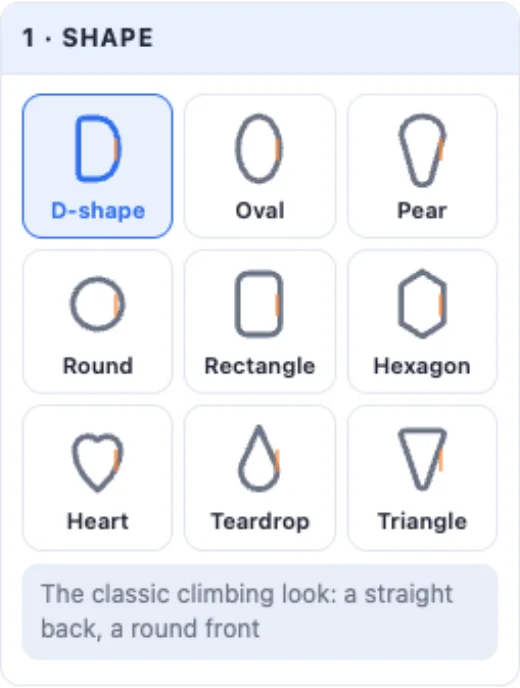
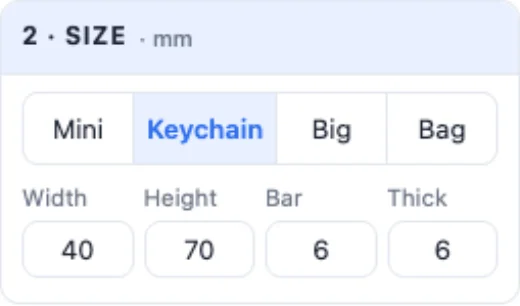
1 · Shape - nine shapes; each starts with a gate that suits it. 2 · Size - Mini (30 × 50 mm), Keychain (40 × 70), Big (55 × 95) or Bag (70 × 120), or type the width, the height, the band's width and the thickness.
3The gate
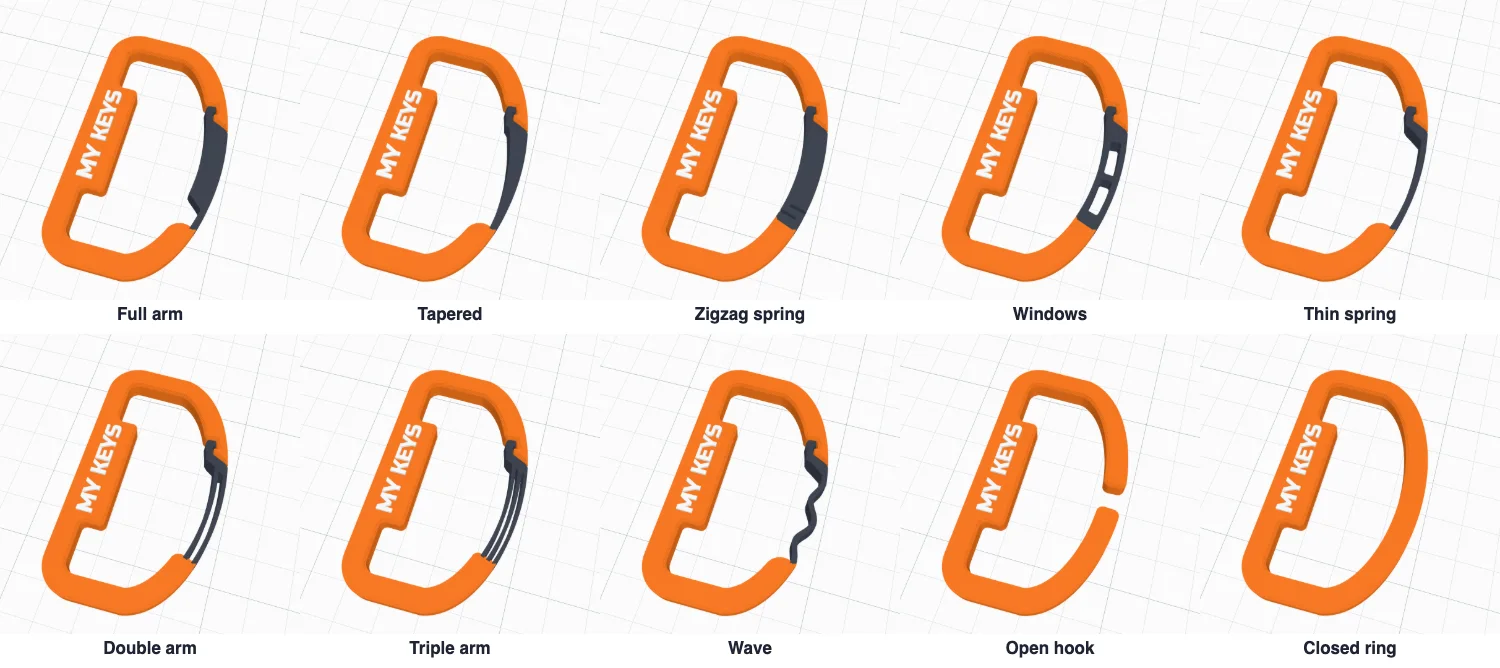
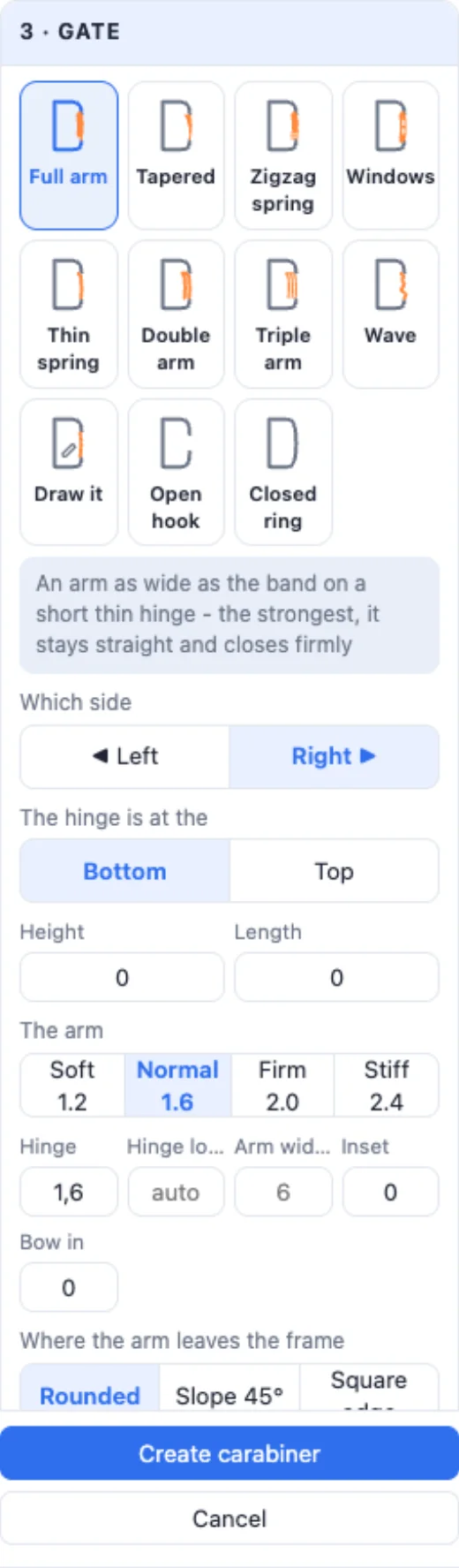
The gate is a springy arm joined to the frame at its hinge end; you push it in to clip something on, and it springs back. 3 · Gate picks its style, which side it is on, where its hinge is, how long and how high it is, and how stiff the arm is (Soft, Normal, Firm, Stiff). The info box says how far it opens.
4The lock
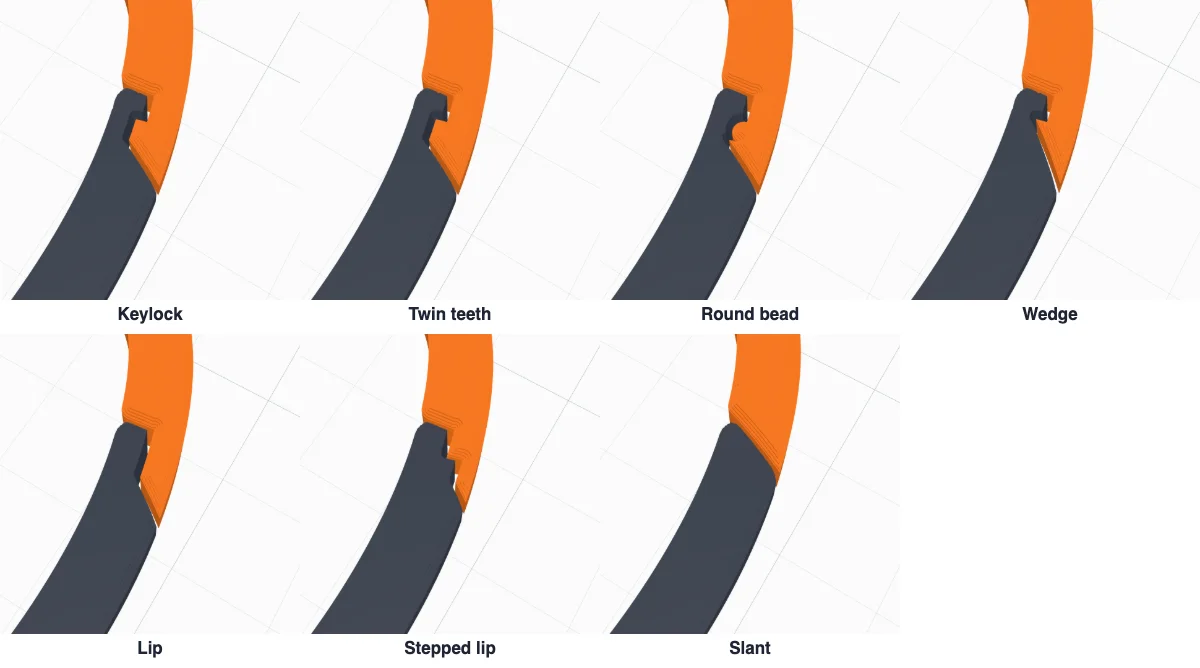
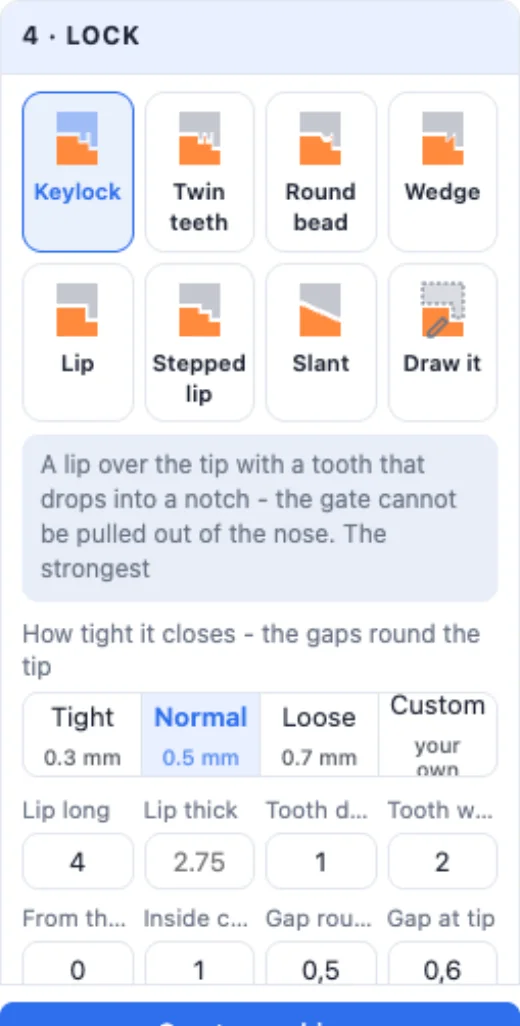
4 · Lock is how the gate's tip meets the nose. A Keylock tooth drops into a notch, so pulling the gate along cannot open it; Twin teeth, a Round bead and a Wedge do the same in other ways; a plain Lip, a Stepped lip and a Slant just stop it. The lip's length and thickness, the tooth's depth, width and place, and how tight it closes (Tight, Normal, Loose - the gap round the tip) are all yours; Draw it draws your own lock.
5The spine
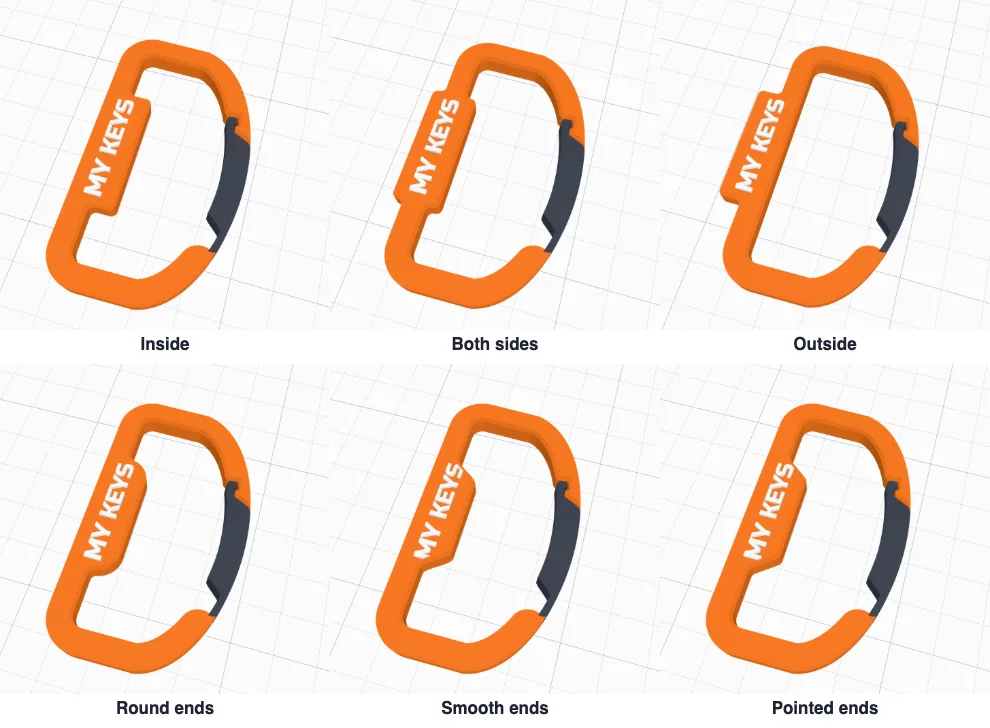
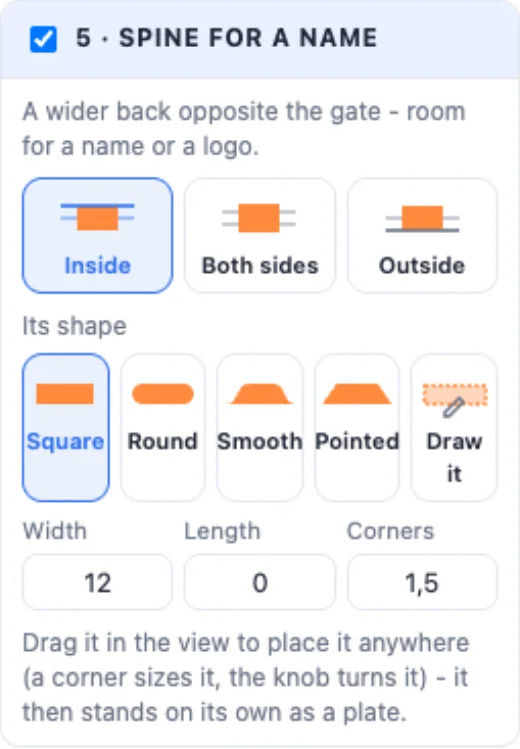
The spine is a wider part of the band opposite the gate - room for a name. It is built only when there is a text or an SVG on it. Its extra width goes Inside, on Both sides or Outside; its ends are Square, Round, Smooth, Pointed or drawn; its width, length and corner rounding are numbers. Drag it in the view and it becomes a plate of its own: move it, turn it with the knob, size it with the corners - Back on the band puts it back.
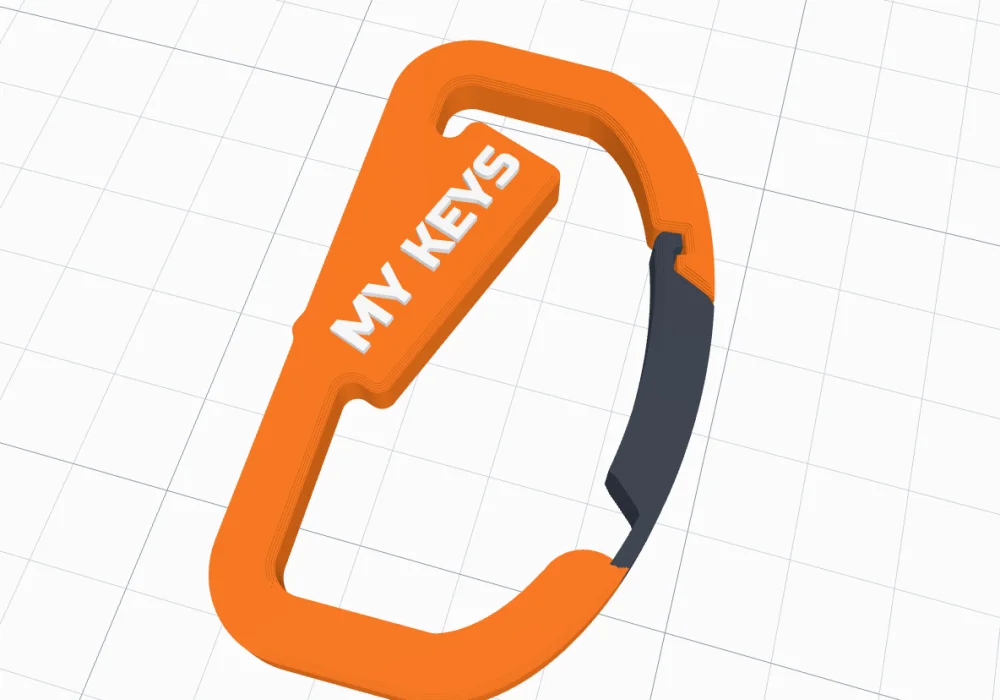
6Texts and SVGs
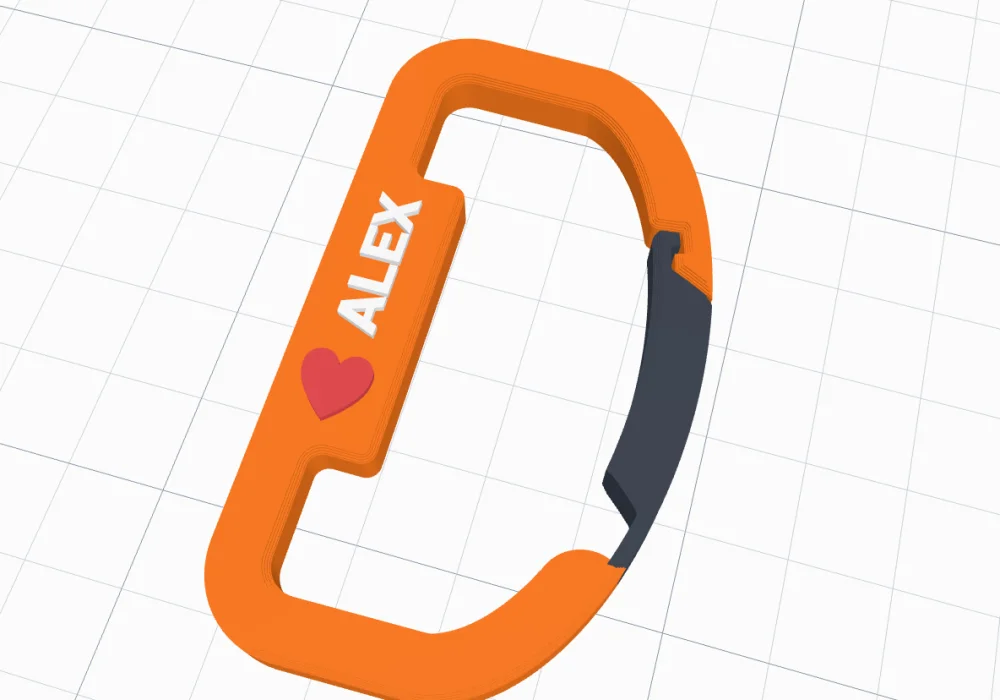
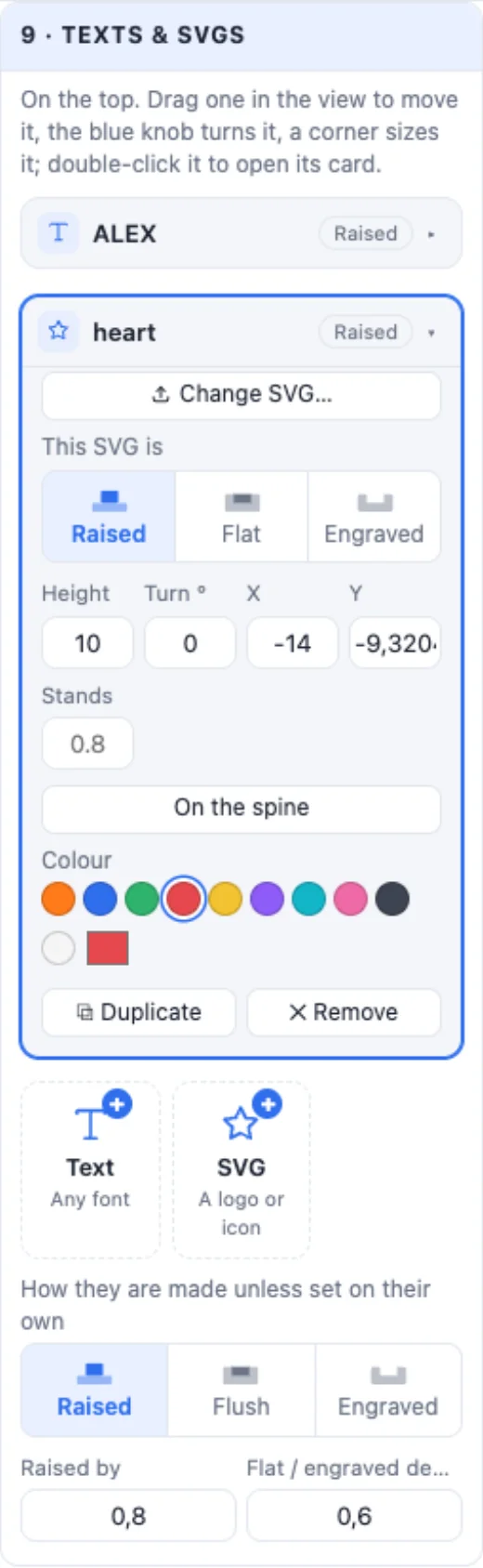
9 · Texts & SVGs: add texts (any font, a curve) and SVG logos - up to 12. Each is Raised, Flat (inlaid in its own colour) or Engraved, with its own size, turn and colour. The first text sits on the spine and follows it; drag any of them in the view to move it, use its corners to size it and the knob to turn it. A double-click opens its card.
7Hole patterns
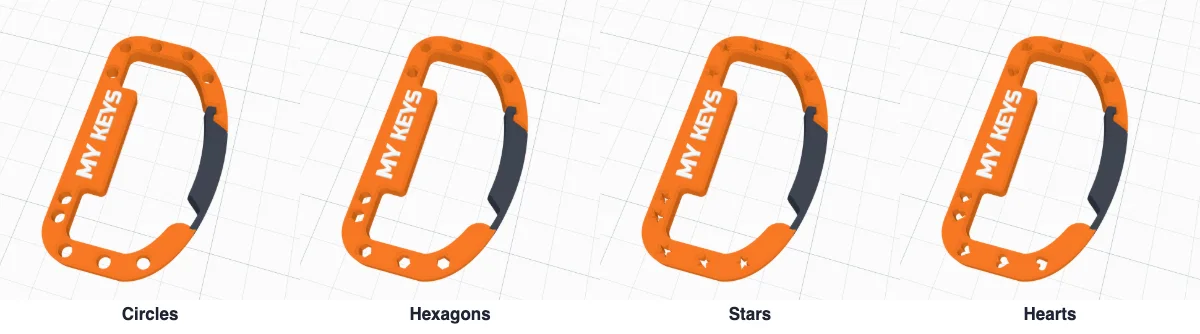
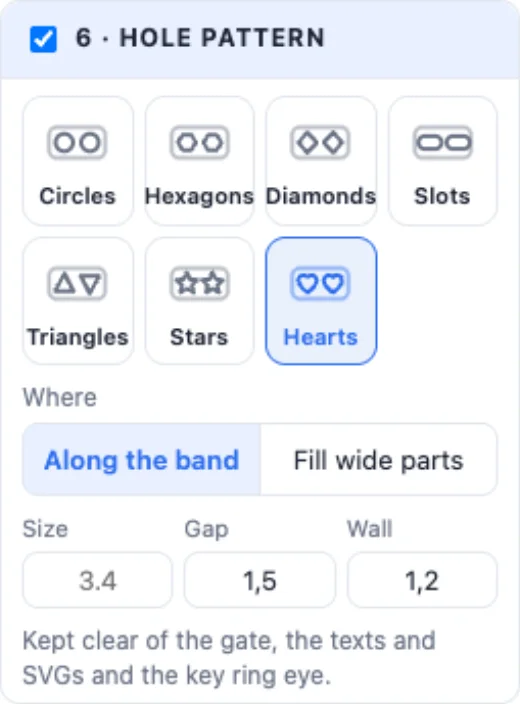
Tick Hole pattern for a row of holes along the band - Circles, Hexagons, Diamonds, Slots, Triangles, Stars or Hearts - their size, the gap between them and the wall round them; Row along the band or Fill the wide parts. Holes keep clear of the gate, the texts and the eye.
8The key ring eye
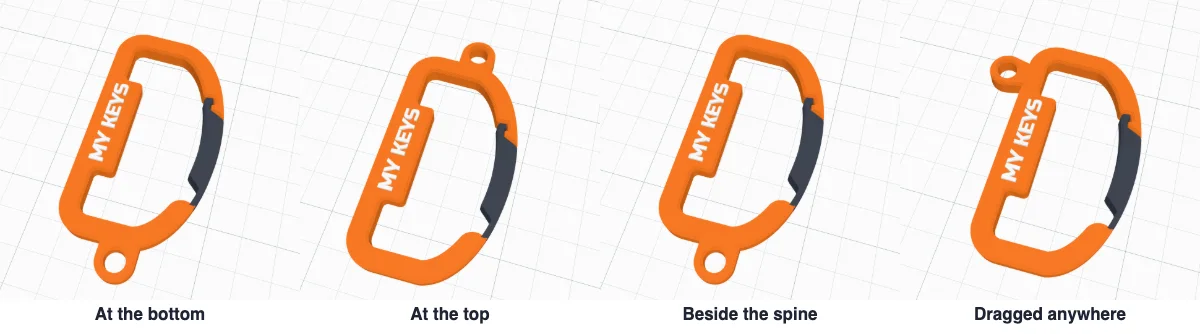
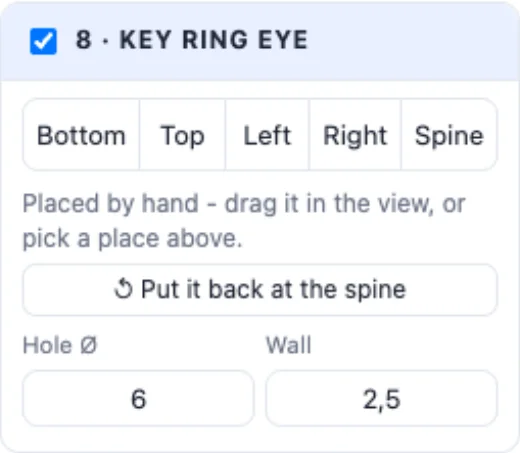
Tick Key ring eye for a small eye a split ring goes through: at the bottom, the top, the left or right, beside the spine - or drag the blue ring in the view anywhere round the band (past the band it becomes a tab; inside it is pulled onto the band). Its hole and wall are numbers; Put it back undoes a drag.
9Edges
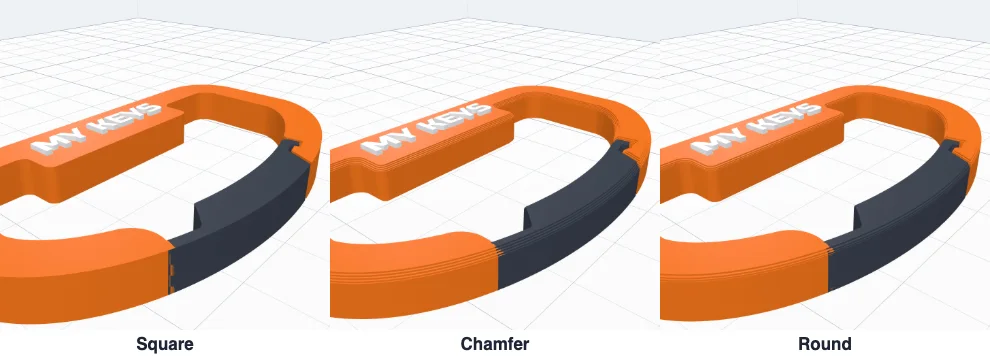
7 · Edges: Square, Chamfer or Round, and how big - the gate's edges follow the frame's, so the band runs on smoothly across it.
10Colours
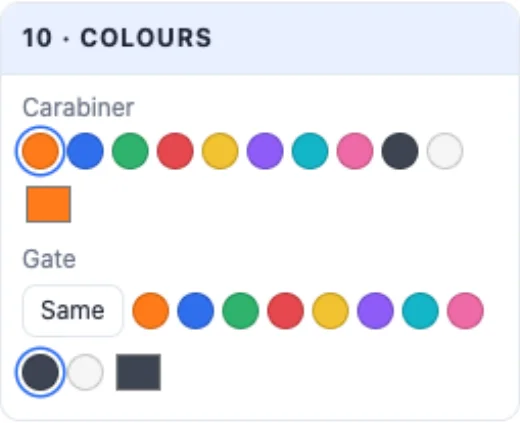
10 · Colours: the body's colour and the gate's - Same, or a colour of its own, so you can see the gate and print it in a second filament. Raised and flat texts have their own colours.
11Create and print
Create carabiner adds it to your project. It prints flat on the bed exactly as it is - no supports, nothing to put together. Use PETG or ABS / ASA (they bend without breaking better than PLA), 100 % infill or many walls so the gate is solid, and a brim if your bed is small. Export a multi-colour 3MF when the gate or the texts have their own colours.
Never use a 3D printed carabiner for climbing, lifting or holding a person - it is for keys, bags, bottles and other light things.
Questions
Does the gate print in place?
Yes. The carabiner prints flat in one go, with the gate already in place and a small gap round its tip. The gate is a thin arm joined to the frame at its hinge end, so it bends inward and springs back - no hinge pin or assembly.
Which plastic is best for a 3D printed carabiner?
PETG or ABS / ASA bend without breaking better than PLA; PLA works for light keys but can snap or creep. Use 100 % infill or many walls for the gate, so the spring is solid plastic.
The gate is too stiff or too soft - what do I change?
Pick another gate style (Thin spring, Double arm and Wave are softer, Full arm is the stiffest) or change the arm's thickness under the Gate card. How tight it closes is the gap round the tip: Tight, Normal or Loose.
Can I put my name on it?
Yes. The spine - the wider part of the band opposite the gate - holds a text along it; add more texts or SVG logos anywhere on the top, raised, flat in their own colour or engraved, and drag, turn and size them in the view.
Can I use it for climbing?
No. A 3D printed carabiner is for keys, bags, bottles and similar light things only - never for climbing, lifting or holding a person.
Make your carabiner
Pick a shape and a gate, put your name on it - and print it flat in one go.
Open the Carabiner generatorAlso see: Keychain generator, Wall mount generator, Phone grip generator and Add text to a 3D model.