3DPrintCAD › Guides › Phone stand generator
Phone stand generator: 3D printable phone and tablet stands
Make a stand for your phone or tablet that fits it exactly - with its case on, at the angle you like, with a channel for the charging cable and your name on the front. Pick one of 13 styles, set it to your phone and export it.
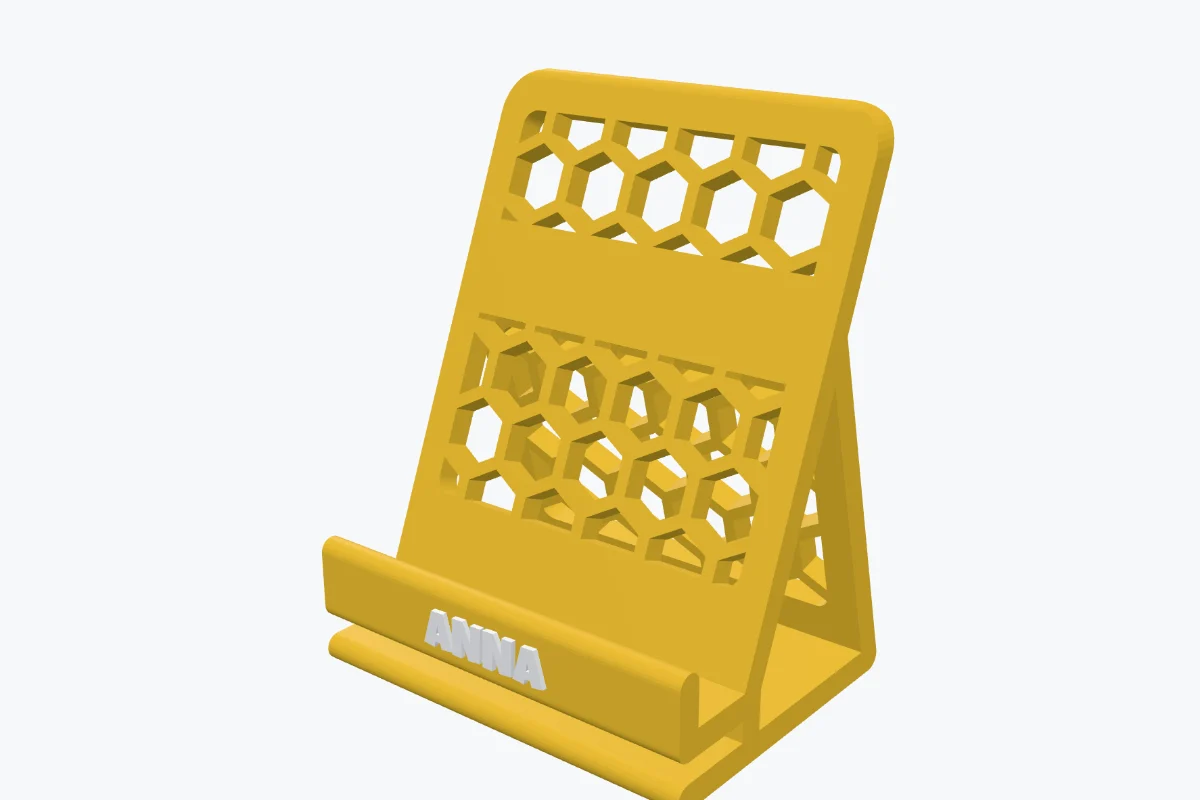
Watch the tutorial
Every option in about three minutes, with subtitles: all 13 styles, setting it to your phone, outlines and hole patterns, the cable channel, feet and pen cup, and your name on it. Watch on YouTube ↗
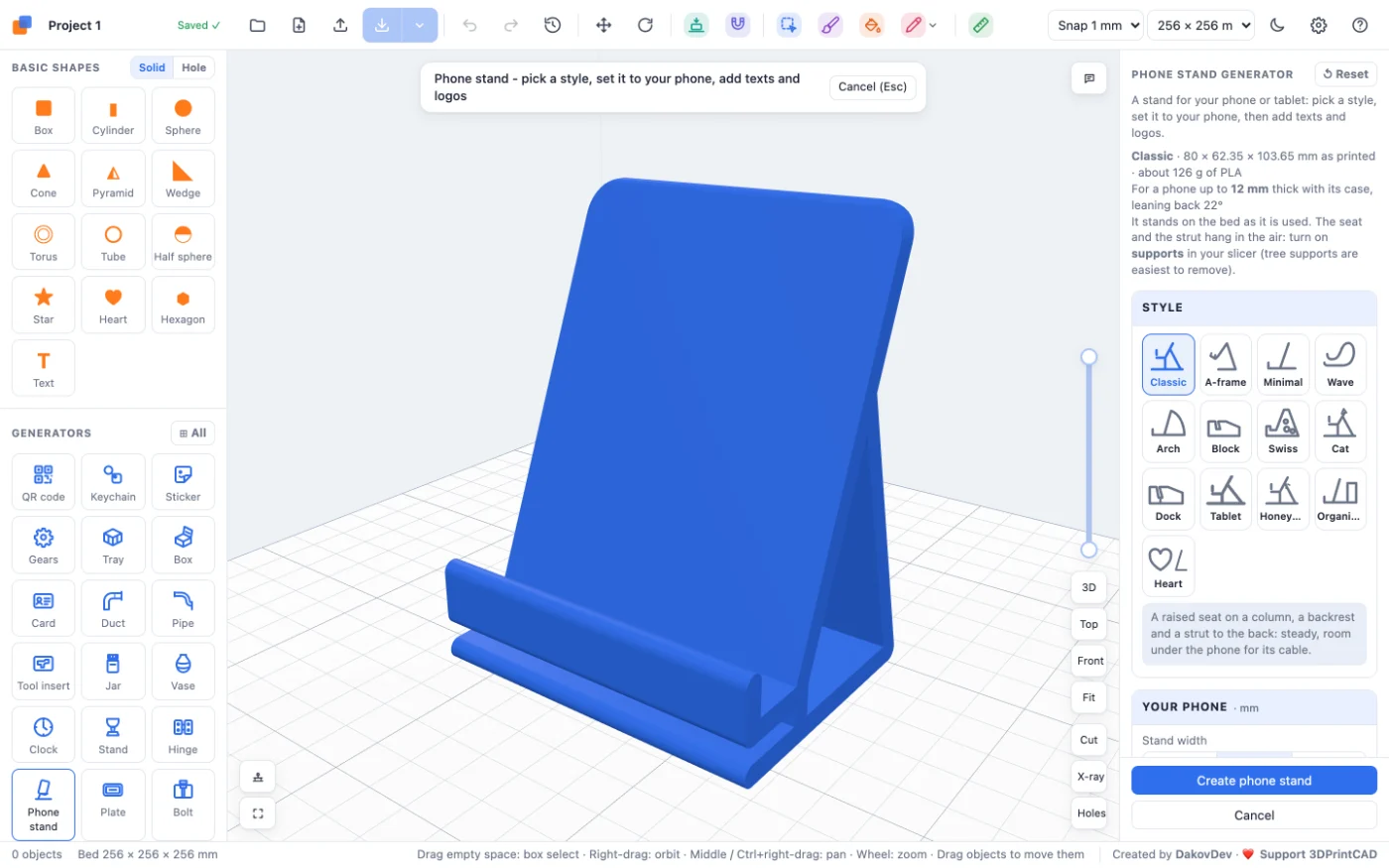
1Open the Phone stand generator
Open the app, start a new project and click Phone stand under Generators on the left. A classic stand appears on the bed, standing as you will use it, and its settings open on the right. The line at the top of the panel gives its size, the slot, the angle and about how many grams it takes.
2The 13 styles
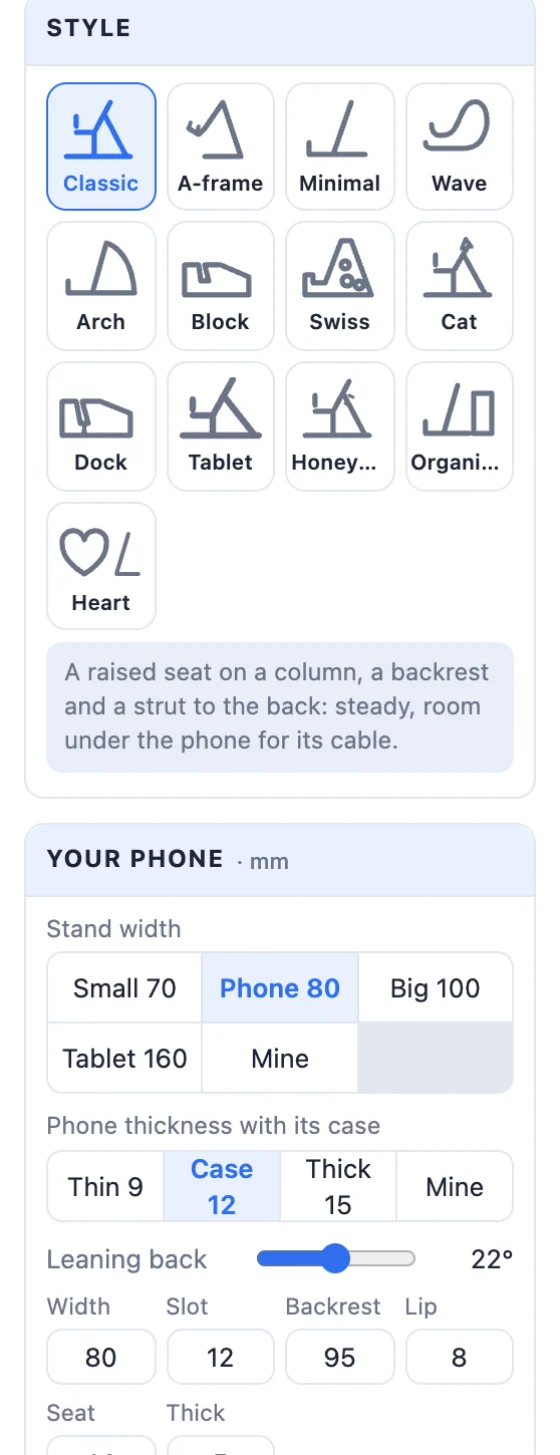
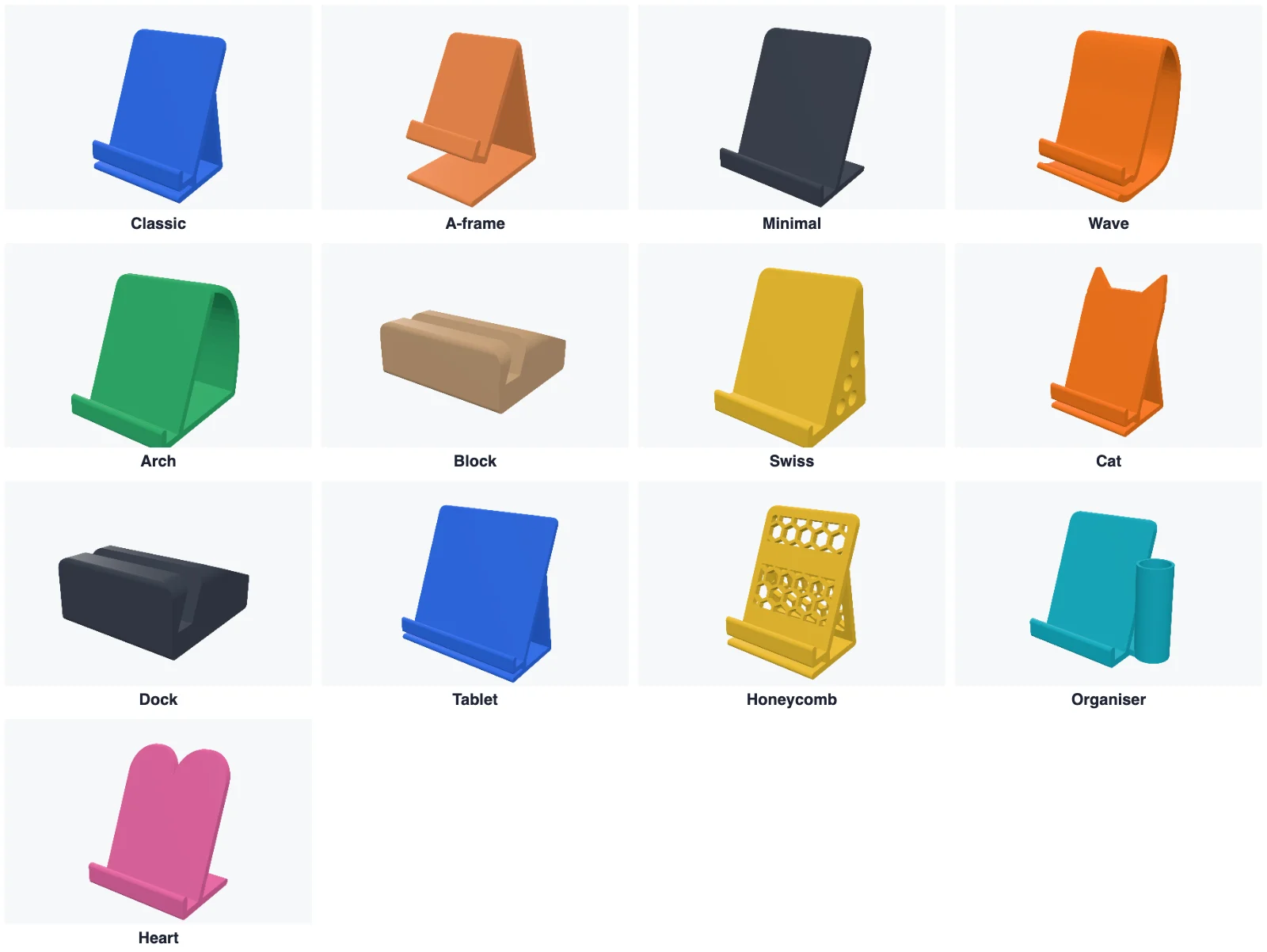
- Classic - a raised seat on a column, a backrest and a strut to the back: steady, with room under the phone.
- A-frame - a triangle: the backrest and a rear leg meet at a round top, the phone sits in a raised cradle. Its front can be Open (it springs a little) or Closed (a stiff triangle), and you set the rear leg's angle.
- Minimal - a lip, a seat on the base and a backrest: light and quick to print.
- Wave - one smooth curvy band. Arch - the backrest held by a round arch.
- Block - a solid block with a slanted slot. Swiss - a solid wedge with round holes. Dock - a heavy block with a deep slot and a cable channel.
- Cat (ears on the backrest), Heart (a heart from the front), Honeycomb (hexagon holes through the backrest), Organiser (with a pen cup) and Tablet (big and strong).
3Set it to your phone
- Stand width: Small 70, Phone 80, Big 100, Tablet 160 mm - or type your own.
- Phone thickness with its case: Thin 9 (no case or a thin one), Case 12, Thick 15 (a rugged case) - or your own. The slot is made that wide.
- Leaning back: drag the slider, 0-45°.
- Below them, type any size: the width, the slot, the Backrest length, the Lip height, the Seat height and the Thickness of the stand. Block, Swiss and Dock have the slot's depth and the base's depth instead.
4The outline and hole patterns
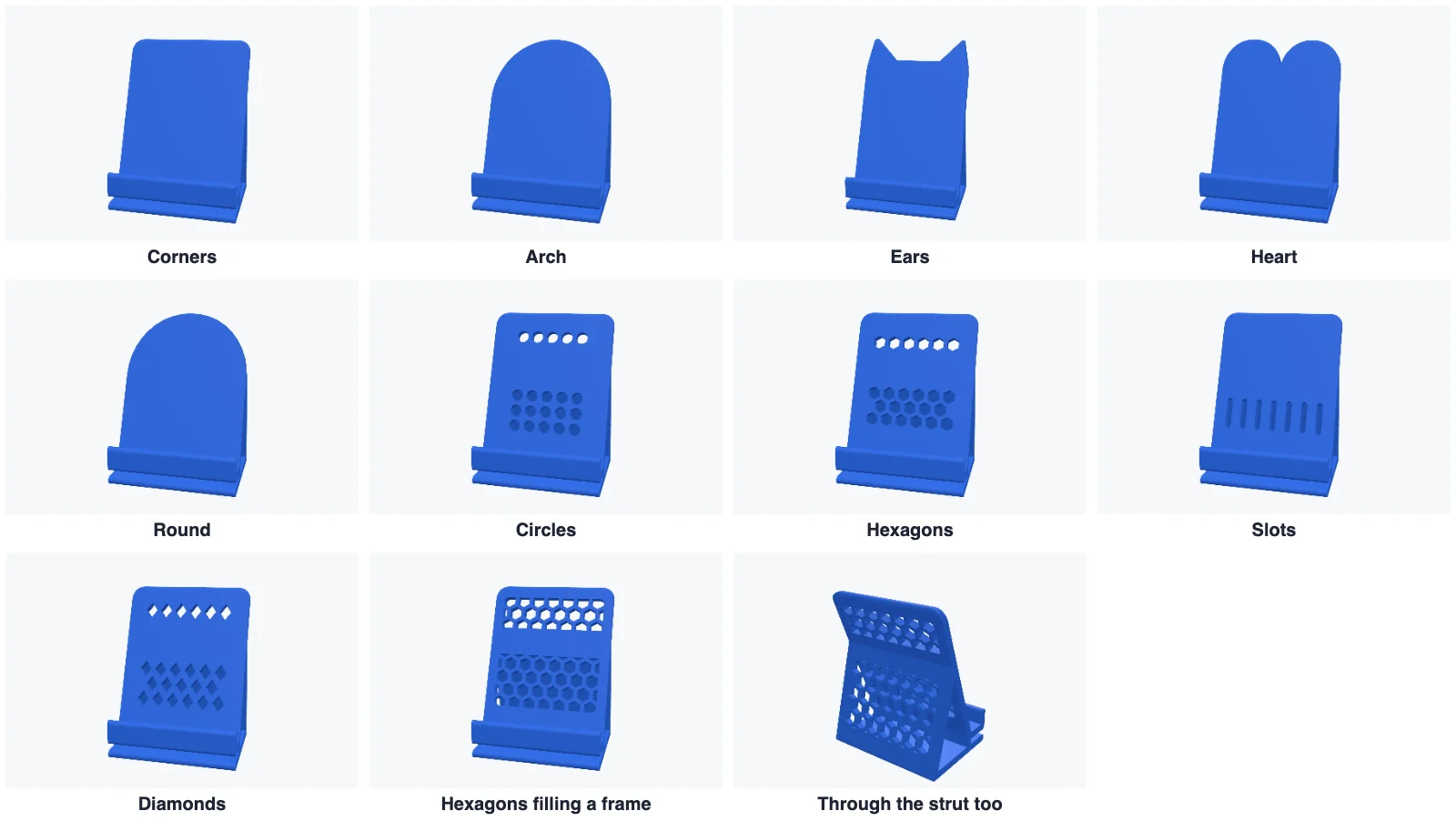
Seen from the front gives the backrest's outline: Corners (with a radius), Arch, Ears, Heart or Round.
Holes through the backrest: Circles, Hexagons, Slots or Diamonds, with the hole size and the wall between them. Whole holes keeps only whole holes with solid edges round them; Fill a frame fills a window with the pattern inside a solid frame of the width you set, and you can turn it. Styles with a strut or a rear leg can have the same pattern through the strut too. The Swiss style has its own hole size.
5Cable channel, feet and a pen cup
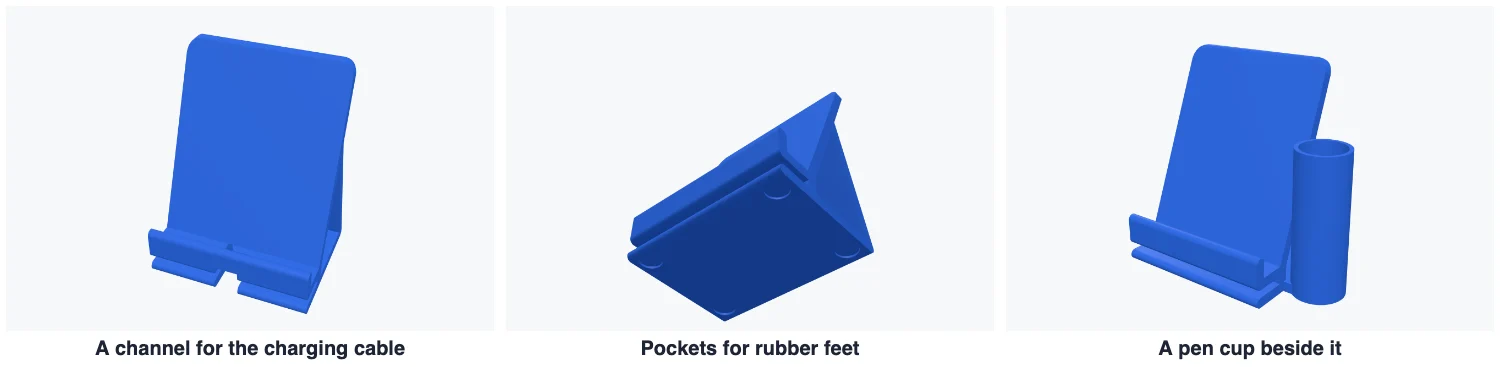
- Cable channel for charging - a notch through the lip and the seat in the middle and a groove under the base to the back, so the cable stays plugged in. Set its width (wide enough for the plug) and the groove's height.
- Pockets for rubber feet - four round pockets underneath for stick-on feet, with their Ø and depth.
- Pen cup beside it - on the left, the right or both sides, with its inside Ø and height.
6Your name and logos
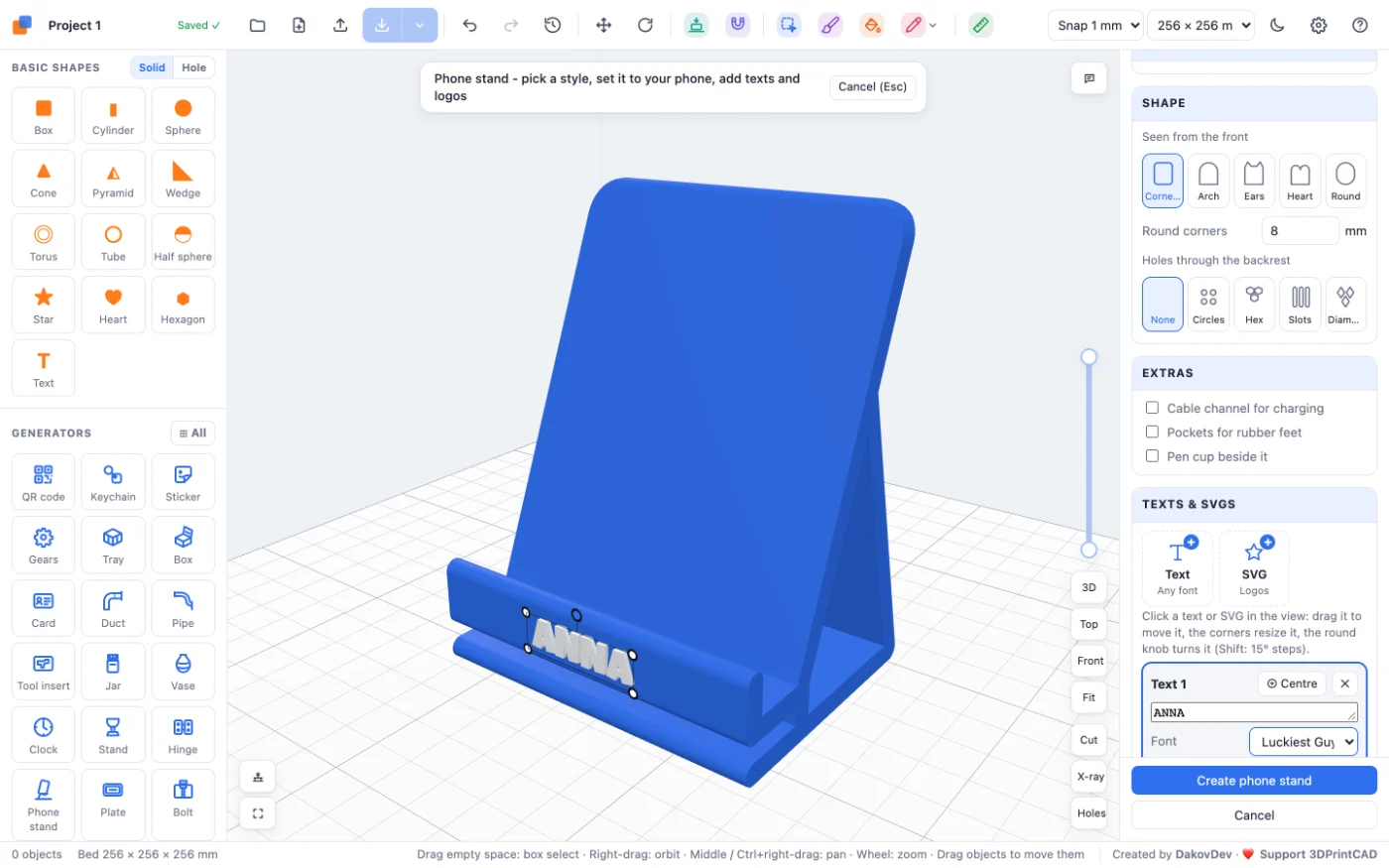
- In Texts & SVGs click Text (or SVG for a logo file). A green box follows the mouse over the stand.
- Click the place where it goes: the front of the lip, the back of the backrest, the backrest where the phone leans, the base or a side.
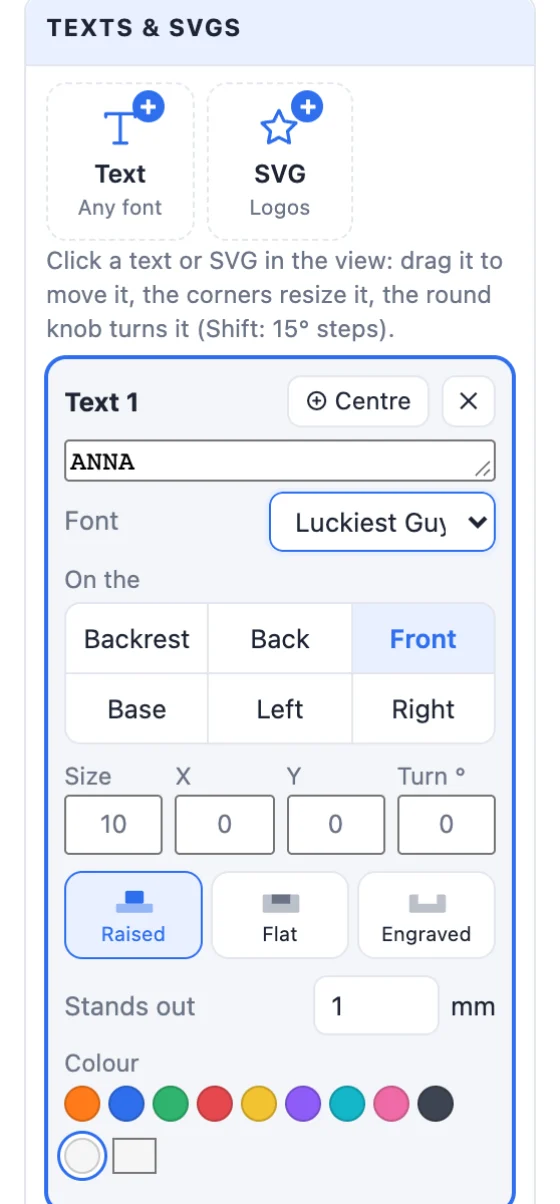
- Type the text and pick the font. Choose Raised, Flat (inlaid, in its own colour) or Engraved, the depth and the colour.
- Drag it in the view to move it, pull a corner to resize it, turn it by the round knob (Shift: 15° steps) - or type its size, X, Y and turn. On the moves it to another face: Backrest, Back, Front (the lip), Base, Left or Right.
7Colour, create and export
Pick the stand's colour at the bottom of the panel, then click Create phone stand. Export an STL for one colour, or a Multi-colour 3MF when a text or logo has its own colour. Double-click the stand later to change it.
8Tips for printing
- The stand prints standing as it is used. Styles with a raised seat or cradle (Classic, A-frame, Wave, Cat, Tablet, Honeycomb) need supports under the seat; the panel tells you.
- A stand 5 mm thick in PLA or PETG with 15-20 % infill holds a phone well; make it 6-8 mm for a tablet.
- When the base is short for the angle, the panel warns that it could tip over: make the base longer or lean it less.
- A raised text in another colour on one nozzle: pause and change filament at the height where it starts.
Questions
How do I make the stand fit my phone?
Pick the stand's width (or type it) and the phone's thickness with its case - Thin 9, Case 12 or Thick 15 mm, or your own. The slot is made that wide, so the phone drops in with its case on.
Can I charge the phone while it is on the stand?
Yes. Tick Cable channel for charging: a notch through the lip and the seat and a groove under the base let the cable stay plugged in. The Dock style always has one.
Does it work for a tablet?
Yes. Choose the Tablet style (160 mm wide and stronger), or set any style's width to 160 mm or more and its thickness higher.
Do I need supports?
The stand prints standing on the bed as it is used. Styles with a raised seat or cradle (Classic, A-frame, Wave, Cat, Tablet, Honeycomb) need supports under the seat - the panel says so. Minimal, Block, Swiss, Dock and Heart print without.
How do I put my name on it?
Click Text in Texts & SVGs, then click the place on the stand - the lip, the backrest's back or front, the base or a side. Type the name, pick the font, and choose raised, flat or engraved and a colour. Drag it in the view to move it.
Make your stand
Open the app, pick a style and set it to your phone.
Open the Phone stand generatorAlso see: Plate generator, Keychain generator, Hole pattern tool and Basic shapes and body tools.