3DPrintCAD › Guides › Folding keychain phone stand
Folding keychain phone stand: a print-in-place hinge, made to fit your phone
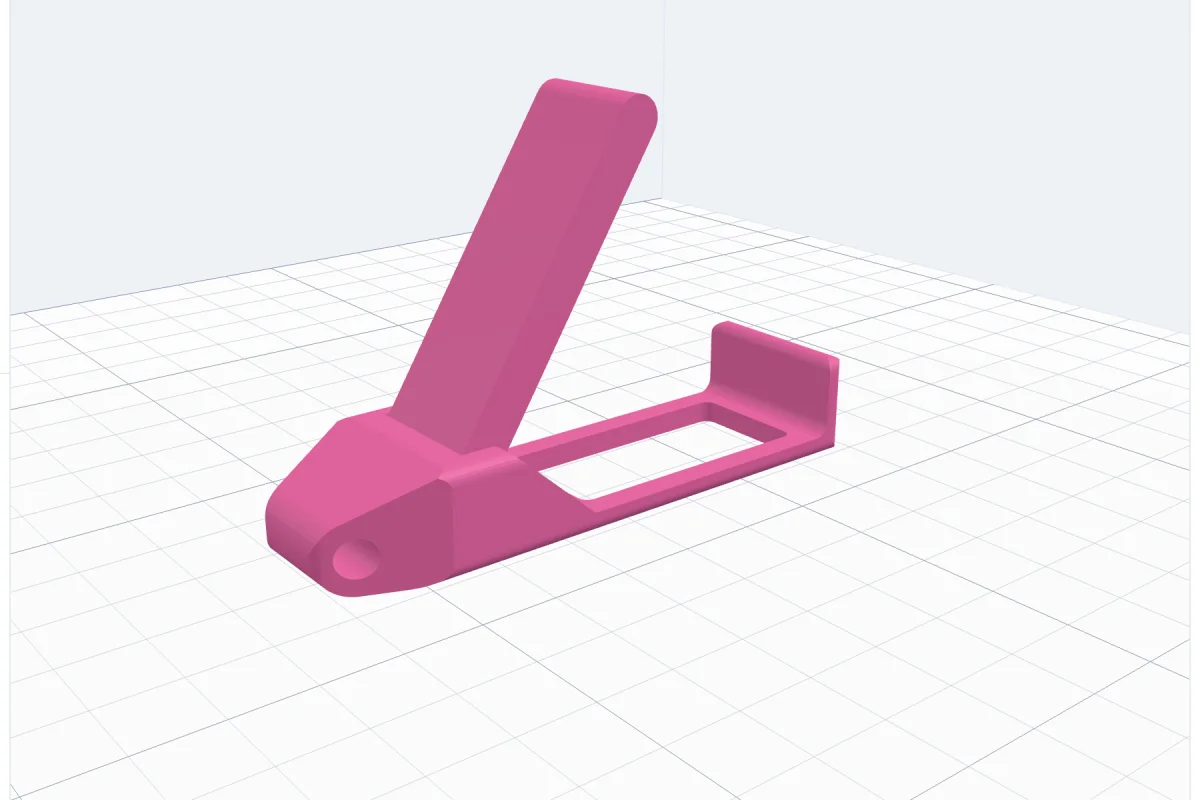
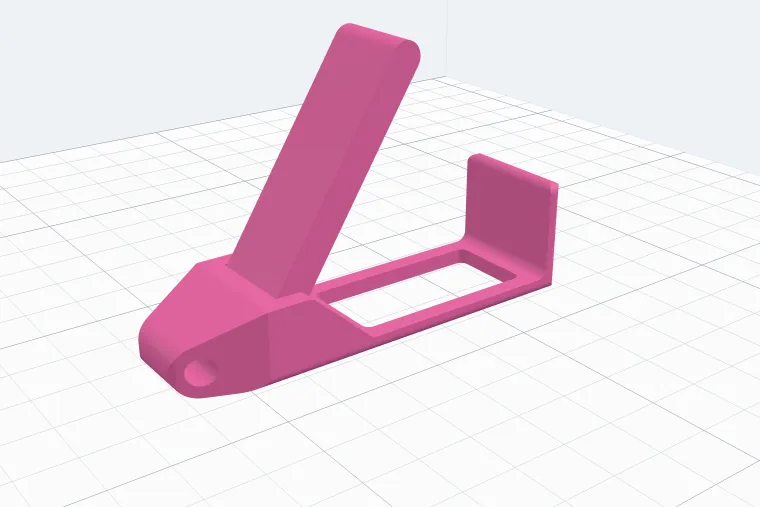
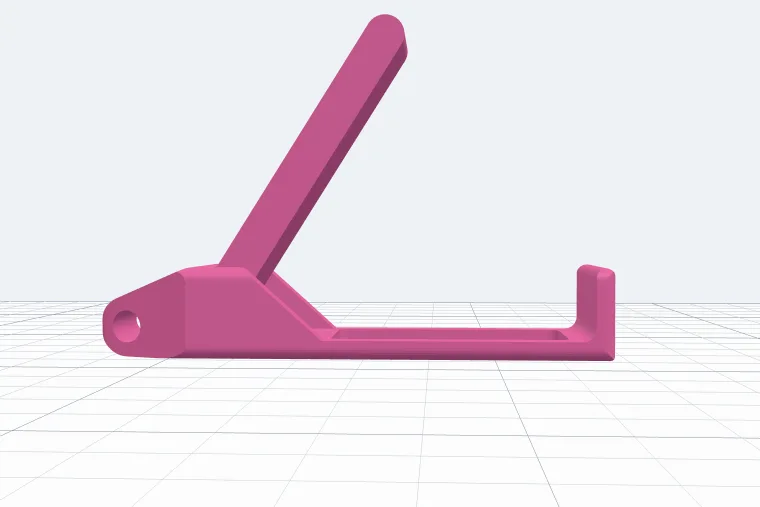
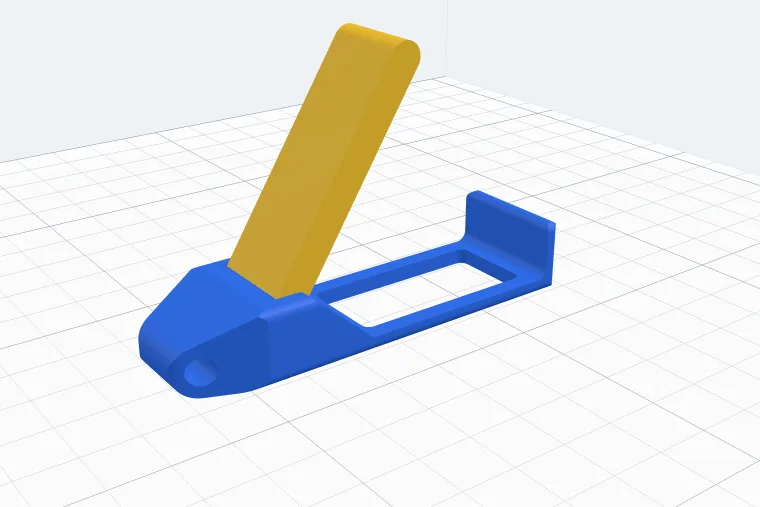
A bar for your key ring with a lever on a hidden hinge: flip the lever up, stand your phone against the lip at the end and it leans back on the lever's tip. It prints in one piece, the hinge already joined - no supports, no screws. Set it to your phone, its case and the angle you like, and give it a stopper so it stays shut in your pocket.
Watch the tutorial
Every option in four minutes, with subtitles: the two types, the lengths, the stopper, your phone, the hinge, the ends and key ring, printing open or closed and the colours. Watch on YouTube ↗
1Open the generator
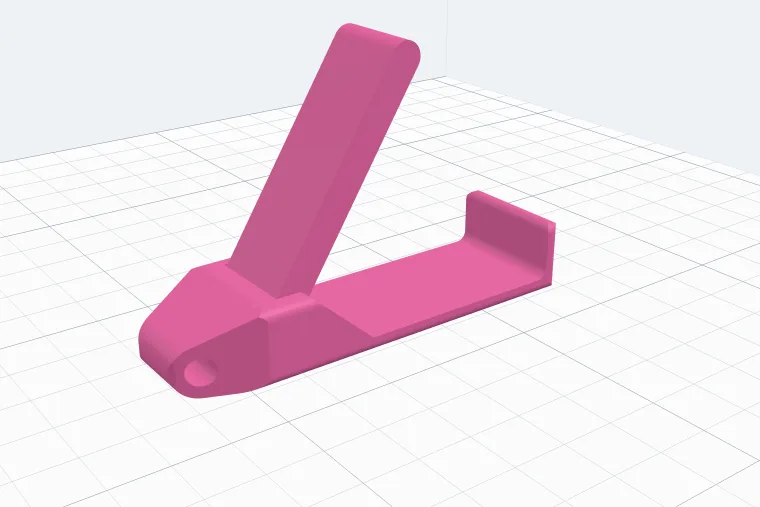
Use the button above, or open the app, start a new project, click Phone stand under Generators on the left and pick the Folding keychain style. The stand appears on the bed, its lever standing open, and its settings open on the right. Every change shows at once; the lines at the top of the panel tell you the size, how many grams it takes, how long the lever is, how far up it stops - and that nothing rubs on the way up.
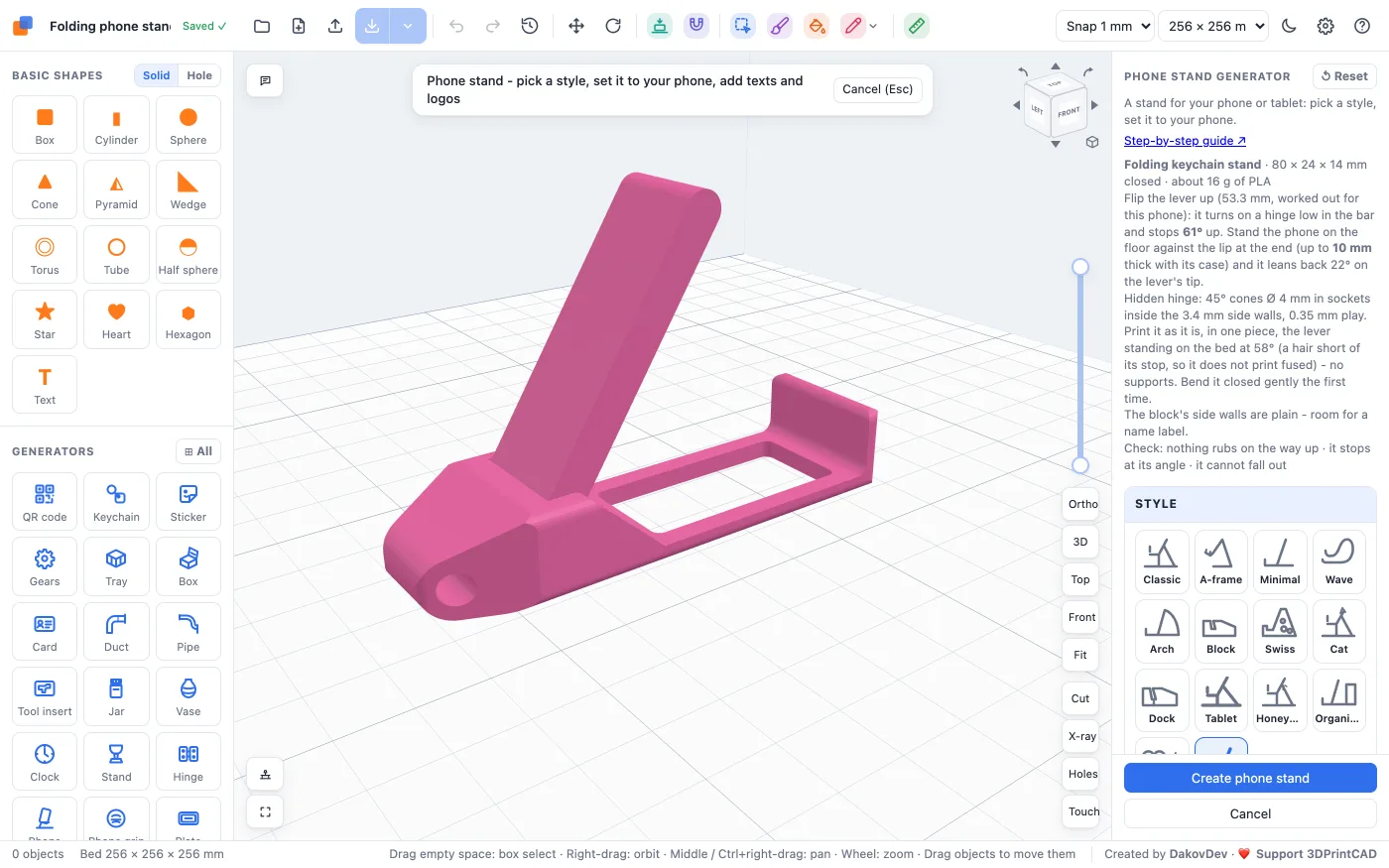
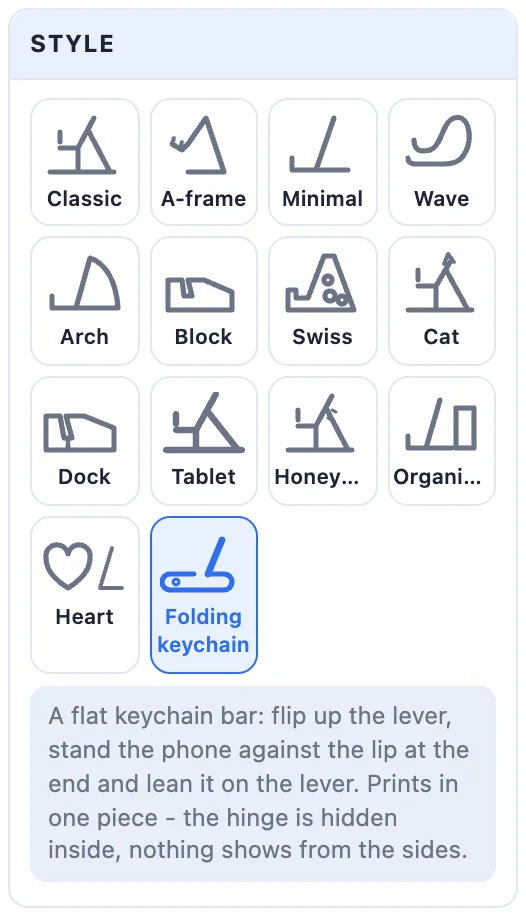
2Slim or Paddle
- Slim - a lever as wide as its pocket. The block round the hinge slopes down to a thin floor and a tall lip at the end.
- Paddle - a narrow stem that widens into a paddle wider than the bar, a pointed key ring end, a rounded block and a low lip. The Paddle box in the Size card sets how wide the paddle is (empty = the bar's width + 9 mm).
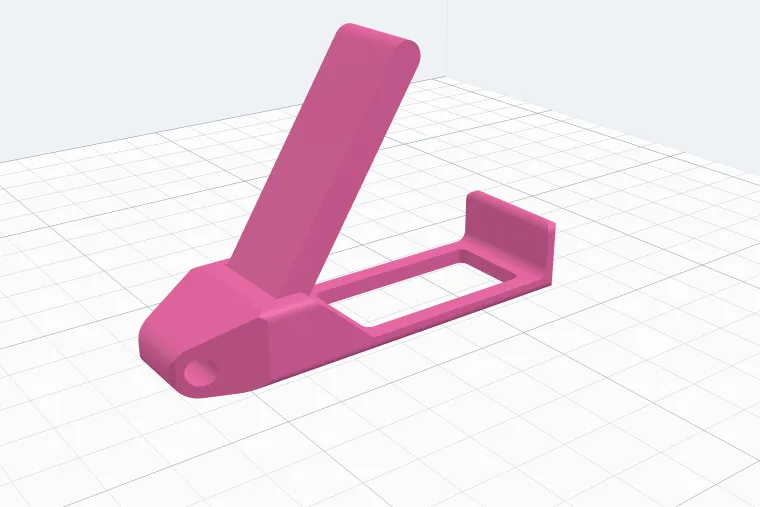
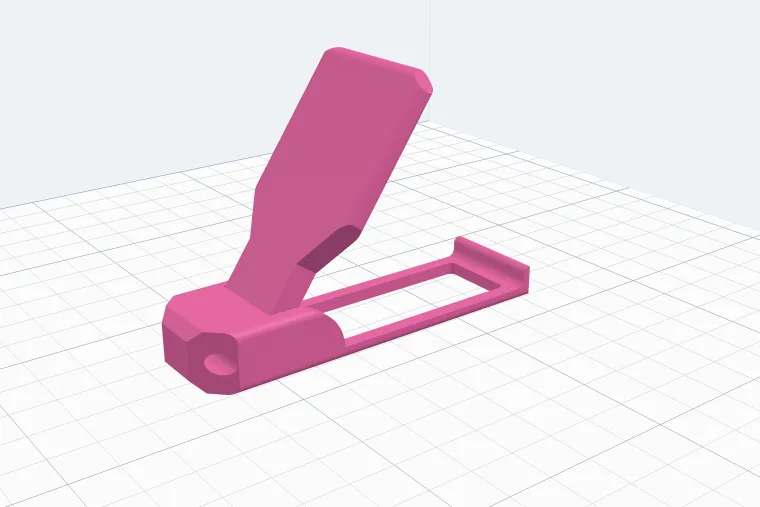
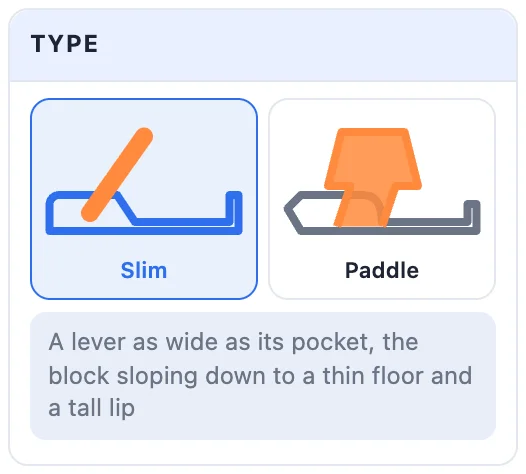
Switching the type keeps your phone, lean, play, print layout, stopper and lever colour.
3Lengths: floor, lever and lip
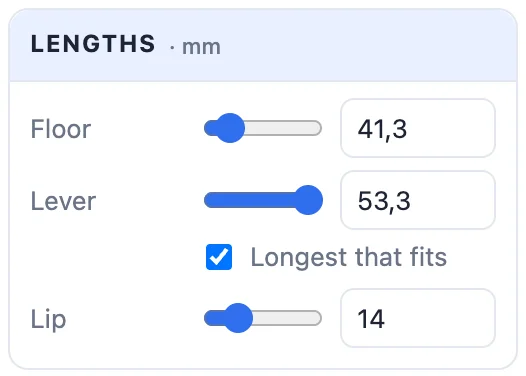
Each length has a slider and a box to type an exact number:
- Floor - the part between the block and the lip, where the phone stands. A longer floor makes the whole bar - and the lever - longer.
- Lever - from the hinge to its round tip. Longest that fits makes it as long as the bar allows. Untick it to set your own: the slider runs from the shortest lever that still reaches the phone to the longest that fits. A shorter lever stands up steeper before its tip meets the phone, a longer one lower.
- Lip - how high the lip at the end stands. The phone's bottom edge rests against it.
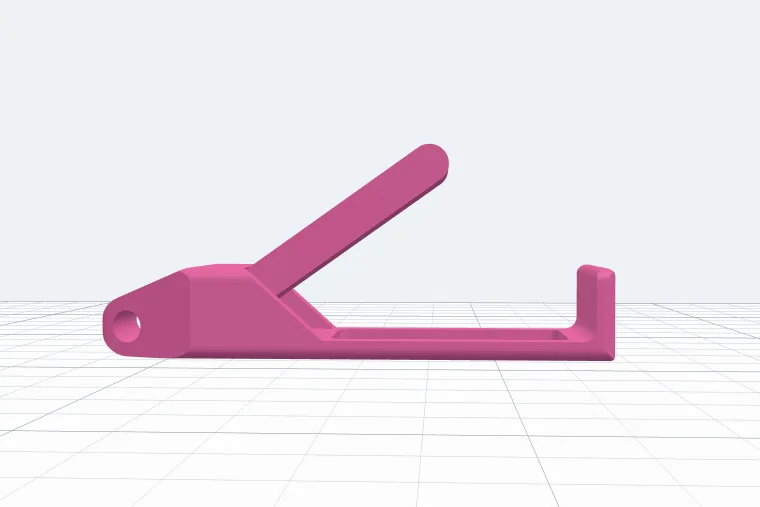
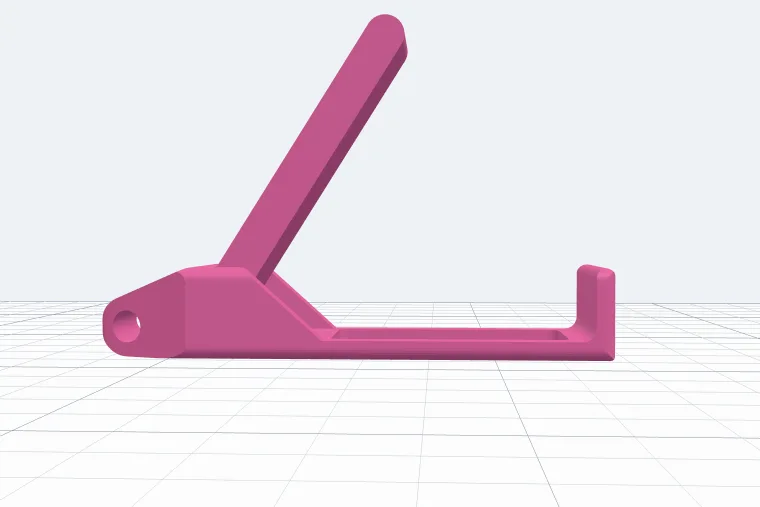
4Size
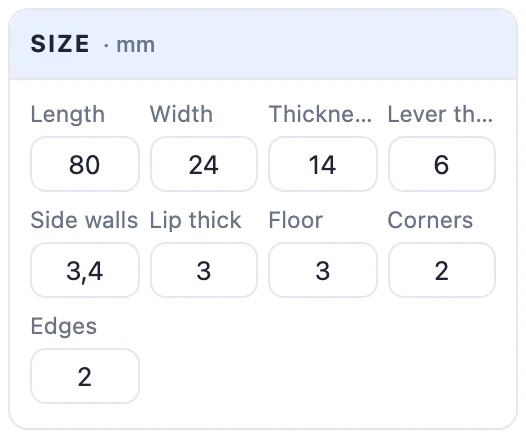
The Size card, in millimetres:
- Length, Width and Thickness - the bar closed (the width is how wide the phone stands on it).
- Lever thick - how thick the lever is; its pocket is as deep.
- Side walls - the walls beside the lever. They hide the hinge, so thicker walls make a stronger hinge.
- Lip thick - how thick the lip at the end is.
- Floor - how thick the floor is between the block and the lip.
- Corners - how round the corners are, seen from above. Edges - how round the long edges are, the bar and the lever alike: nicer in the hand.
- Paddle (Paddle type only) - how wide the paddle is.
5The stopper
Tick Stopper for a little catch on the lip at the end. When you close the lever its tip snaps under the catch - the lip bends a little - so it stays shut in a pocket and opens only when you push it.
- Round bump - a half round: clicks in and out gently.
- Hook - a flat catch under a 45° slope: the lever slides down the slope and snaps under it, and holds firmly.
- How tight it holds the lever - the gap over the closed lever's top: Tight 0 touches the lever (no rattle), Snug 0.15, Normal (the same as the hinge play), Loose 0.5 (clicks in easily, may rattle a little), or Mine with the Gap under it box from -0.4 to 1.5 mm - below 0 it presses into the lever. Printed closed it always keeps at least 0.2 mm, or the two would print fused; for a tighter stopper print it open.
- Over the tip - how far it reaches over the lever's tip. More holds harder, because the lip has to bend further.
- Width - how wide it is across the lip (empty = the whole lip).
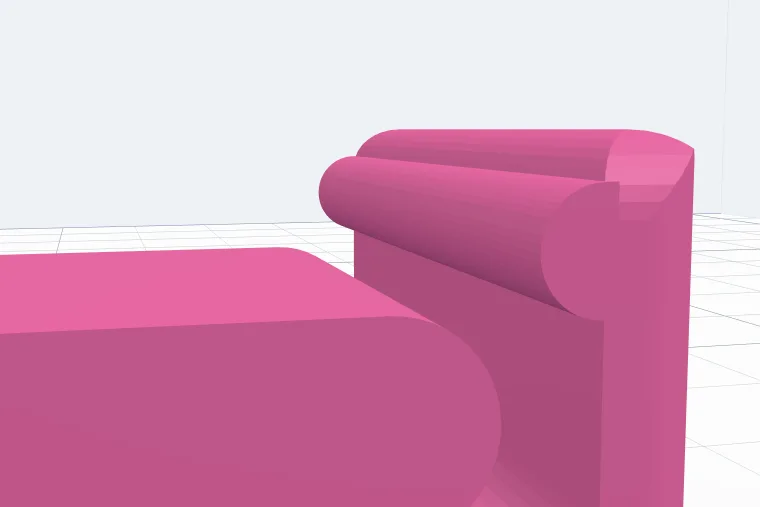
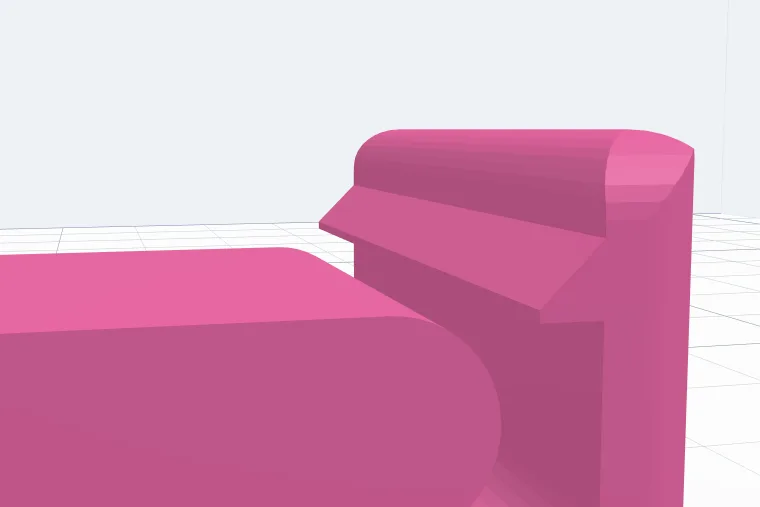
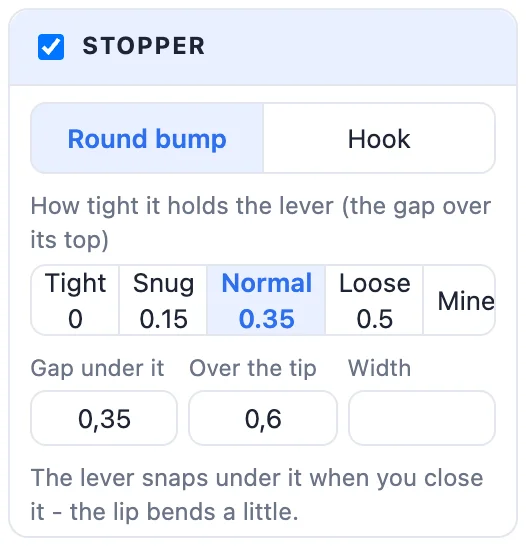
The lip grows taller when it needs to hold the stopper (the panel says so). The stopper needs the lever's tip near the lip: with a lever much shorter than Longest that fits it is left out with a message.
6Your phone
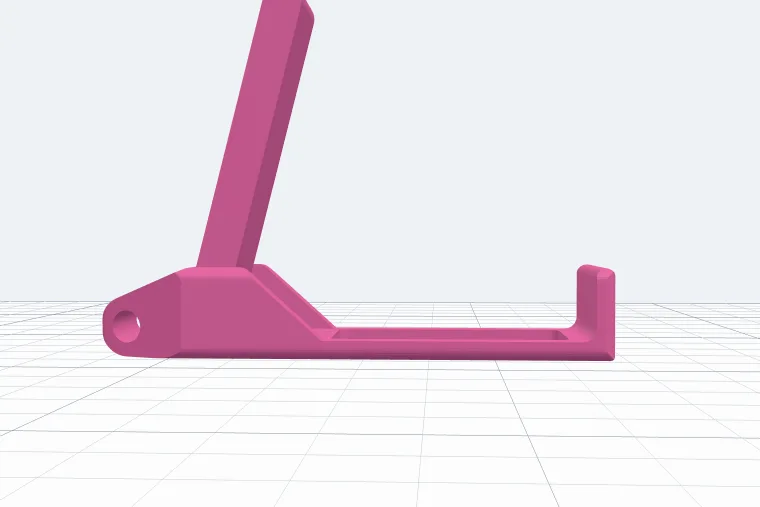
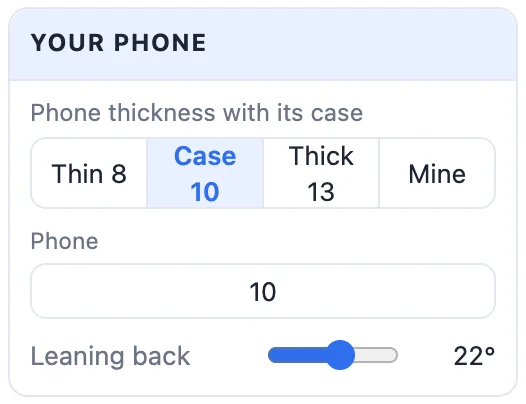
Pick your phone's thickness with its case - Thin 8, Case 10, Thick 13 or Mine (any value from 4 to 30 mm) - and drag Leaning back (5° to 35°) to how far the phone should lean. The generator works out the angle the lever stands at, so its tip meets the back of the phone exactly; the panel's info line says how far up it stops.
7The hidden hinge
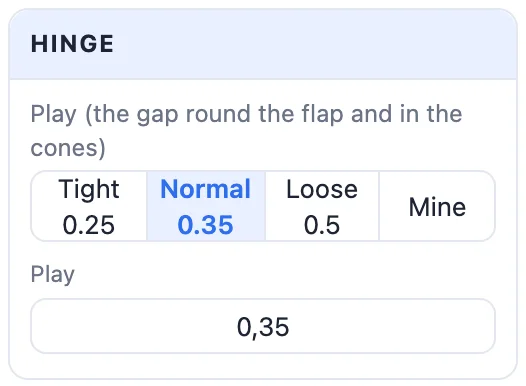
The lever turns on two cones that sit in cone-shaped sockets inside the side walls - nothing shows from the sides, so they stay plain for a name label. The lever stops by itself at its angle and cannot fall out. The Play is the gap round the lever and in its cones: Normal 0.35 works on most printers, Tight 0.25 wobbles less on a well tuned printer, Loose 0.5 is for a printer whose hinges come out stuck, and Mine takes any value from 0.15 to 0.8 mm.
8Ends and key ring
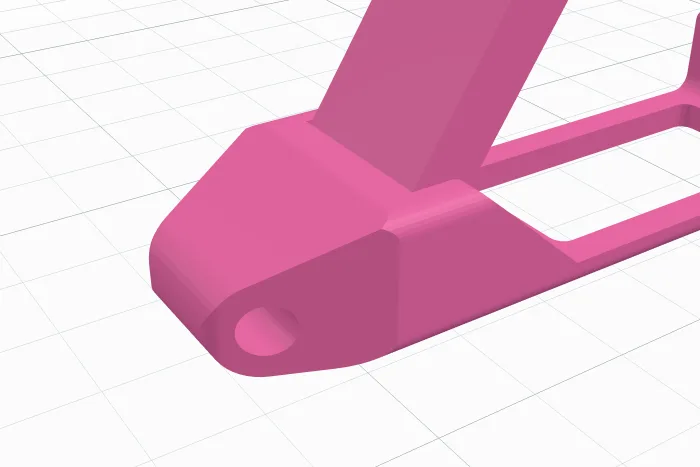
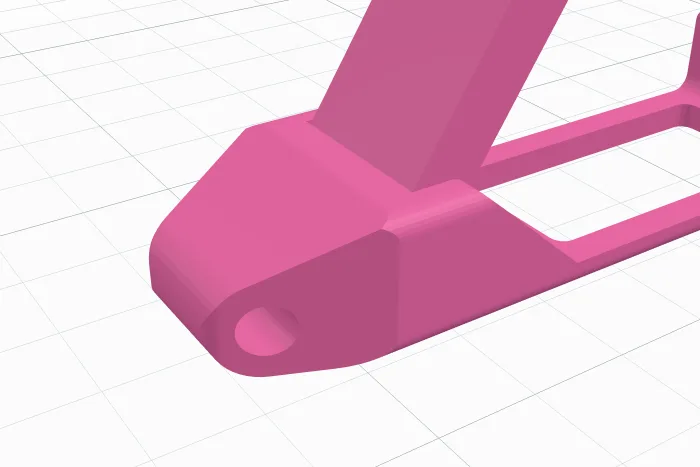
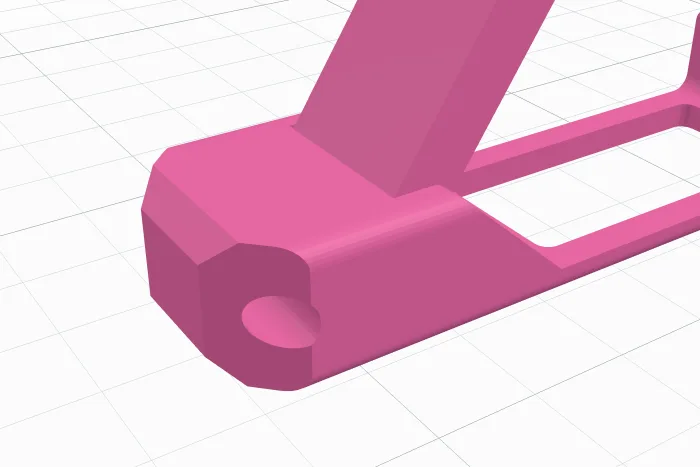
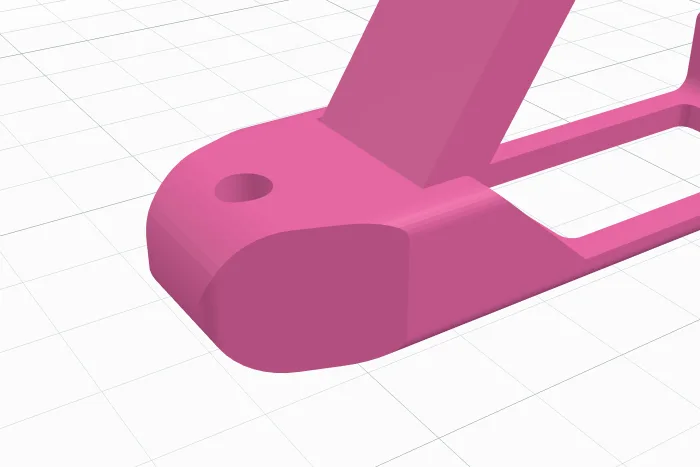
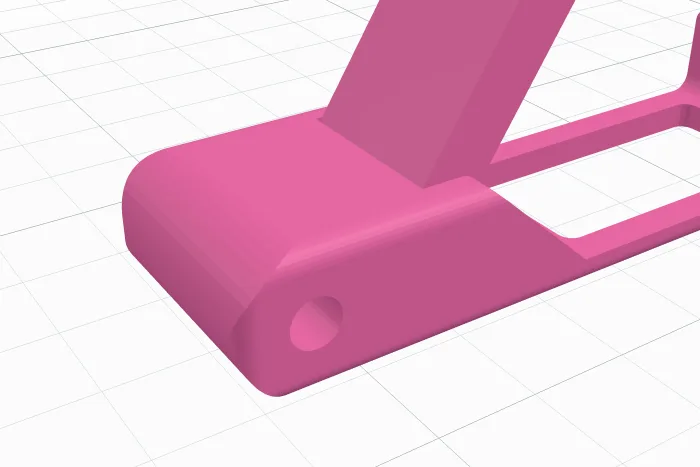
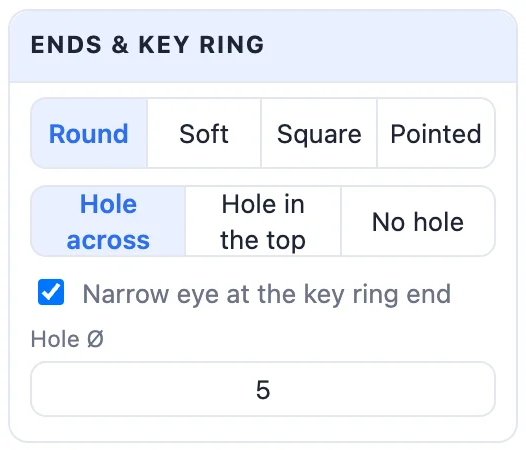
The key ring end can be Round, Soft (slightly rounded), Square or Pointed (cut at 45° from above and from the side to a small tip round the hole). The hole goes across the end, down through the top, or there is no hole. Narrow eye at the key ring end narrows the bar to an eye round the hole (not with a pointed end). Hole Ø sets the hole's size, 2 to 8 mm.
9Printing open or closed
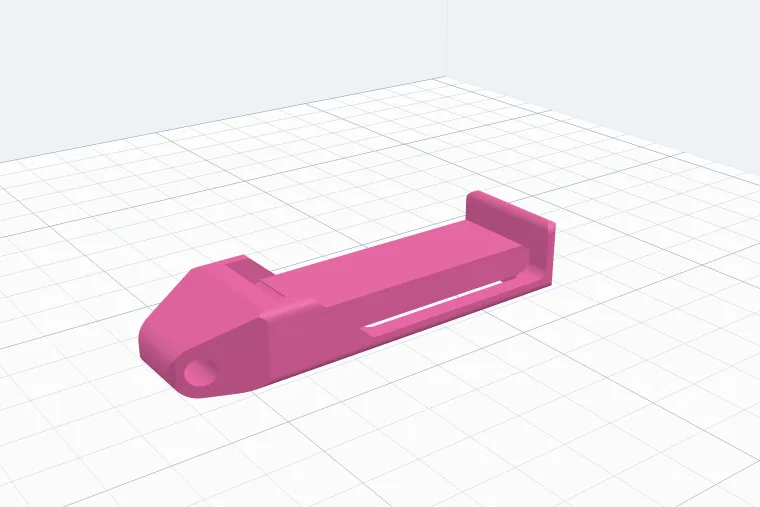
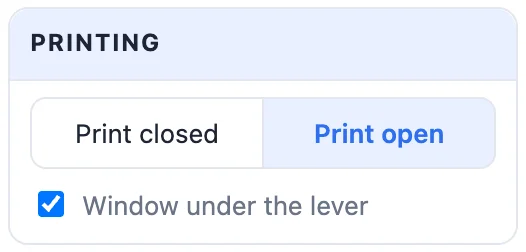
- Print open (the default) - the lever stands on the bed at its angle, a hair short of its stop, so it never prints fused to the bar. Nothing prints over the pocket and no supports are needed.
- Print closed - the lever lies flat in its pocket: the most compact, and its plate prints just above the floor.
Window under the lever cuts a window through the floor: less to print, and the lever never prints on a floor.
10Colours and export
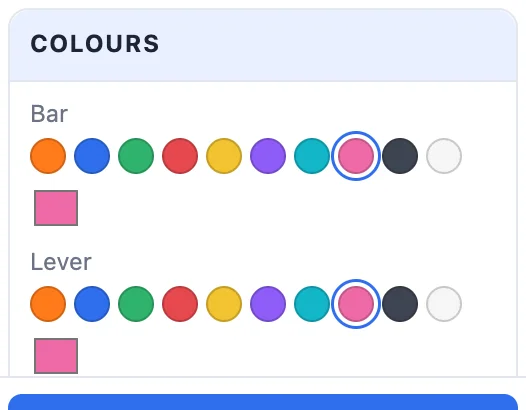
The bar and the lever each get a colour. Click Create phone stand, then export it: STL for one colour, or Multi-colour 3MF to print the bar and the lever in their colours. To change it later, double-click it.
11Tips for printing
- Print it as it comes out of the generator, with no supports. Bend the lever gently the first time to loosen the hinge.
- A squashed first layer (elephant's foot) can fuse the lever to the floor: level the bed, and use the Loose play if your hinges tend to stick.
- PLA and PETG both work. A hook stopper holds harder in PLA; in PETG the lip bends more easily.
- The block's plain side walls have room for a name: add a text from Basic shapes and place it on a side wall.
Questions
Does the hinge really turn straight off the printer?
Yes. The lever turns on two cones hidden in the side walls, with a gap (the play) all round, so it prints already joined in one piece. If it comes out stiff, bend it gently a few times; if it is stuck, print it again with the Loose play.
Should I print it open or closed?
Open is the default: the lever stands on the bed at its angle, a hair short of its stop, so nothing prints over the pocket and no supports are needed. Closed is flatter and prints faster; the lever then prints just above the floor.
Will it hold my phone with its case?
Set Phone to the thickness of your phone with its case and the lean you like. The generator works out the angle the lever stands at so its tip meets the back of the phone; the panel says how far up it stops.
How do I stop the lever from opening in my pocket?
Tick Stopper: a little catch on the lip at the end that the closed lever's tip snaps under. A round bump clicks in and out gently, a hook holds firmly. The Tight, Snug, Normal and Loose buttons set how tight it holds.
Where can I put a name on it?
The block's side walls are plain, so there is room for a name label. Add a text body from Basic shapes and put it on the side wall (as a hole to engrave it).
Make your folding stand
Open the app, set it to your phone and print it in one piece.
Open the folding phone standAlso see: Phone stand generator (13 more styles), Keychain generator, Hinge generator and Box generator.