3DPrintCAD › Guides › Platter
Platter generator: 3D print trays and serving dishes
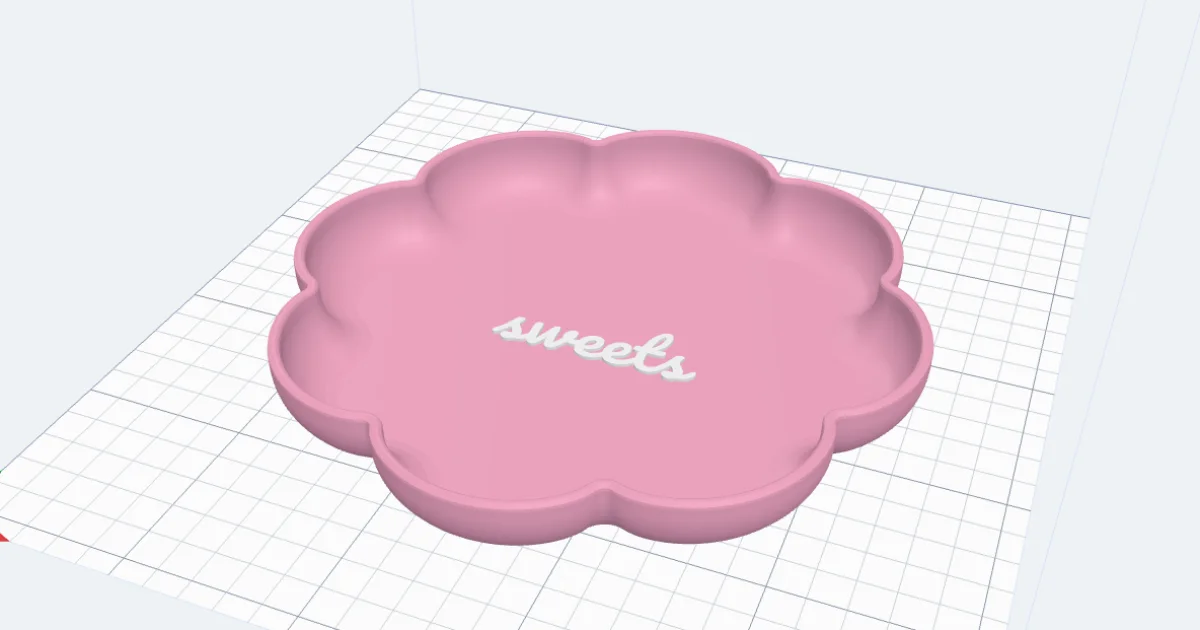
A tray for your keys, a dish for sweets, a big serving platter with handles, a snack tray in three parts. The Platter generator makes them in any shape - round, oval, a flower, a cloud, a star, your own drawing or SVG - with straight, sloped or round-bottomed sides, a pattern round the wall (flutes, waves, weave, diamonds and more), handles and dividers. Put your texts, SVGs and sticker pictures on the floor or the outside walls and drag them where you want them.
Watch the tutorial
Every step in under five minutes, narrated with subtitles: designs, shapes, the side, wall patterns, rim, handles, dividers, texts and stickers. Watch on YouTube ↗
1Start from a design
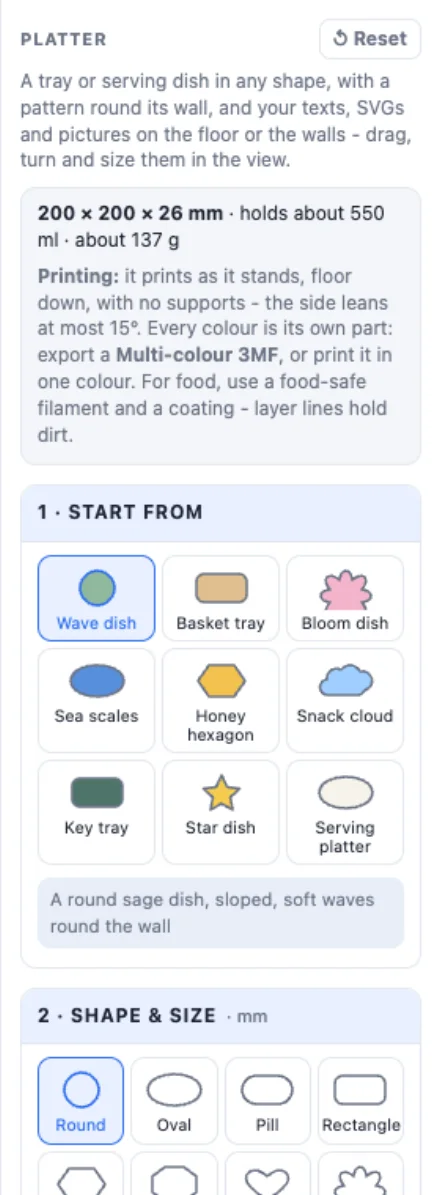
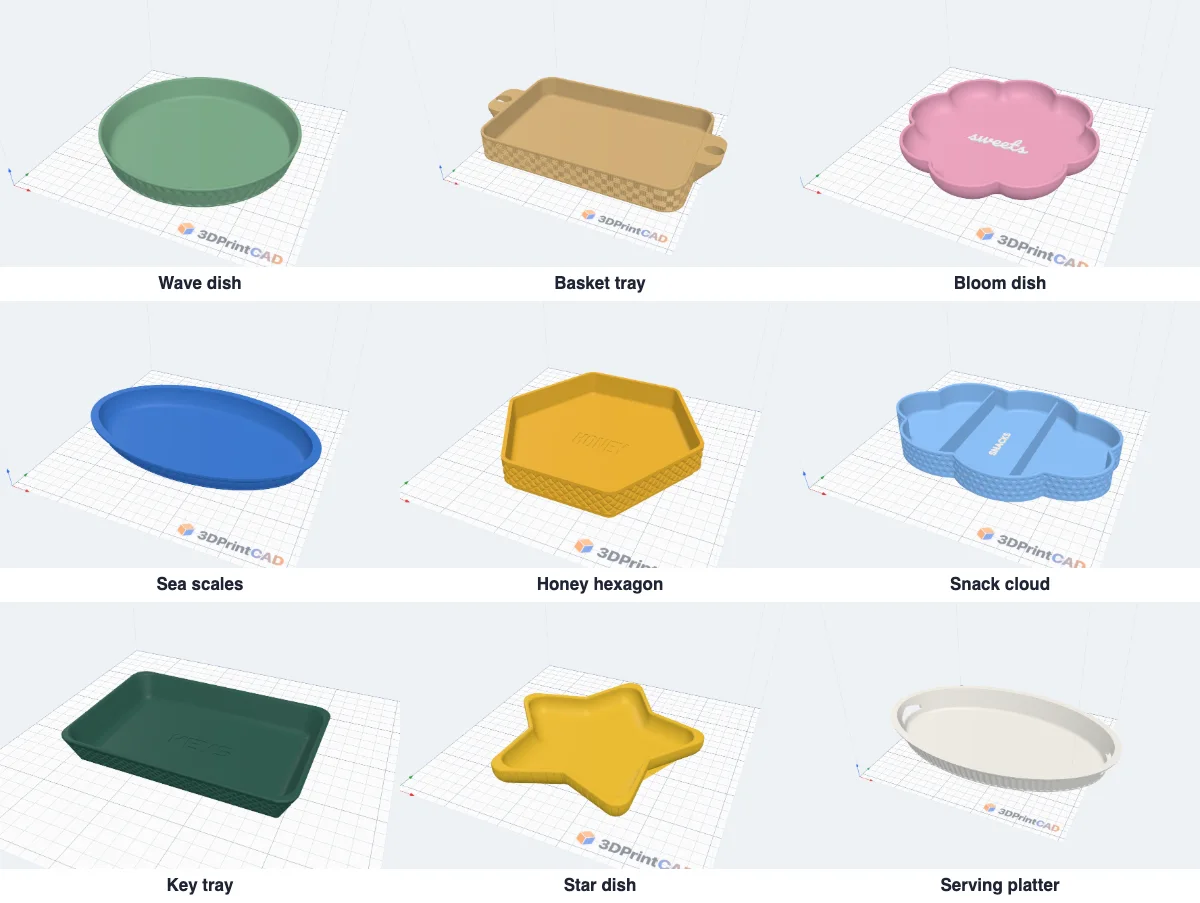
Click Platter in Generators. Nine designs to start from: a Wave dish, a Basket tray with tab handles, a Bloom dish, Sea scales with a lip, a Honey hexagon on a raised base, a Snack cloud in three parts, a Key tray, a Star dish and a Serving platter with hand holes. Change anything after.
2The shape and the size
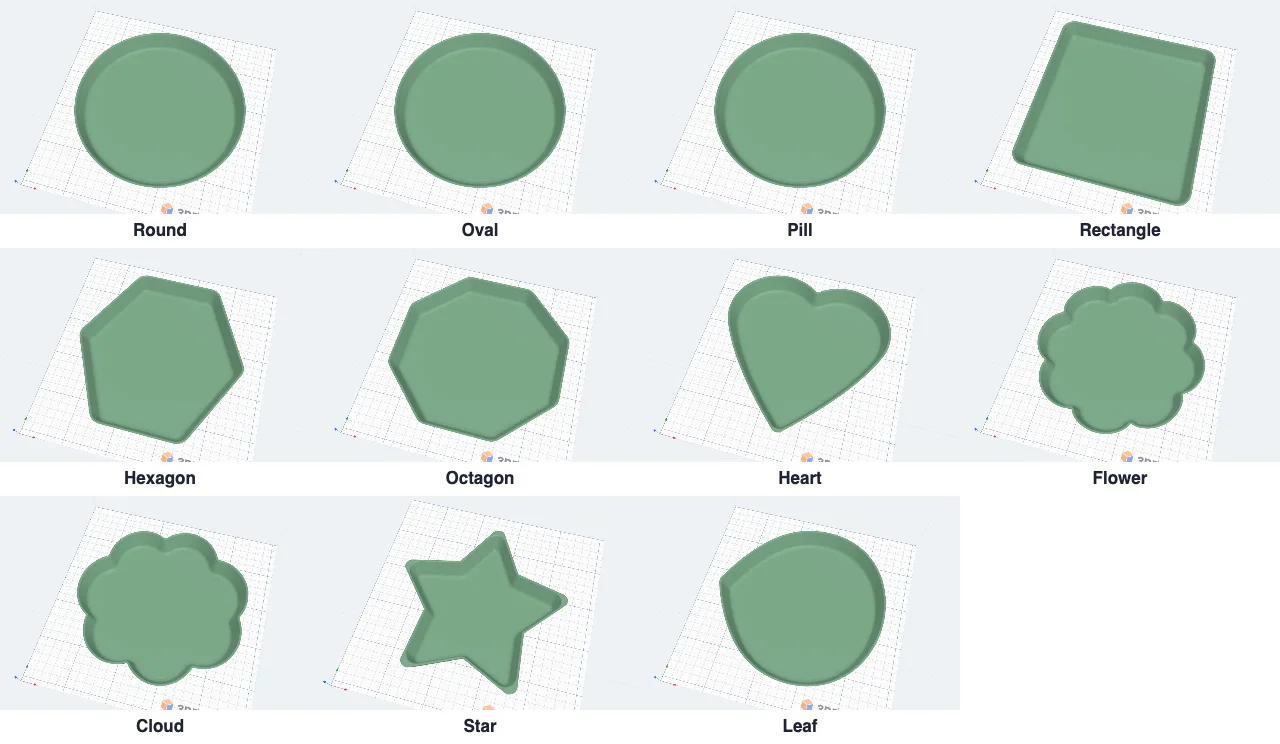
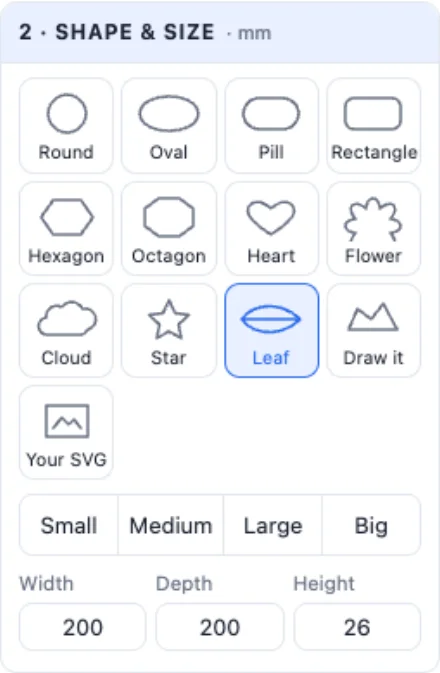
Pick the outline seen from above: Round, Oval, Pill, Rectangle, Hexagon, Octagon, Heart, Flower, Cloud, Star or Leaf - or Draw it in the drawing window, or Your SVG. Then the size: Small, Medium, Large or Big, or type the width, depth and height. A rectangle and the hexagon / octagon have corners; a flower its petals; a star its points.
3The side
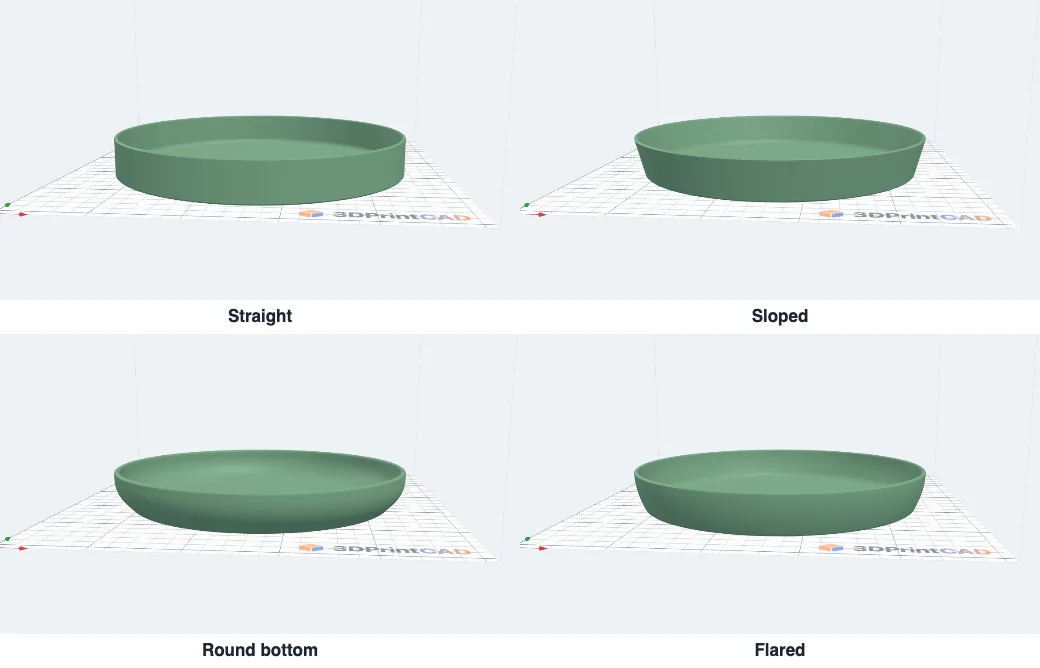
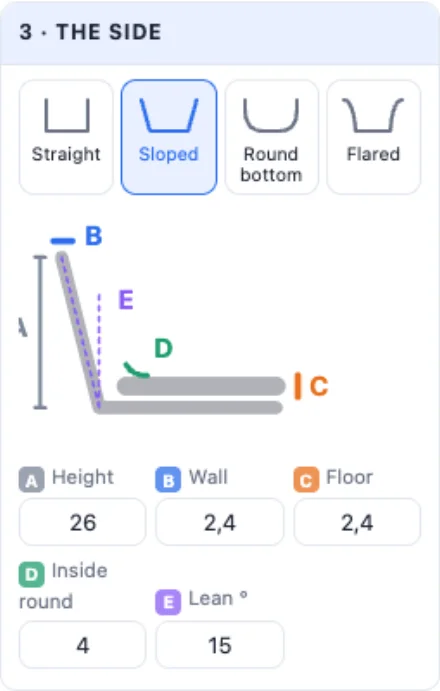
The side seen cut through: Straight walls, Sloped (leaning out - the top wider than the floor), a Round bottom like a bowl, or Flared (a curve opening toward the rim). The drawing shows each size by letter: A the height, B the wall, C the floor, D how round the inside is where the floor meets the wall, E how far the side leans.
4The wall pattern
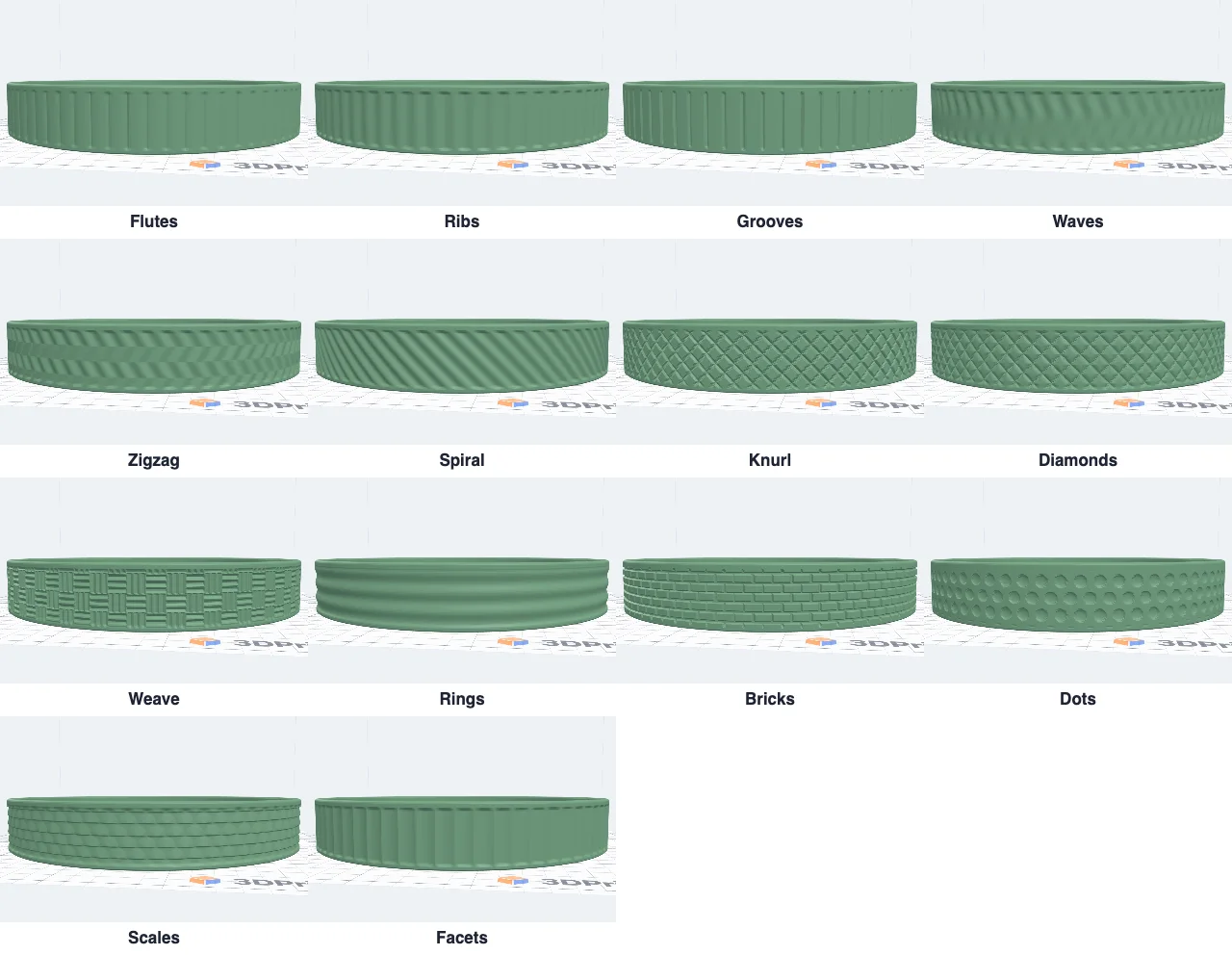
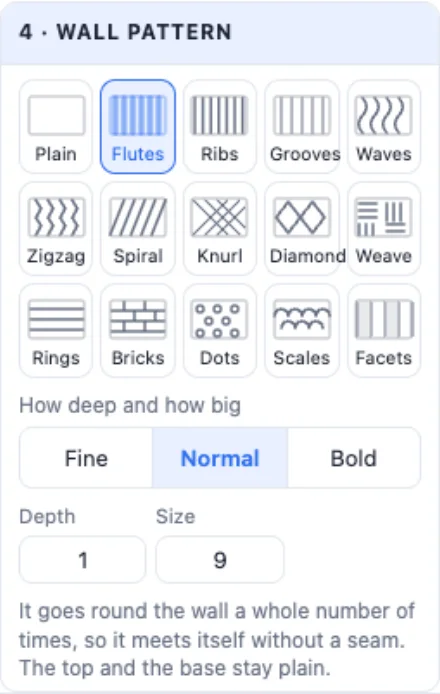
Fifteen patterns pushed into the outside of the wall: Flutes (round columns), Ribs, Grooves, Waves, Zigzag, Spiral, Knurl, Diamonds, Weave (like a basket), Rings, Bricks, Dots, Scales, Facets - or Plain. Fine, Normal or Bold set how deep it goes; Size is one repeat round the wall. It always goes round a whole number of times, so it meets itself without a seam, and the wall never gets thinner than you set. The top and the base stay plain.
5The rim and the base
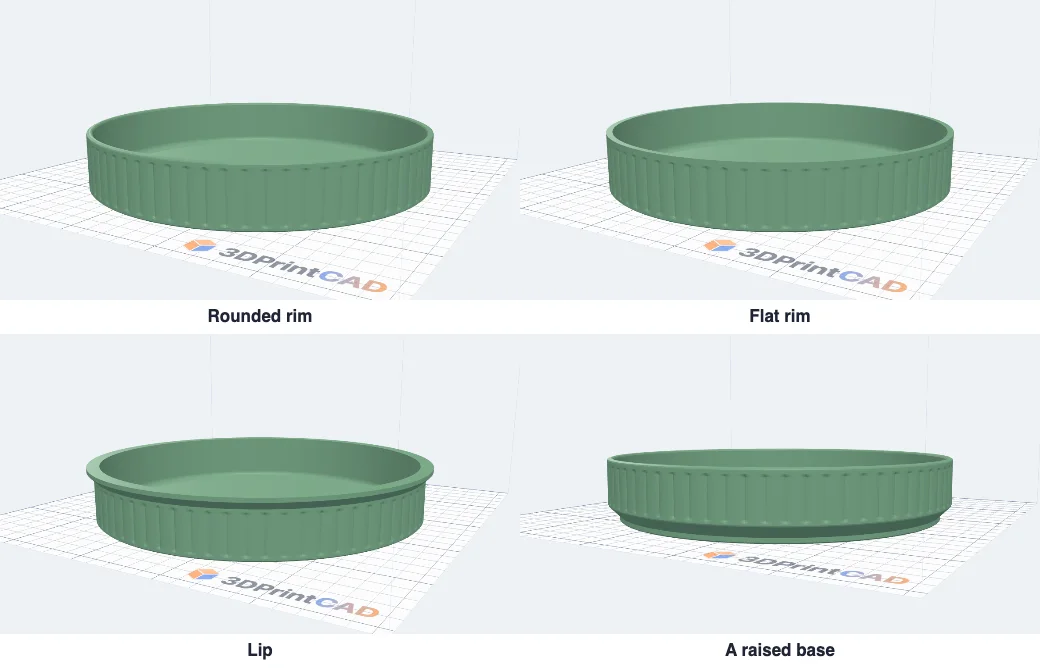
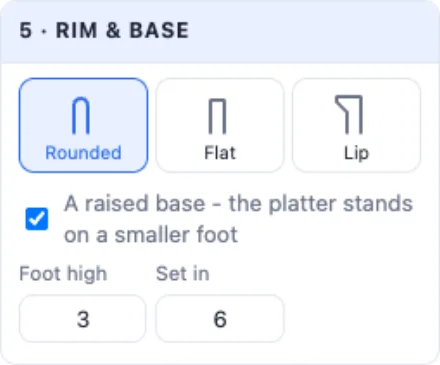
The top edge: Rounded, Flat, or a Lip that stands out round the rim like a serving platter (with a 45° underside). A raised base stands the platter on a smaller foot, with a 45° slope up to the wall - it looks lighter on the table.
6Handles and dividers
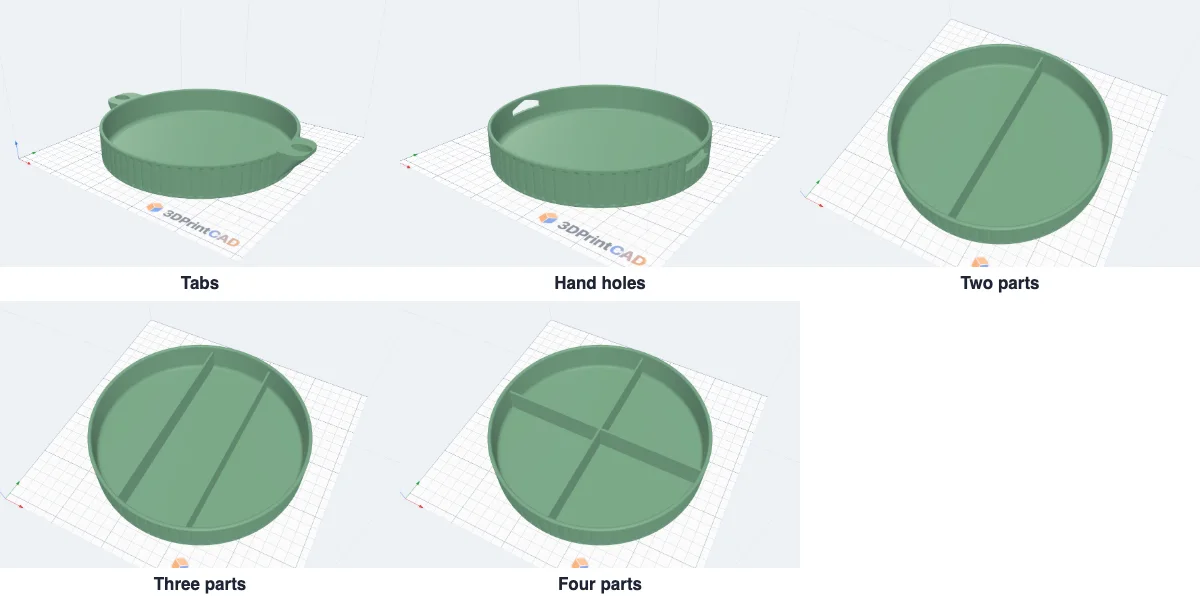
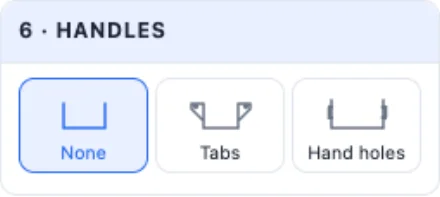
Tabs are handles at the two ends with a finger hole, a 45° slope under each. Hand holes go through the end walls, with a pointed top so they print without supports. Set their width, how far out and how thick. Dividers split the inside: one room, two, three or four parts - or type how many across and along, how thick and how high.
7Texts, SVGs and stickers
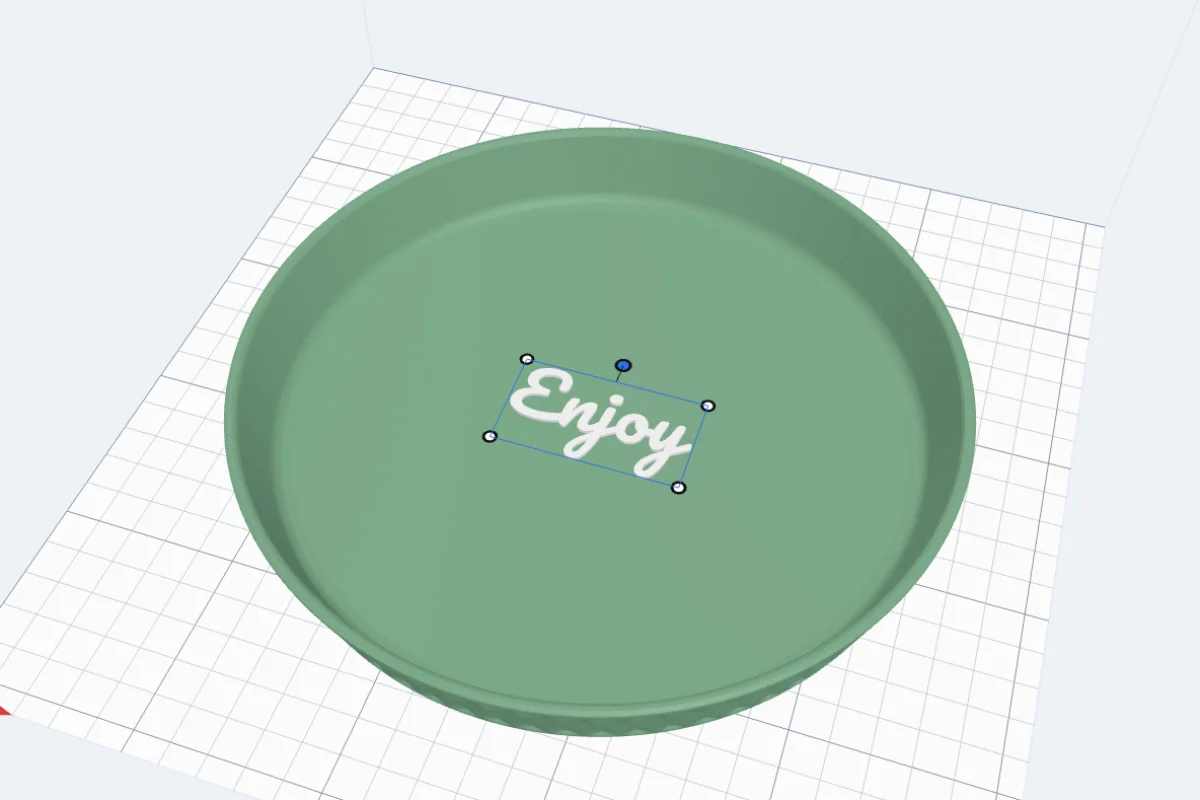
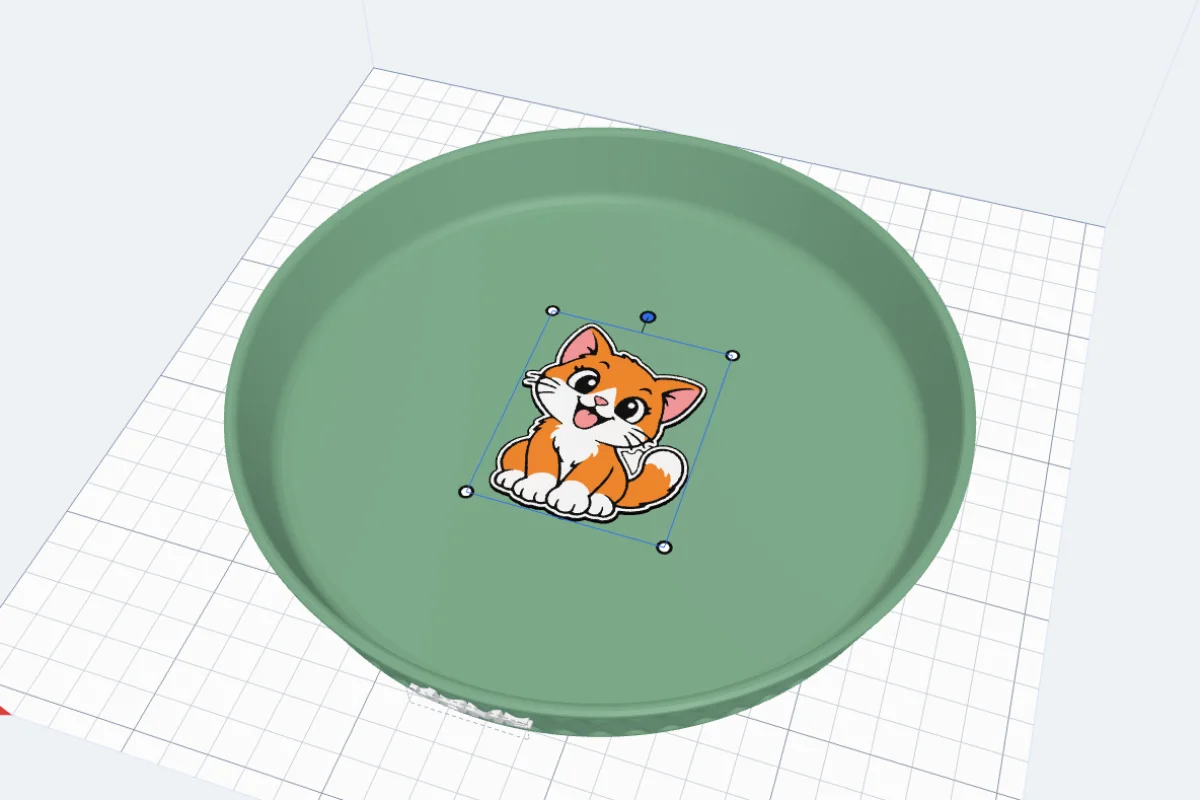
Pick where: the Floor inside, or the outside of the Front, Back, Left or Right wall. Then add a Text, an SVG (a logo or an icon) or a Sticker (a picture in its colours). Each one is Raised, Flat (inlaid level) or Engraved.
In the view, drag it to move it, drag a corner to size it and the round knob to turn it - it moves with the mouse and the platter is rebuilt when you let go. Double-click one to open its card; Delete removes it.
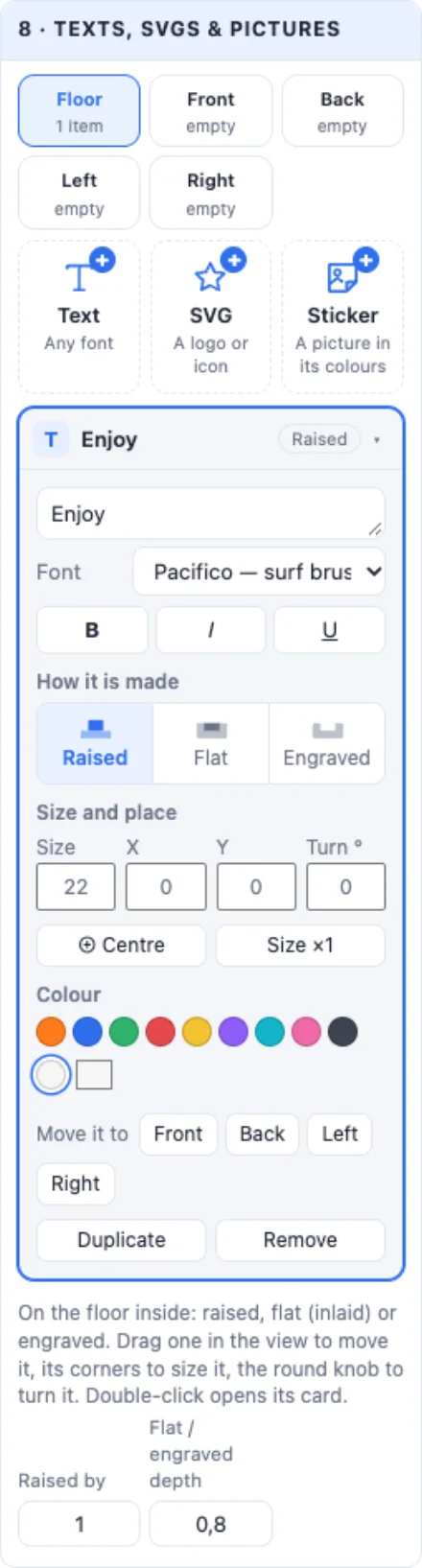
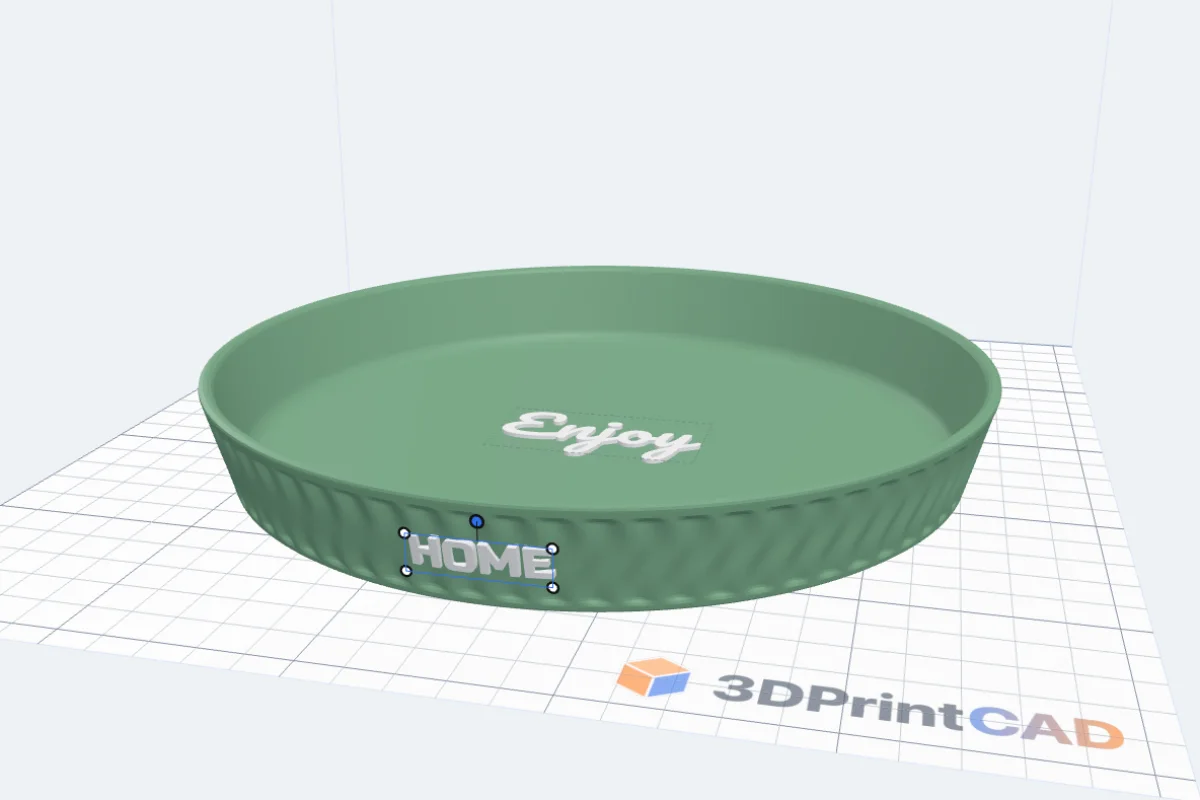
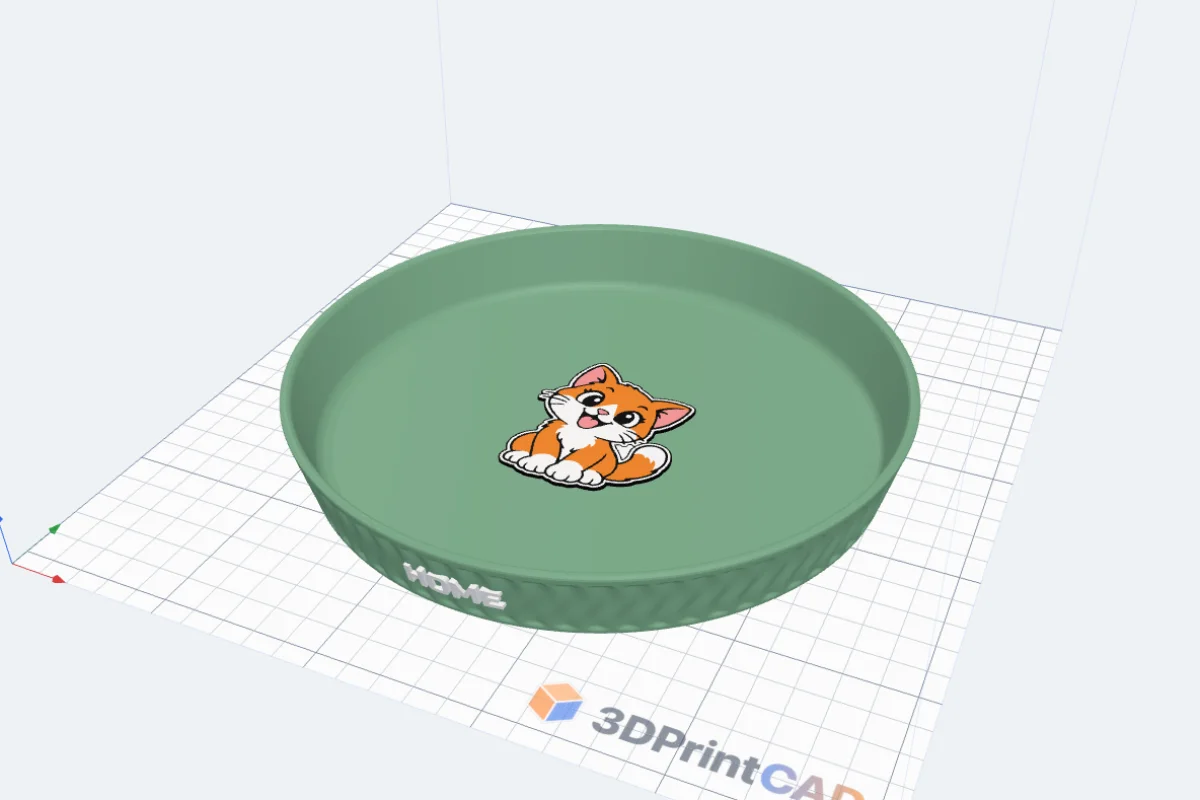
On a wall the text follows the wall, and the pattern under it is filled so it stands clean. A sticker picture becomes a part for every colour; Colour heights raises a colour or sinks it into a pocket, and a swatch changes its filament colour.

8Printing
Pick the platter's colour and click Create platter. It prints as it stands, floor down, with no supports. The info box at the top gives its size, about how much it holds and its weight. Every colour is its own part - export a Multi-colour 3MF for a multi-colour printer, or an STL for one colour.

More trays: the Tray generator (compartments, Gridfinity) and the Coaster generator.
Questions
Does it need supports?
No. It prints as it stands, floor down. Sloped and flared sides lean out at most 45°, a round bottom starts at 45°, the lip and the raised base have a 45° underside, the tab handles too, and the hand holes have a pointed top.
Can I use it for food?
Only with a food-safe filament and a food-safe coating: the layer lines hold dirt and are hard to clean. For keys, jewellery, sweets in wrappers, office things or a plant saucer it is fine as it comes off the printer.
How big can I make it?
Up to 400 × 400 mm and 200 mm high - but it must fit your printer's bed. The info box at the top of the panel gives its size, about how much it holds and its weight.
Why are the corners rounder than I set?
A sloped side and a pattern move the wall in near the bottom, and a sharp corner would fold over itself. The corners are rounded just enough for that, and the info box says so. A straight side with no pattern keeps the corners you set.
Can I print the texts in another colour?
Yes. Every text, SVG and sticker colour is a part of its own: export a Multi-colour 3MF for a multi-colour printer, or pause at the right height for a filament change (raised texts on the floor). Flat (inlaid) and engraved ones look good in one colour too.
Can I make my own shape?
Pick Draw it to draw the outline in the drawing window, or Your SVG to load any SVG - its outline becomes the platter.
Make a platter
Pick a design, then the shape, the side and the wall pattern - and add your words.
Open 3DPrintCADAlso see: Tray generator, Coaster generator and Loft tool.