3DPrintCAD › Guides › Loft tool
Loft tool: a 3D shape from one outline to another
A loft is a solid that runs smoothly from one outline to another: a square base that turns into a round top, a duct from a square fan to a round hose, a pipe that bends from one part to the next. In 3DPrintCAD you make it two ways: between objects - click the flat faces it runs through - or in a sketch - draw the outlines and click them in order.
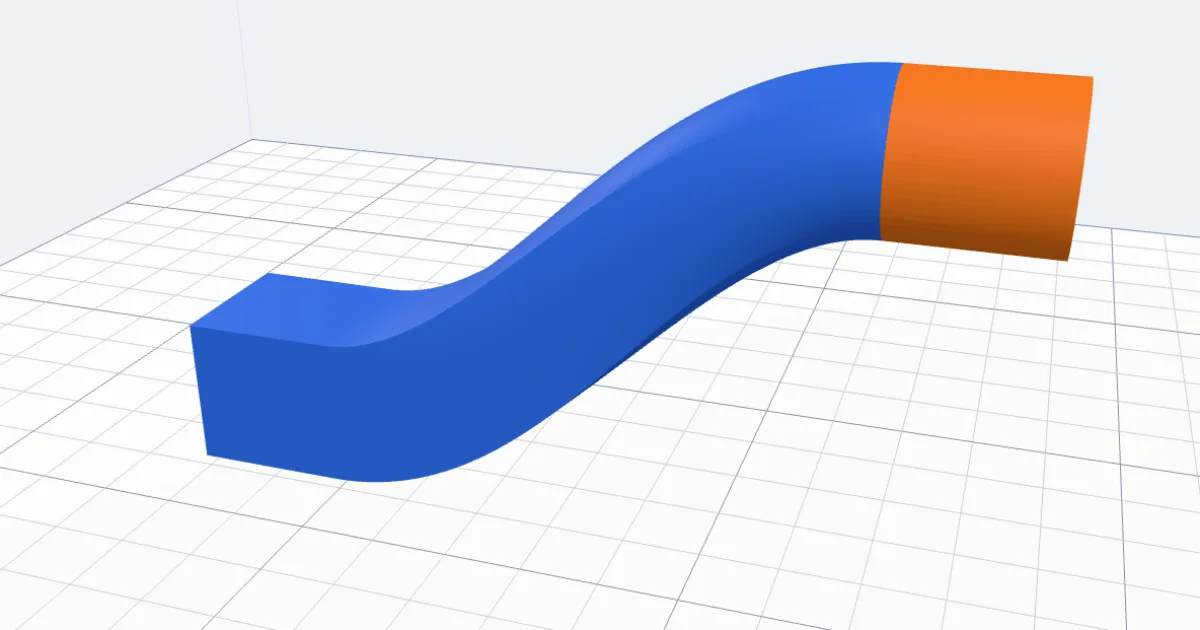
Watch the tutorial
Both ways in about four minutes, narrated with subtitles: between bodies and in a sketch. Watch on YouTube ↗
1Between two bodies
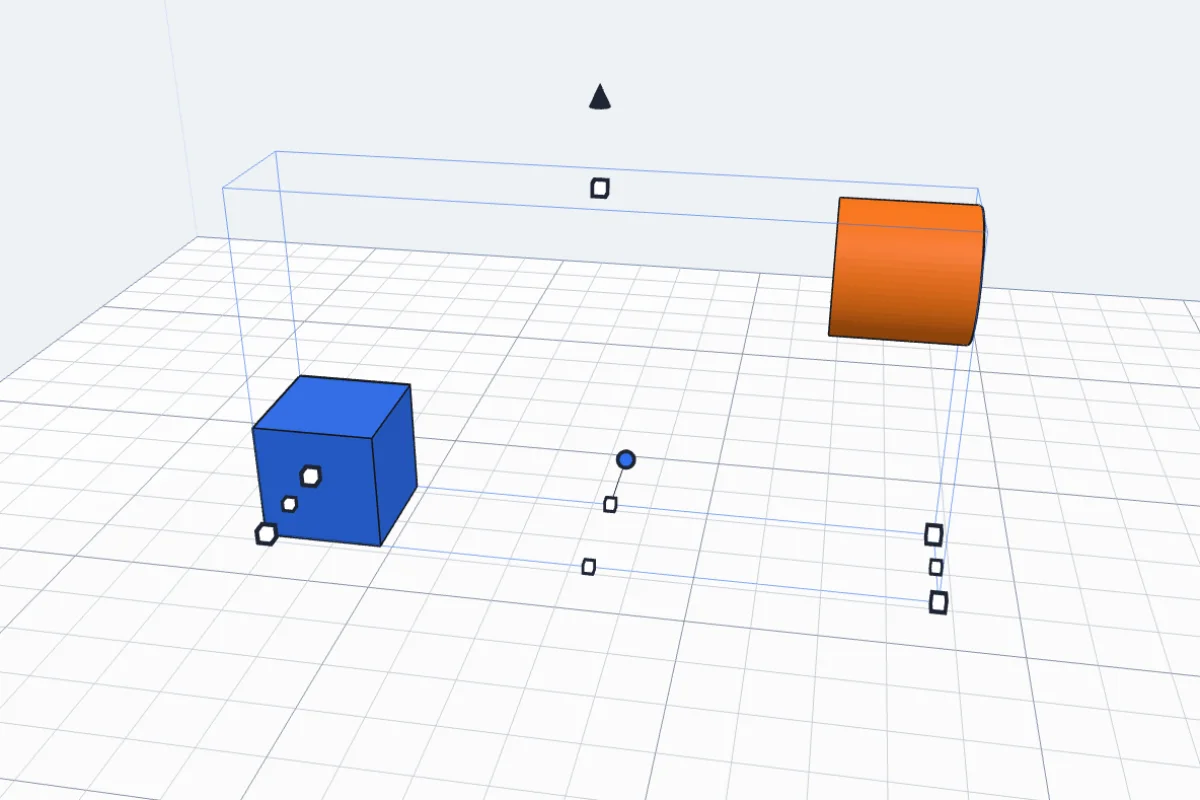
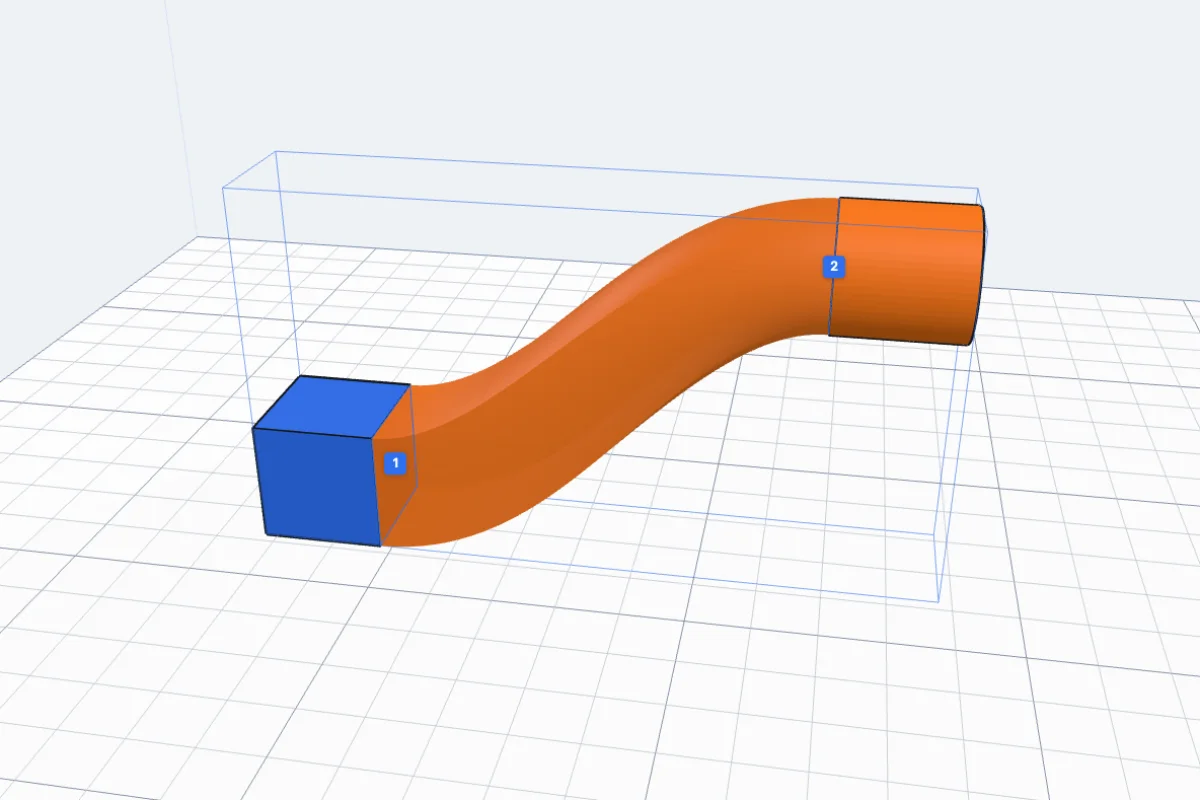
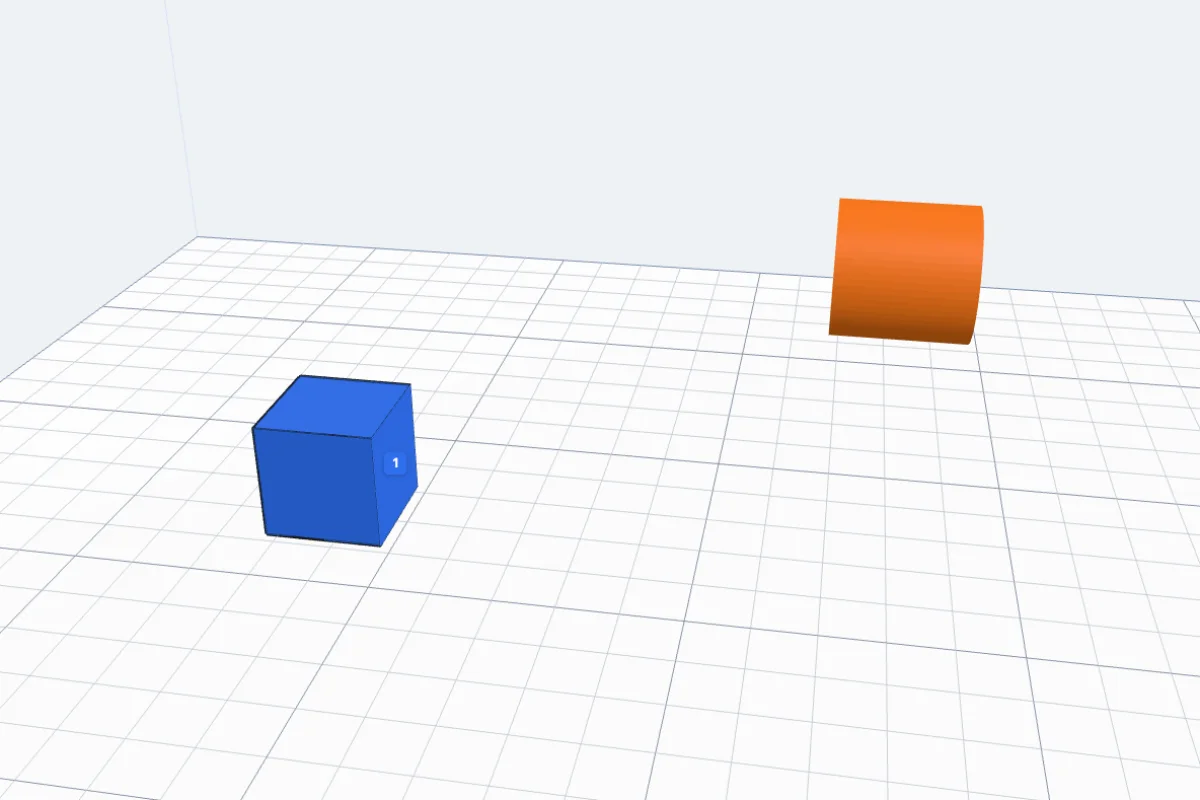
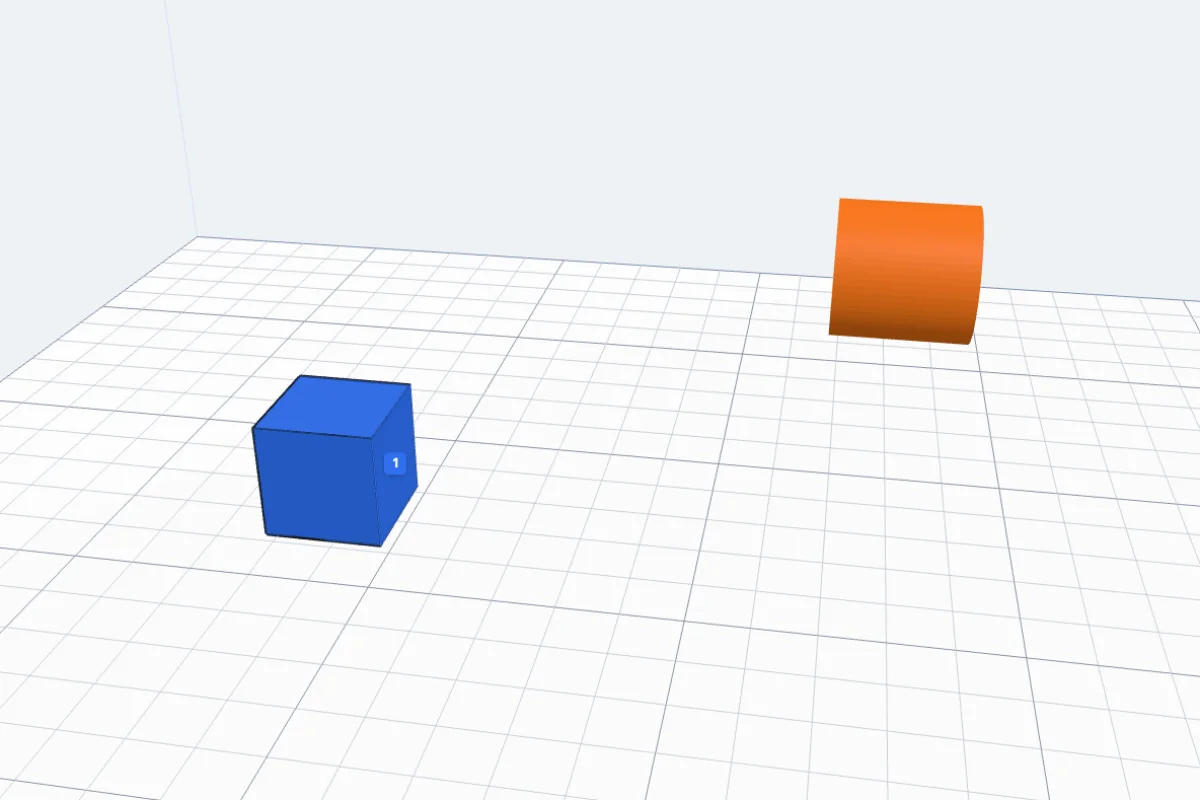
Select the two bodies and click Loft in the Body card. The two faces that look at each other are picked by themselves - numbered 1 and 2 in the view - and the loft shows in see-through orange.

2Clicking the faces yourself
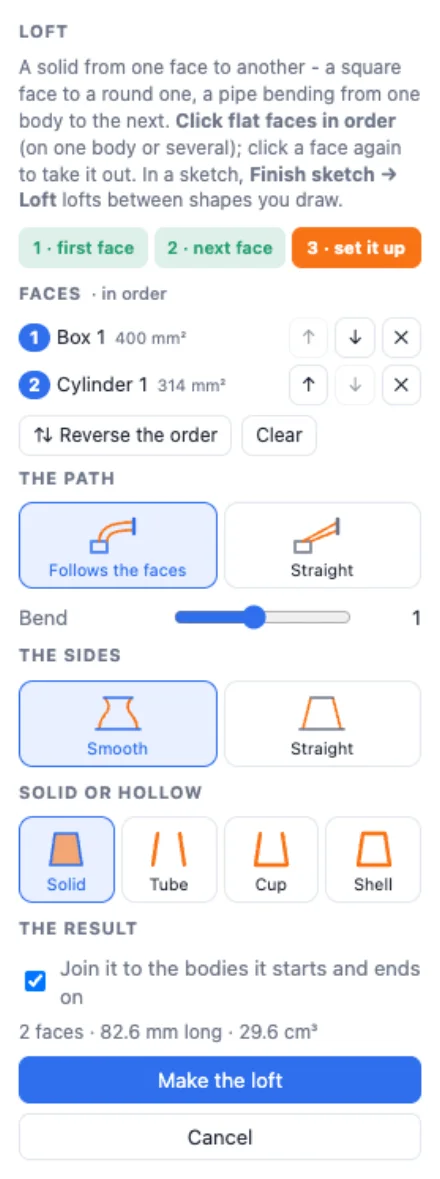
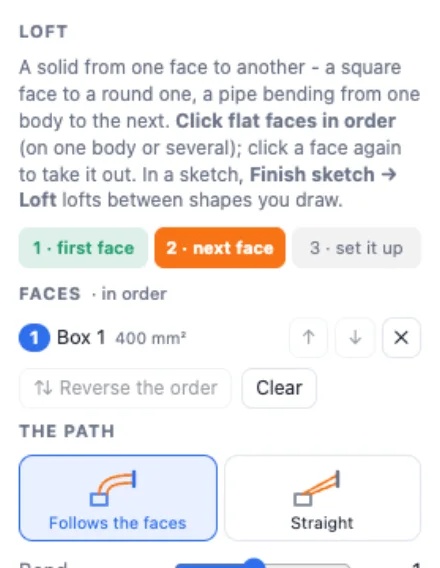
Or click the flat faces in order: the first one, then the next. Click a face again to take it out. The panel lists them with ↑ ↓ to change the order, ✕ to take one out, Reverse the order and Clear. Three faces or more make a loft through all of them.
3The path and the bend
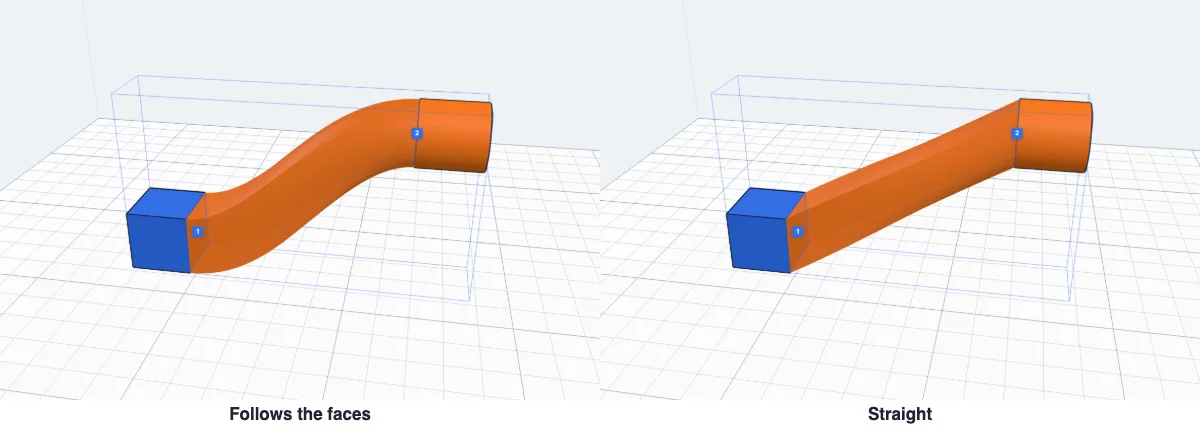
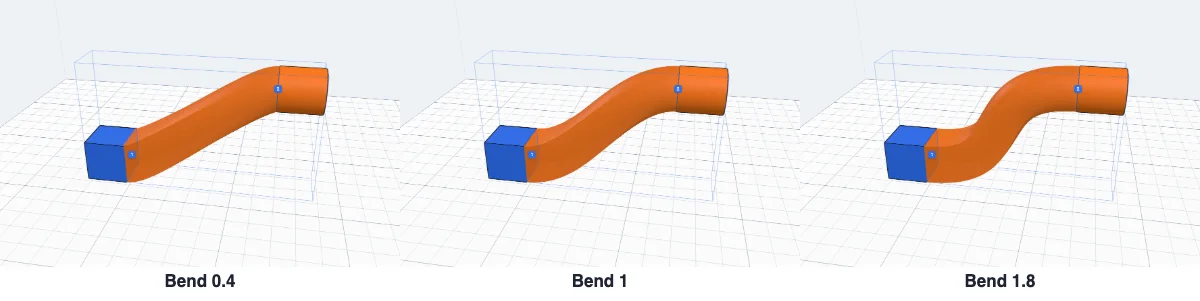
Follows the faces leaves each face square to it and arrives square to the next - a pipe that bends round. Straight goes straight from the middle of one face to the next. With a curved path, Bend sets how far it keeps going straight out of each face before it turns.
4Smooth or straight, solid or hollow
Smooth sides flow through every face; Straight sides run straight from face to face. Then Solid, or hollow with the wall you set: Tube (open at both ends), Cup (closed at the first face) or Shell (closed at both).

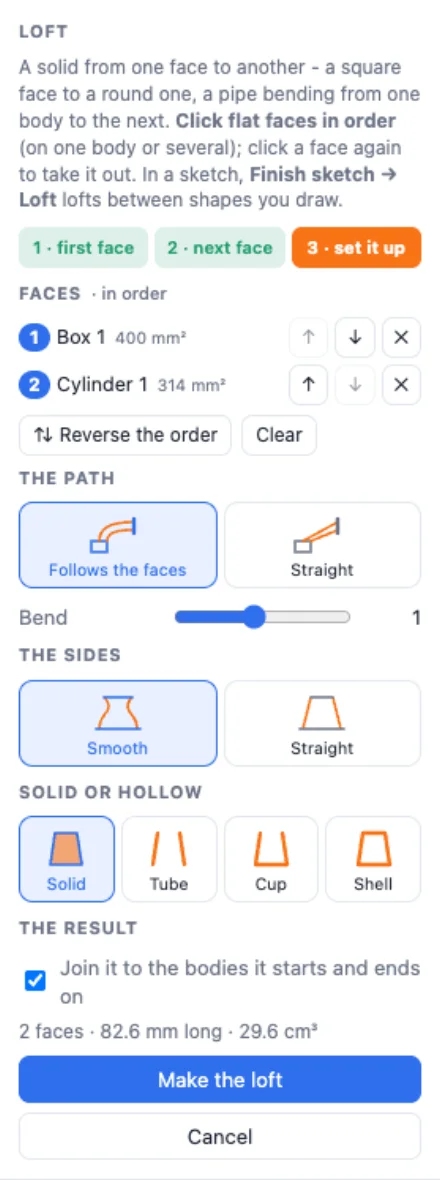
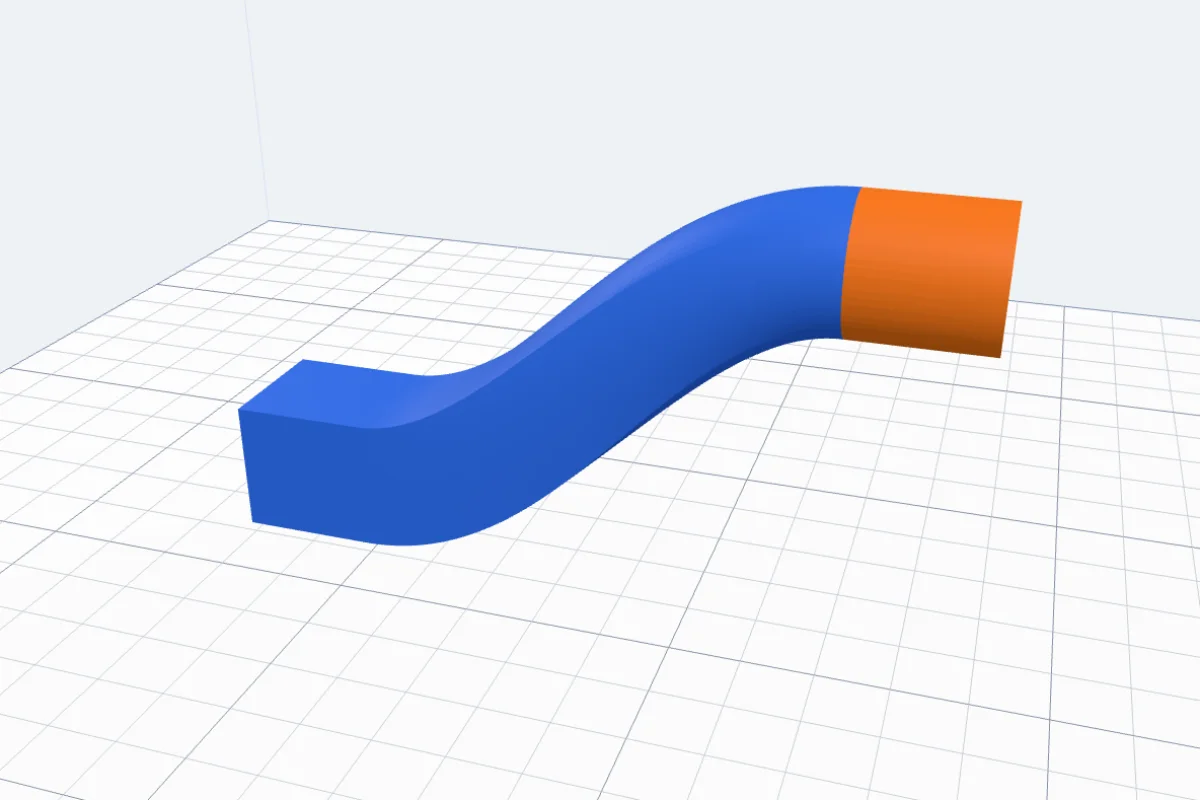
Join it to the bodies it starts and ends on makes them one body with the loft. Click Make the loft.
5In a sketch
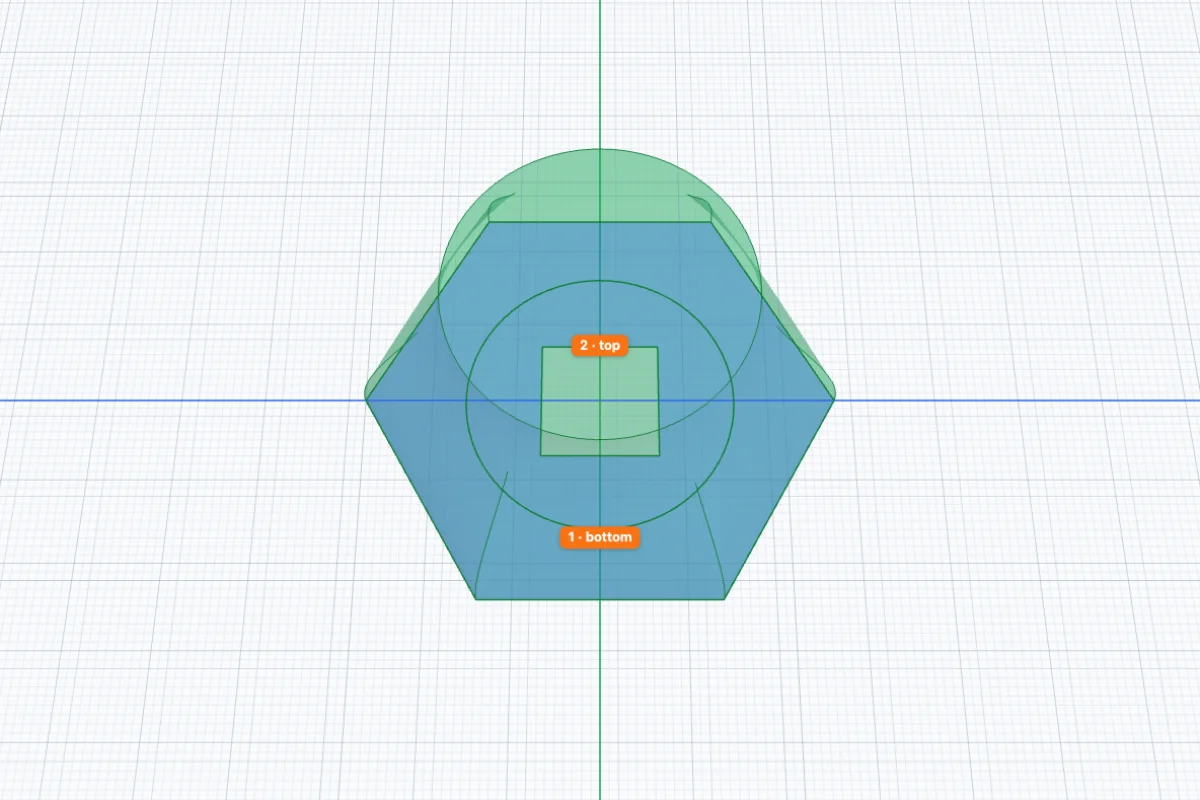
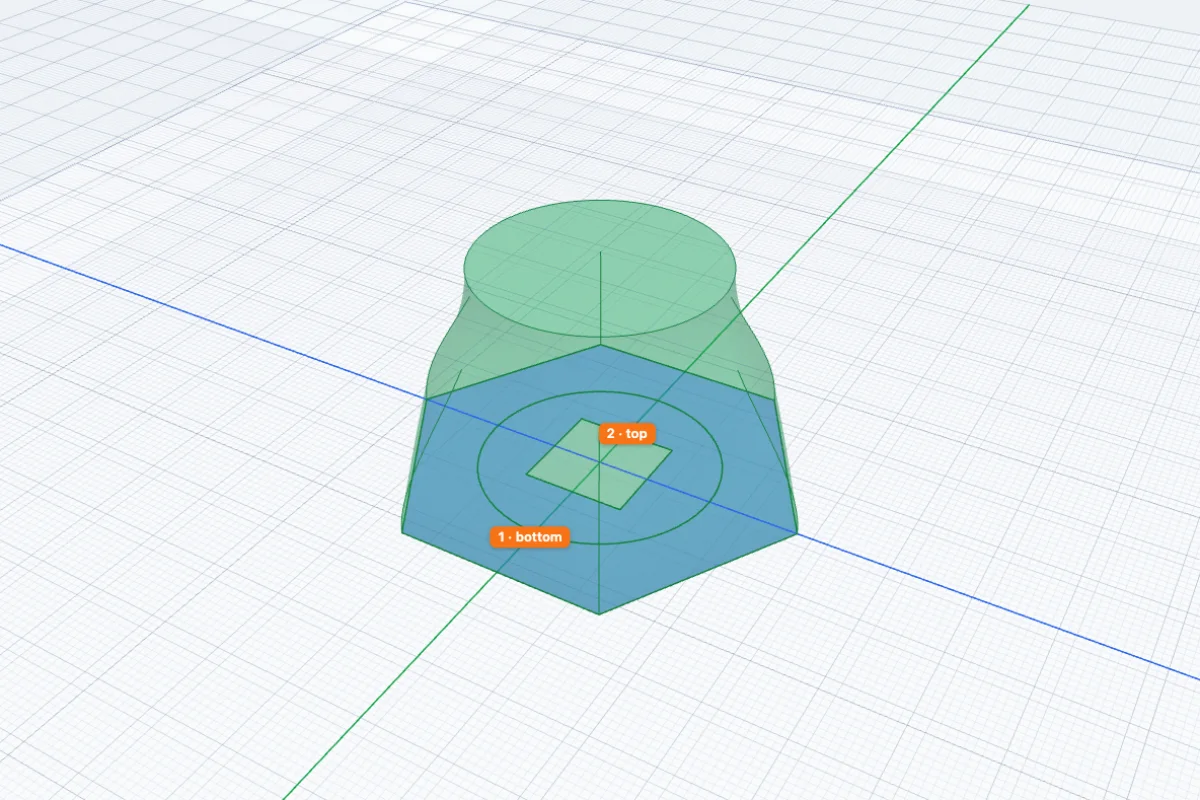
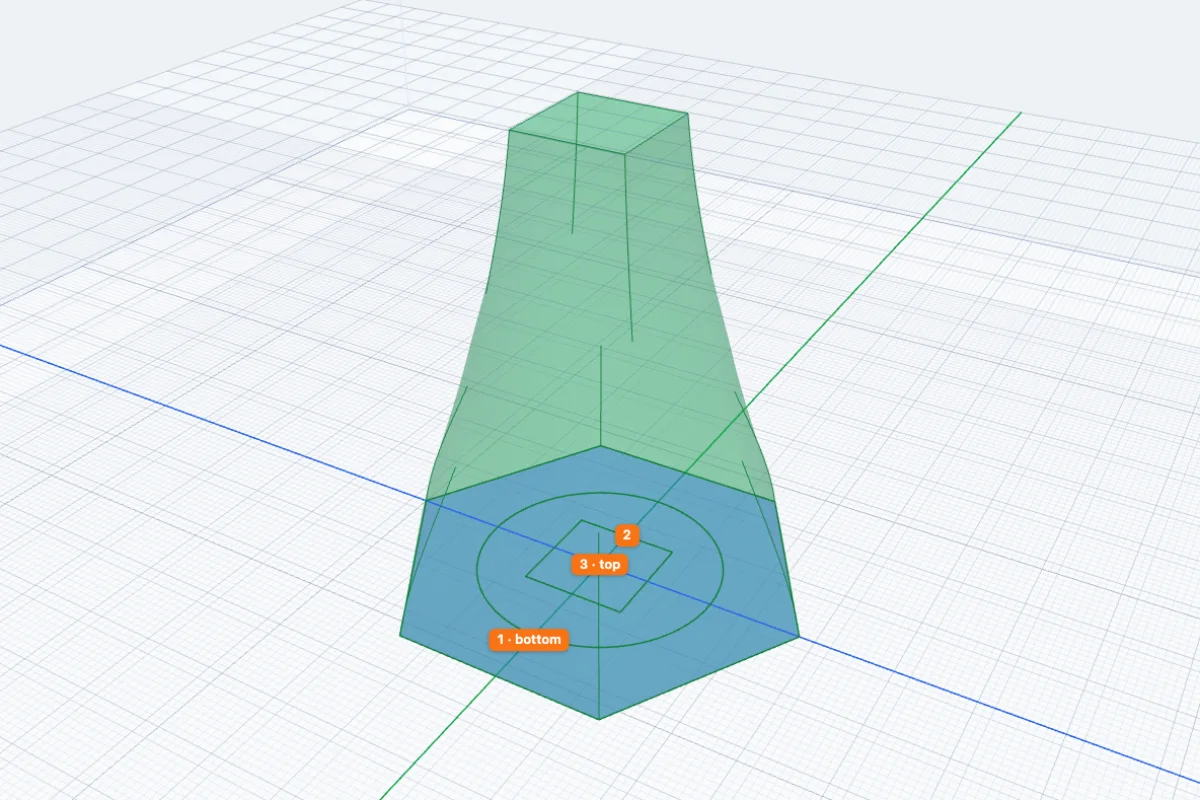
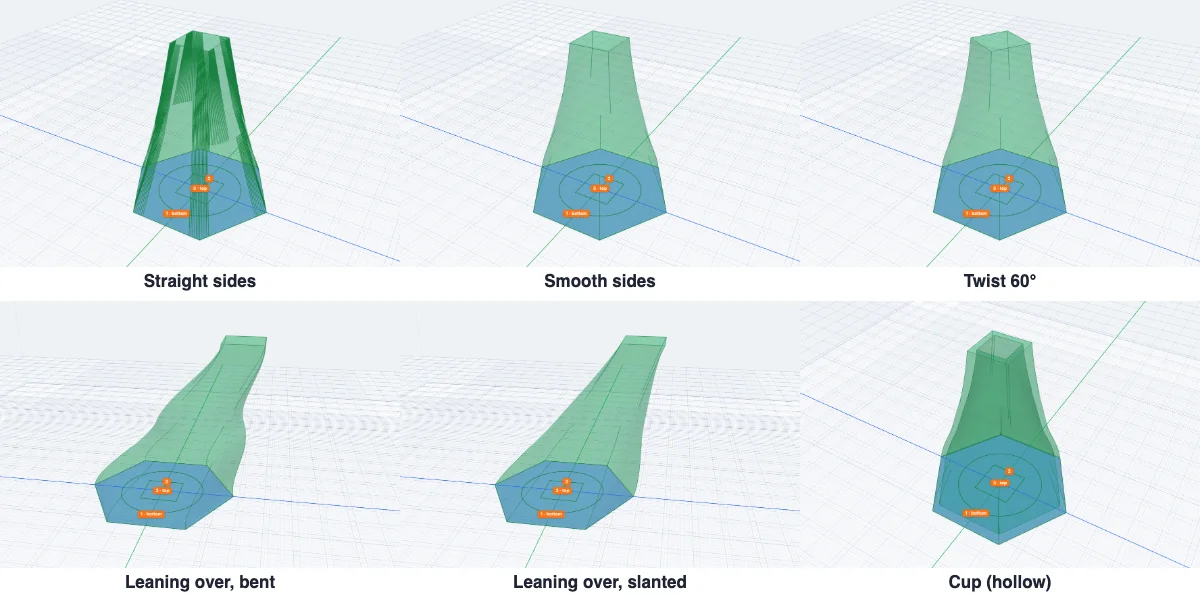
Start a sketch and draw the outlines - here a hexagon, a circle inside it and a square inside that. They can lie one inside the other: each closed shape is a region of its own. Click Finish sketch, then ⇪ Loft.
Click the shapes in order: the first stays on the sketch, each next one goes up by the Gap between. Orange badges show the order - 1 bottom, 2, 3 top. Click a shape again to take it out.
6Shape the sketch loft
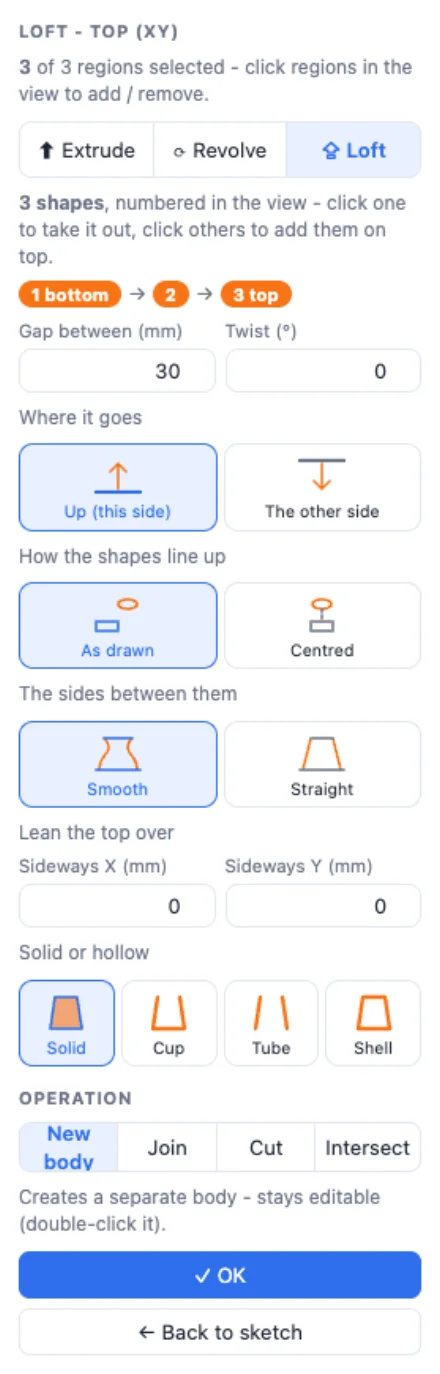
Up (this side) or The other side of the sketch. As drawn keeps each shape where you drew it; Centred moves every shape over the first one's middle. Smooth or Straight sides. Twist turns each next shape a little more. Lean the top over moves the top sideways - Bent (a curved horn that leaves and arrives straight up) or Slanted. Then Solid, Cup, Tube or Shell.
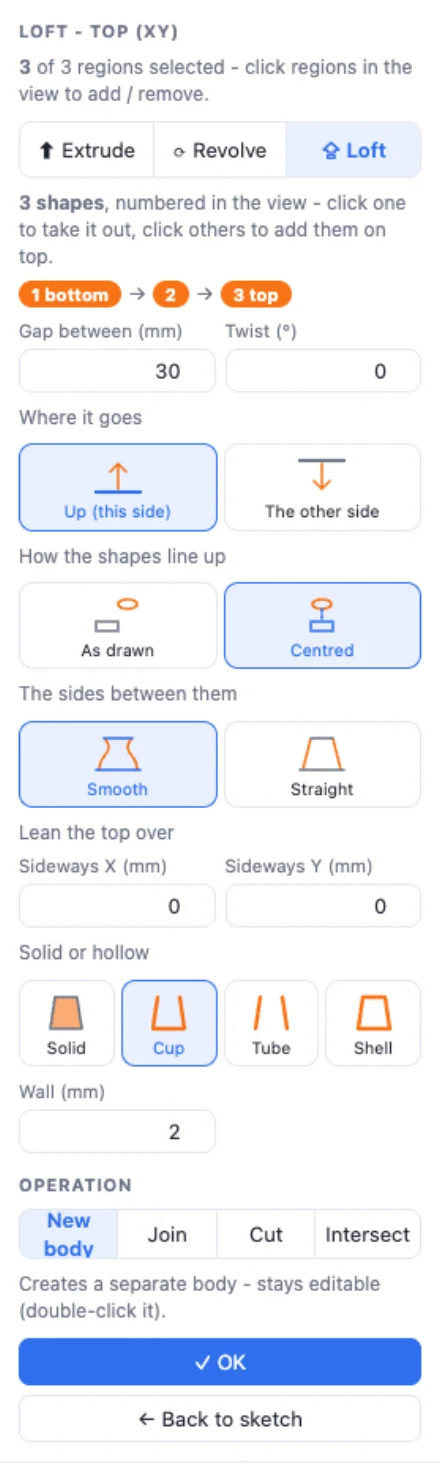
Choose New body, Join, Cut or Intersect, and click OK. The body stays editable: double-click it to change the sketch.
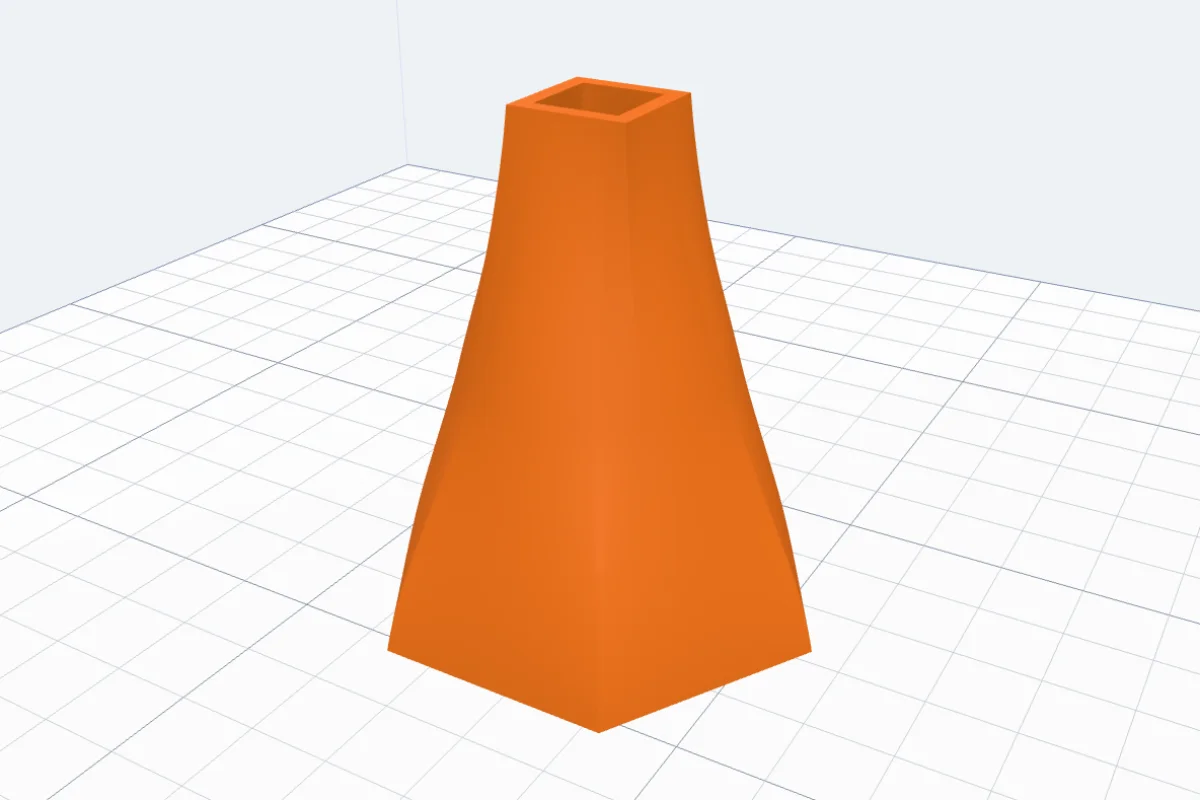
More on drawing: the Sketch tool guide.
Questions
What can I loft between?
Flat faces of any bodies (a box, a cylinder's end, an imported STL's flat face, a generator's result), or closed shapes in a sketch - rectangles, circles, polygons, your own outlines. Two or more, in order.
Why does the loft twist or pinch?
Every outline is matched point to point with the next, starting where they lie closest. Very different shapes, or faces turned far from each other, can make it pinch. Try Straight sides, a gentler Bend, a smaller Twist, or add a shape in between.
Can it be hollow?
Yes: Tube (open at both ends - a duct or a pipe), Cup (closed at the first outline, open at the last - a vase, a pot) or Shell (closed at both ends), with the wall thickness you set.
What does Join do?
Between objects, the loft and the bodies its faces are on become one body (their colours are kept). Untick it to keep the loft as a body of its own. In a sketch you choose New body, Join, Cut or Intersect, as for Extrude.
Can I change a sketch loft later?
Yes. Double-click the body (or Edit sketch & feature): change the shapes or their sizes, then Finish sketch - the loft is made again with the same settings.
A face with a hole in it?
Only its outside outline is used - the panel says so. For a hollow loft pick Tube, Cup or Shell.
Make a loft
Select two bodies and click Loft - or draw the outlines in a sketch.
Open 3DPrintCADAlso see: Sketch tool, Basic shapes and body tools and Platter generator.