3DPrintCAD › Guides › Car wheels
Car wheel generator: 3D print wheels with TPU tyres
A wheel is two parts that matter: a tyre that grips and a rim that fits the car. The Car wheels generator makes both - a tyre with the tread you pick (or draw), a rim with spokes or a disc, and a hub with the right hole for your motor or axle. Print the tyre on its own in soft TPU and snap it onto the rim, or print the whole wheel in two colours or as one piece. The same tool makes a tyre ring for your finger.
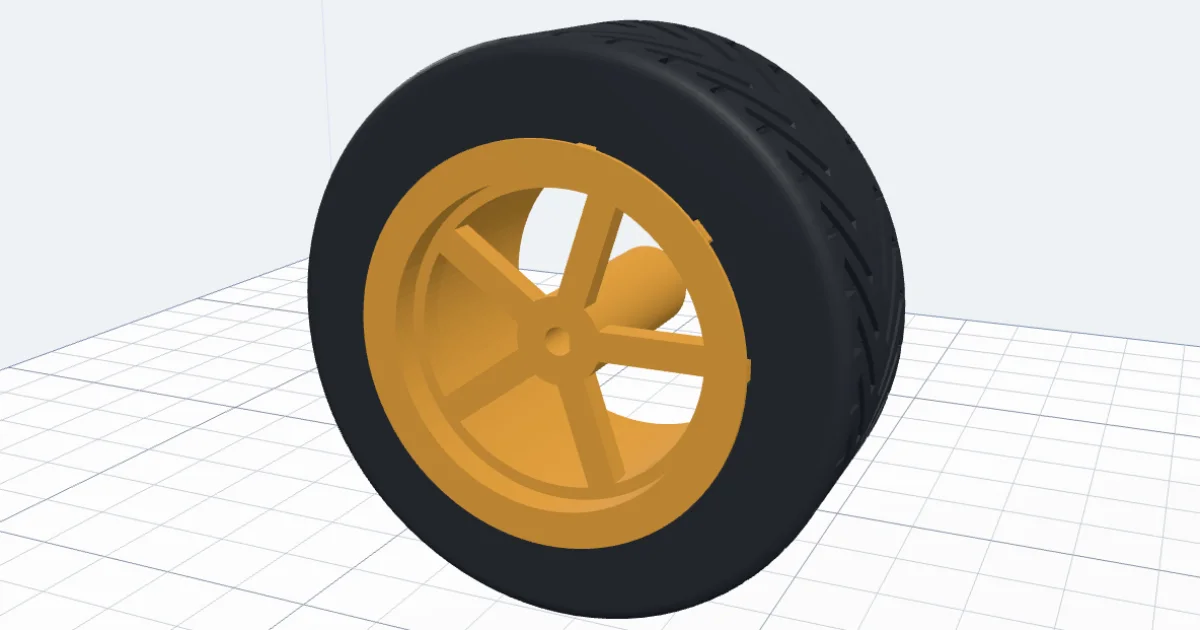
Watch the tutorial
Every option, narrated with subtitles: treads, tyres, rims, the hole for your motor and a tyre ring. Watch on YouTube ↗
1Start from a design
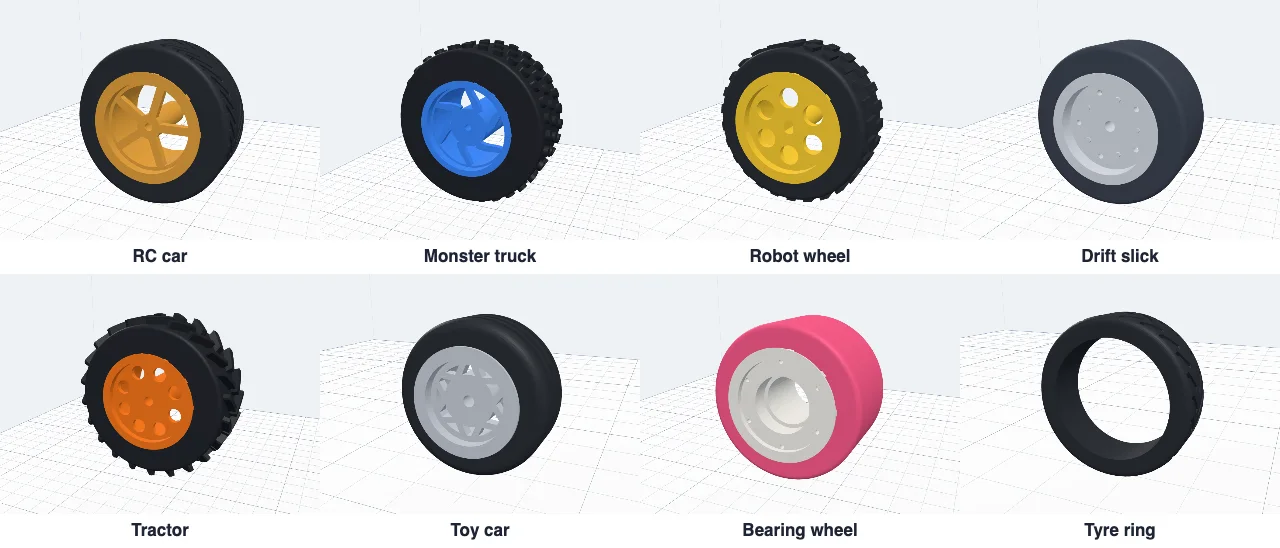
Click Car wheels in Generators. Eight designs to start from: RC car (a chevron tread on five spokes, for a small geared motor), Monster truck (knobby, a curved star rim, a 12 mm hex hub), Robot wheel (blocks on a disc, for the yellow toy motors), Drift slick, Tractor, Toy car (30 mm on a 2 mm pin), Bearing wheel (two 608 bearings) and the Tyre ring. Change anything after.
2The size
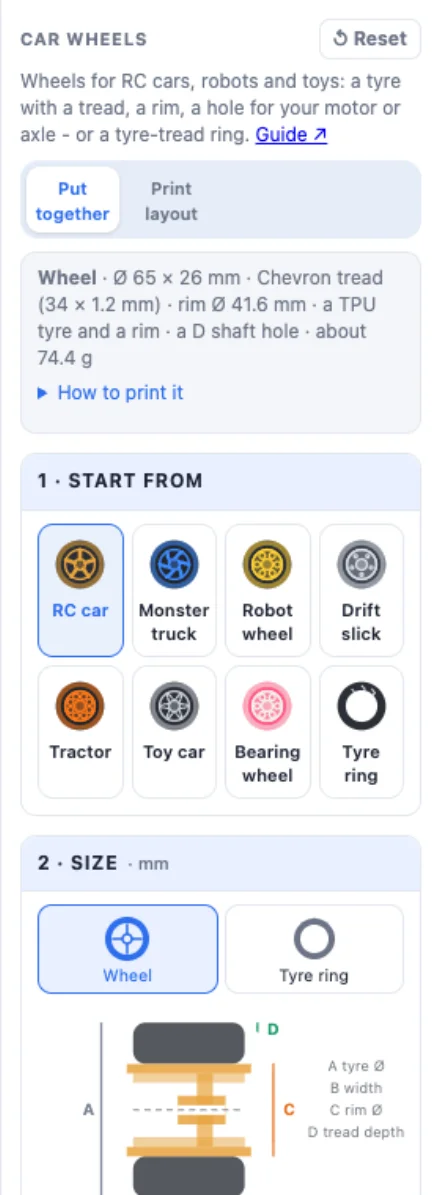
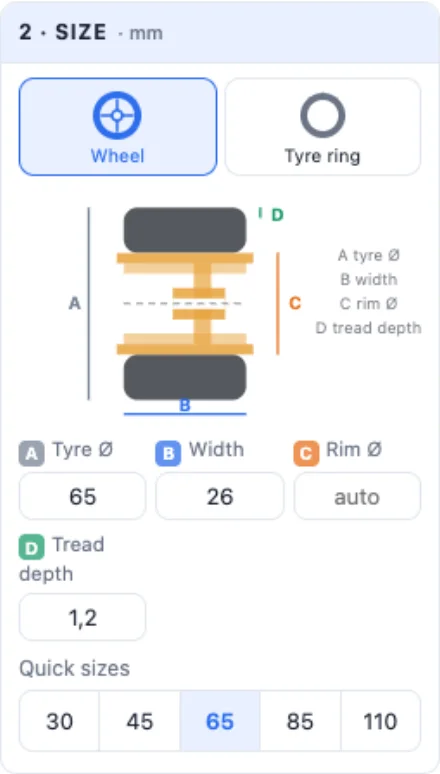
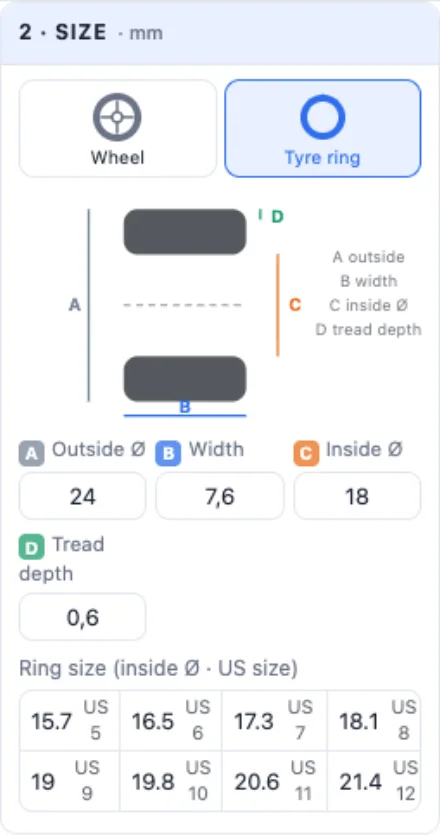
The drawing shows each size: A the tyre's diameter, B its width, C the rim's diameter (where the tyre meets it - leave it empty for about two thirds of the tyre) and D how deep the tread is. The quick sizes are 30, 45, 65, 85 and 110 mm.
3The tread
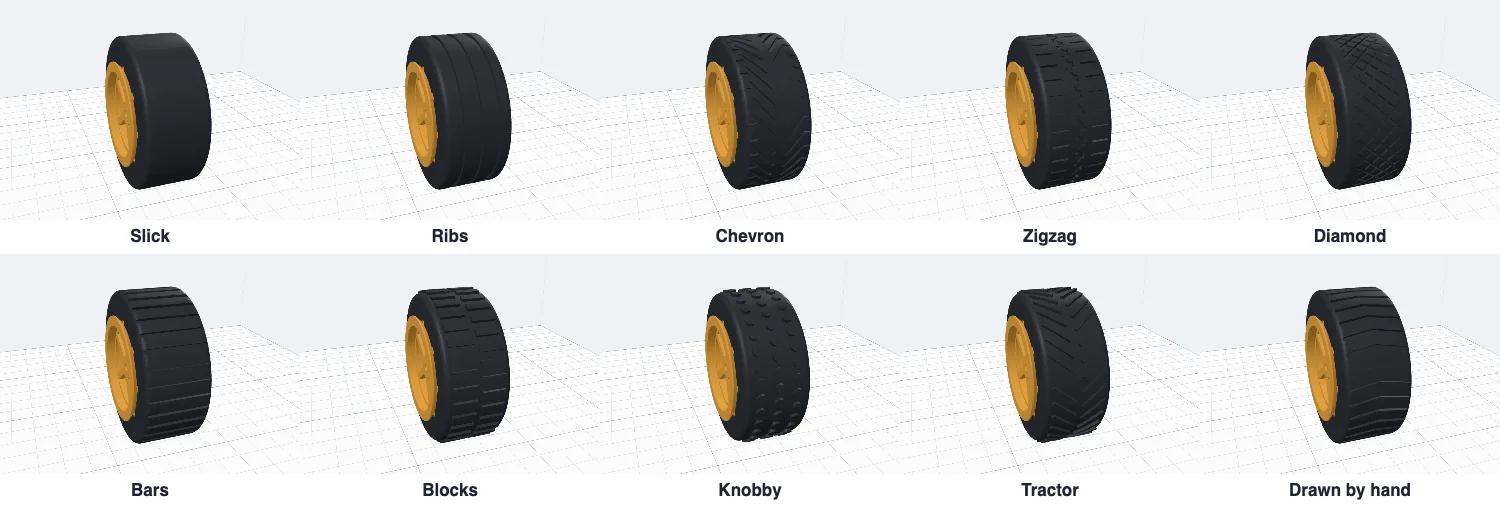
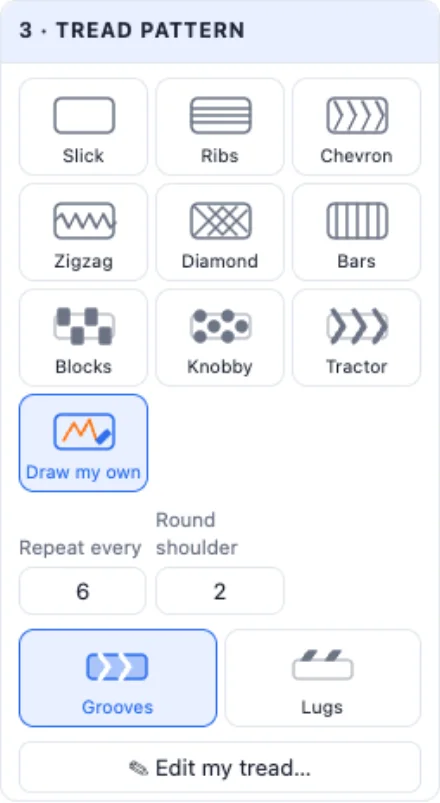
Ten patterns. Slick, Ribs, Chevron (V grooves with slots at the shoulders), Zigzag, Diamond and Bars are grooves cut into the tyre. Blocks, Knobby and Tractor stand out of it. Repeat every sets how far apart the pattern repeats round the tyre, Round shoulder how round its edges are.
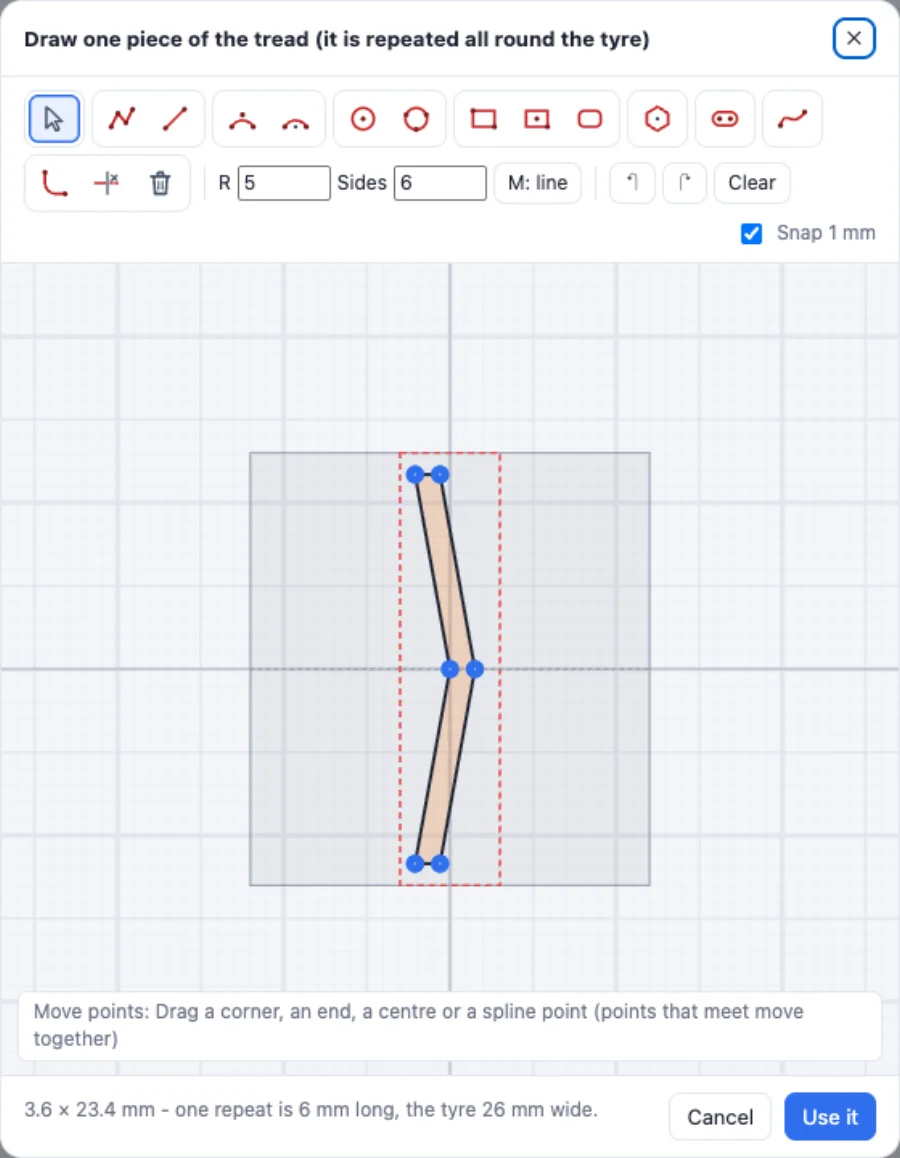
Draw my own opens the drawing window. The red dashed box is one repeat - it is copied all round the tyre - and the grey band is the tyre's width. Draw a closed shape with the lines, arcs and curves, then choose whether it is a groove or a lug standing out.
4The tyre: TPU, two colours or one piece
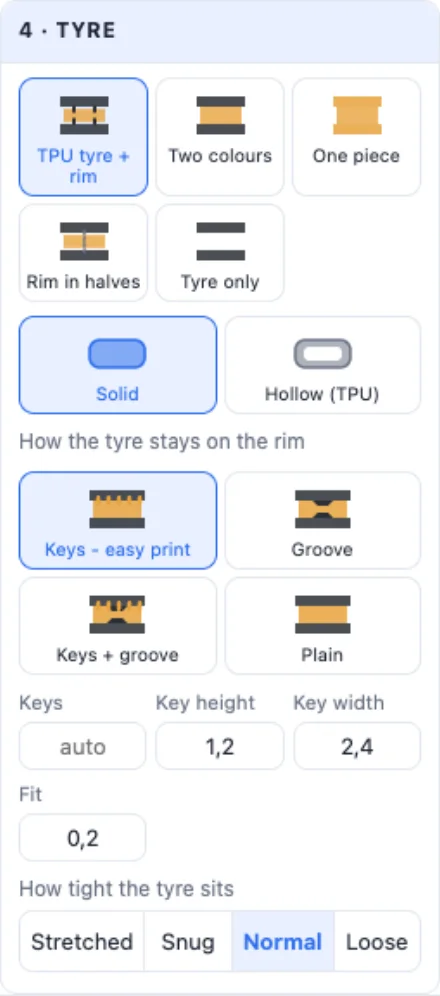
How the wheel is made: TPU tyre + rim - the tyre prints on its own in soft TPU and goes onto the rim; Two colours - one print, the tyre and the rim touching; One piece; Rim in halves - for a hard tyre, the rim is cut in two so the tyre can go on, pins line the halves up; Tyre only - for a rim you already have.

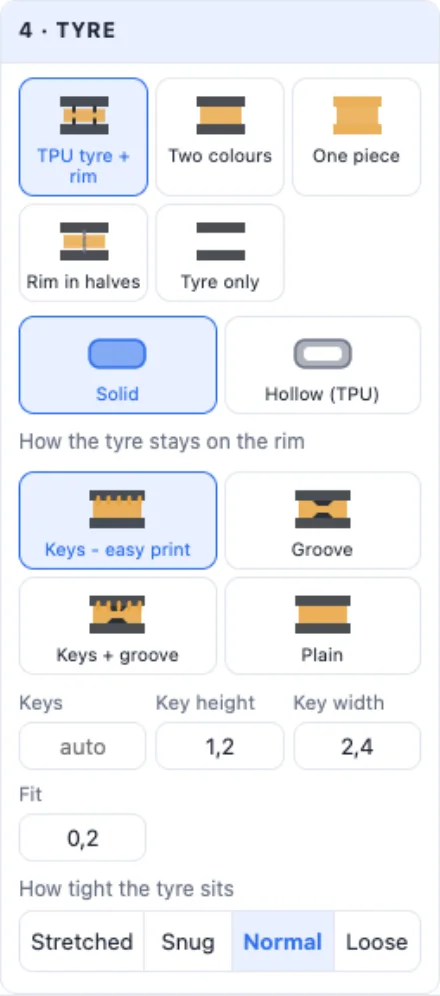
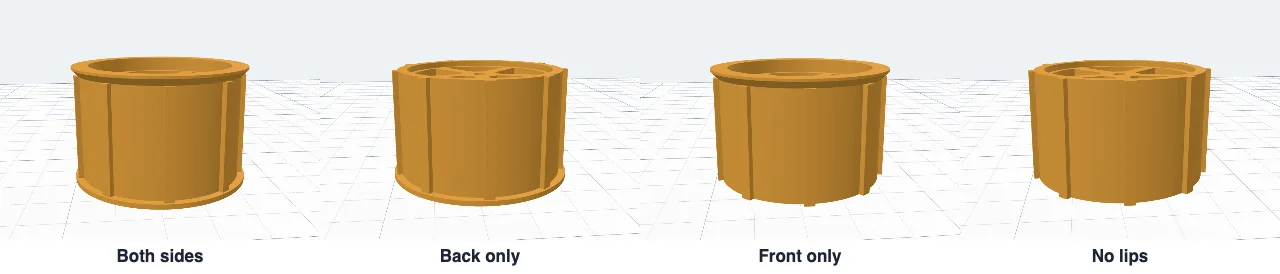
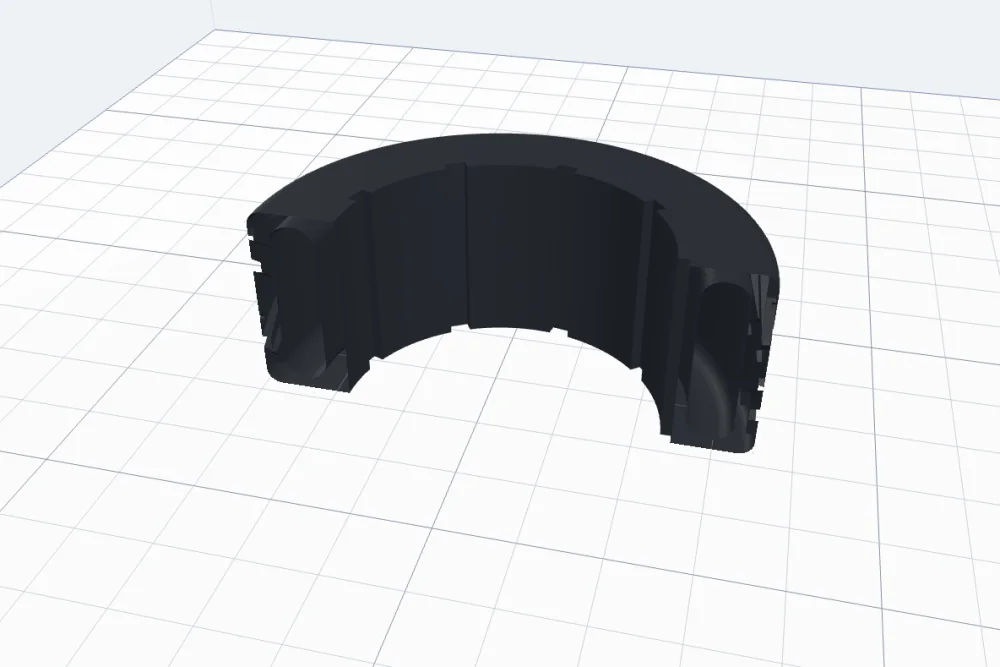
How the tyre stays on the rim. Keys - easy print (the default): the rim is a plain straight barrel with ribs along it, and the tyre has slots for them - the tyre cannot spin, and the rim has no curves to print. Groove: a ridge inside the tyre snaps into a groove round the rim - it cannot slide off. Keys + groove does both, Plain leaves it to the lips, a tight fit or glue. Set how many keys, their height and width, and the fit: Stretched (no gap - a TPU tyre stretched on), Snug, Normal or Loose.
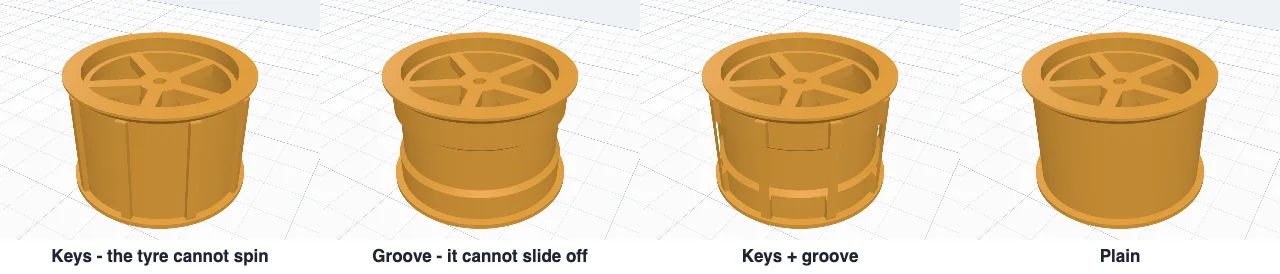
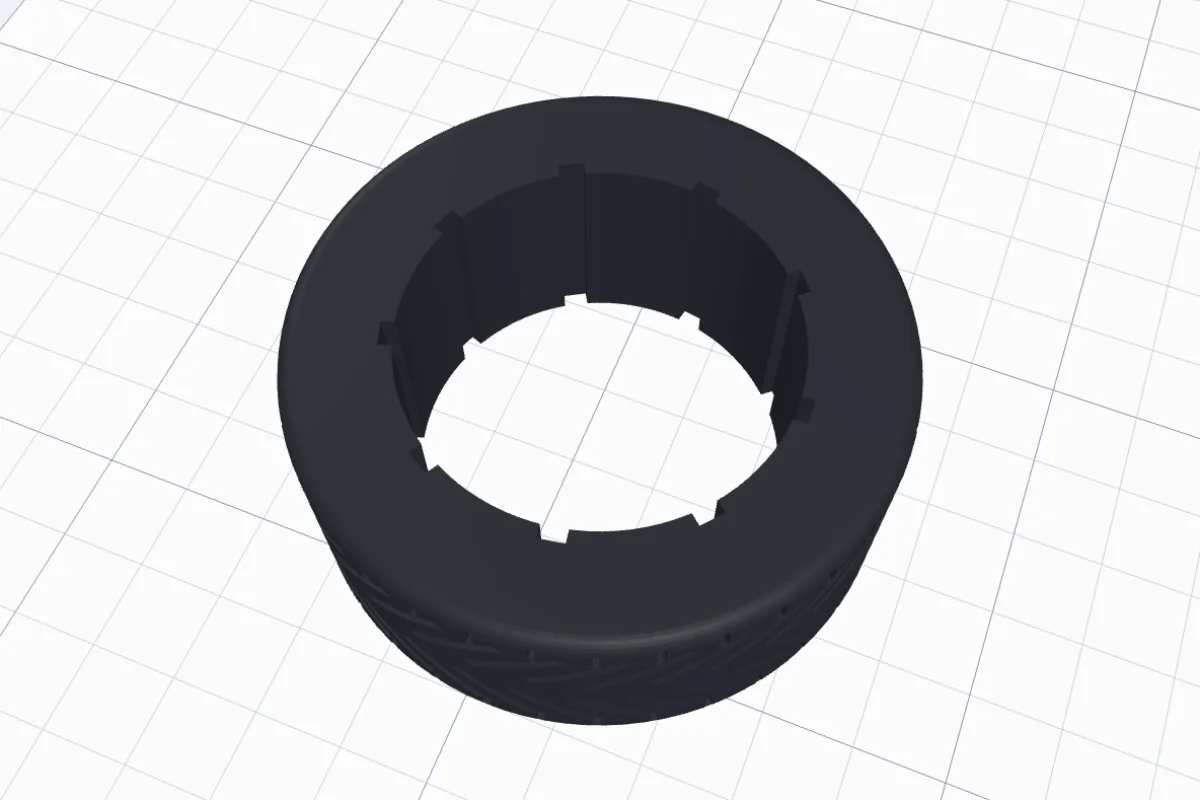
Lips that stop the tyre sliding off: on both sides, only at the back (the tyre goes on from the front), only at the front, or none. A Hollow (TPU) tyre has a closed room inside - softer, it grips more and uses less filament.
5The rim
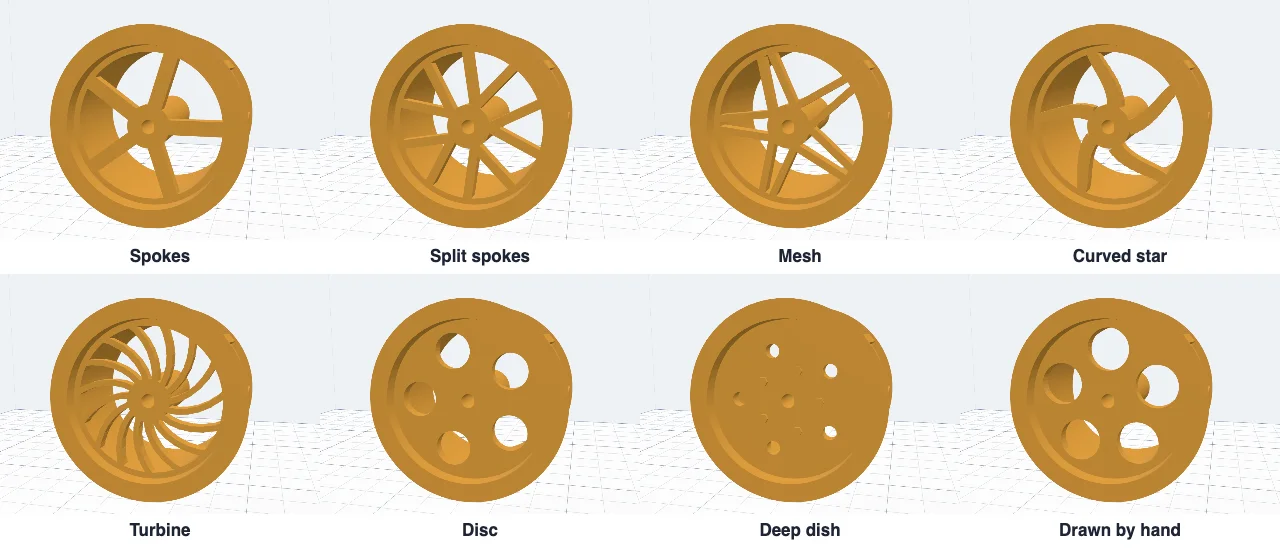
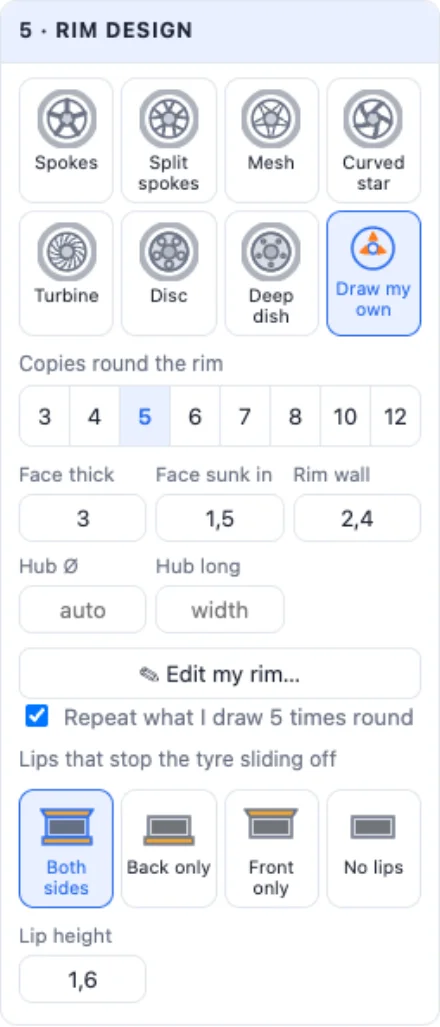
Eight designs: Spokes, Split spokes, Mesh, Curved star, Turbine, Disc (a face with round holes), Deep dish (small holes and wheel nuts) and Draw my own. Set the number of spokes (3-12), their width, how thick the face is, how far it is sunk in (a deep dish), the rim's wall, the hub's diameter and how long it is along the axle.
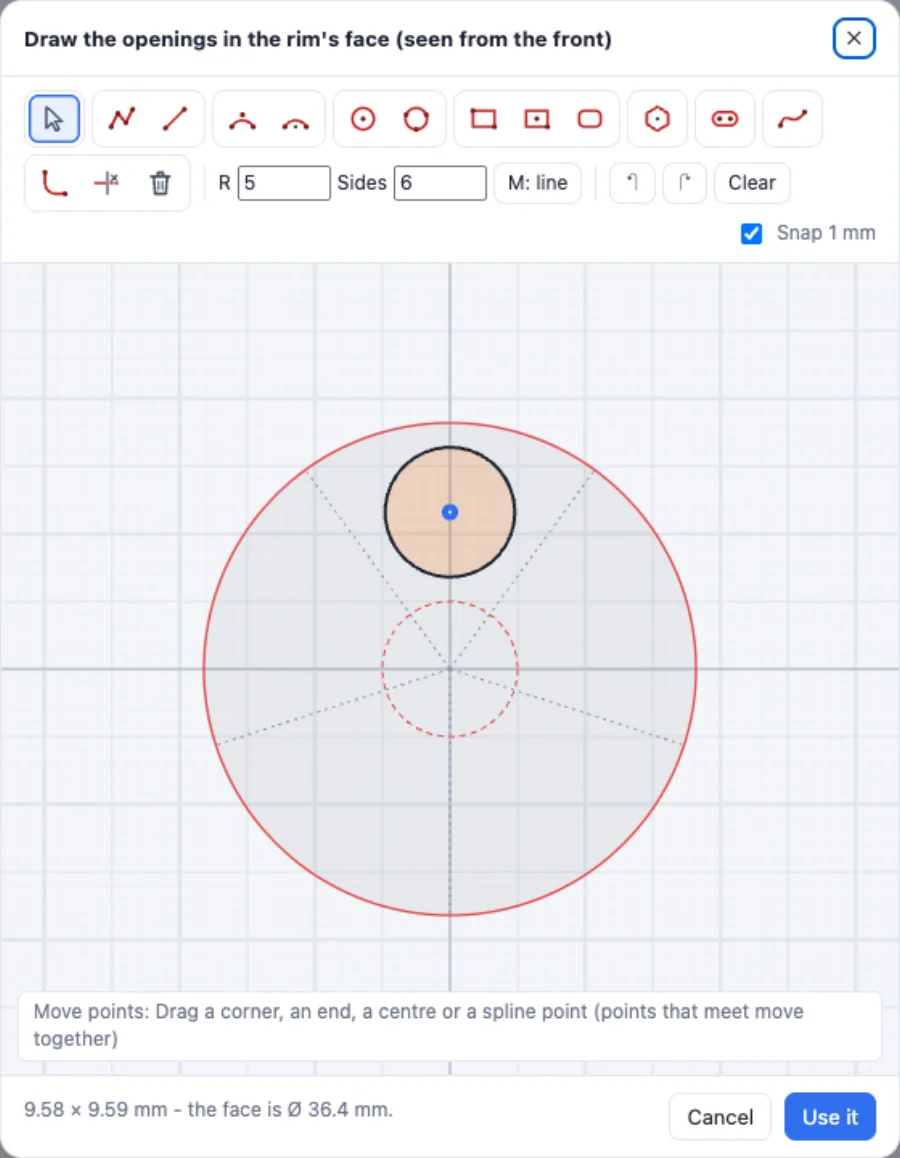
Draw my own shows the face from the front: the red circle is the rim's inside, the dashed one the hub, and the grey lines the sectors. Draw an opening in one sector - with Repeat what I draw N times round it is copied round the rim; untick it to keep exactly what you draw.
6The hole for the car
Pick what the wheel goes on: Round (a pin, a rod or a screw), D shaft (a round shaft with one flat - the small geared motors, 3 mm with the flat at 2.5 mm), Double D (two flats - the yellow toy-car motors, 5.4 mm round and 3.7 mm across the flats), Hex hub (a hexagon pocket for an RC car's 12, 14 or 17 mm wheel hex, the axle hole through it), Cross axle (4.8 mm, like toy building sets), Square, Bearing (608, 625, 623, MR105 or 688, on one or both sides) or No hole. The hub grows to fit the hole.
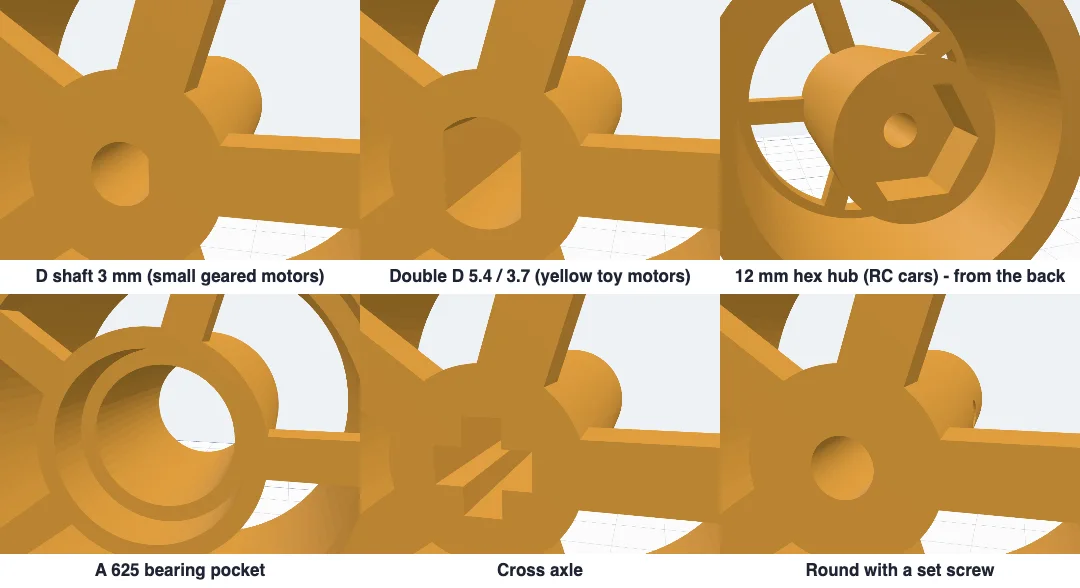
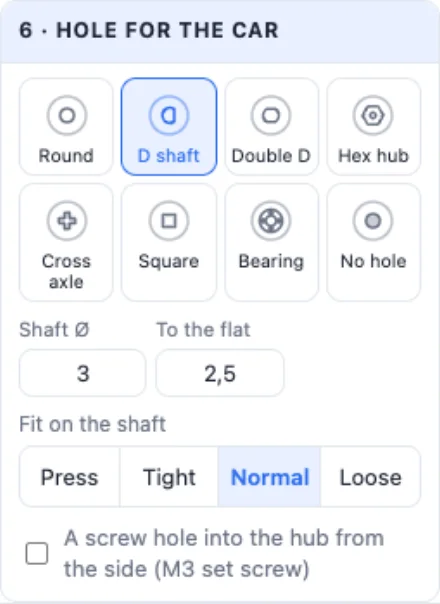
Fit on the shaft: Press (0.1 mm smaller - pressed on), Tight, Normal or Loose (it turns on a pin). A screw hole into the hub from the side takes an M3 set screw that clamps the wheel on the shaft.
7Printing
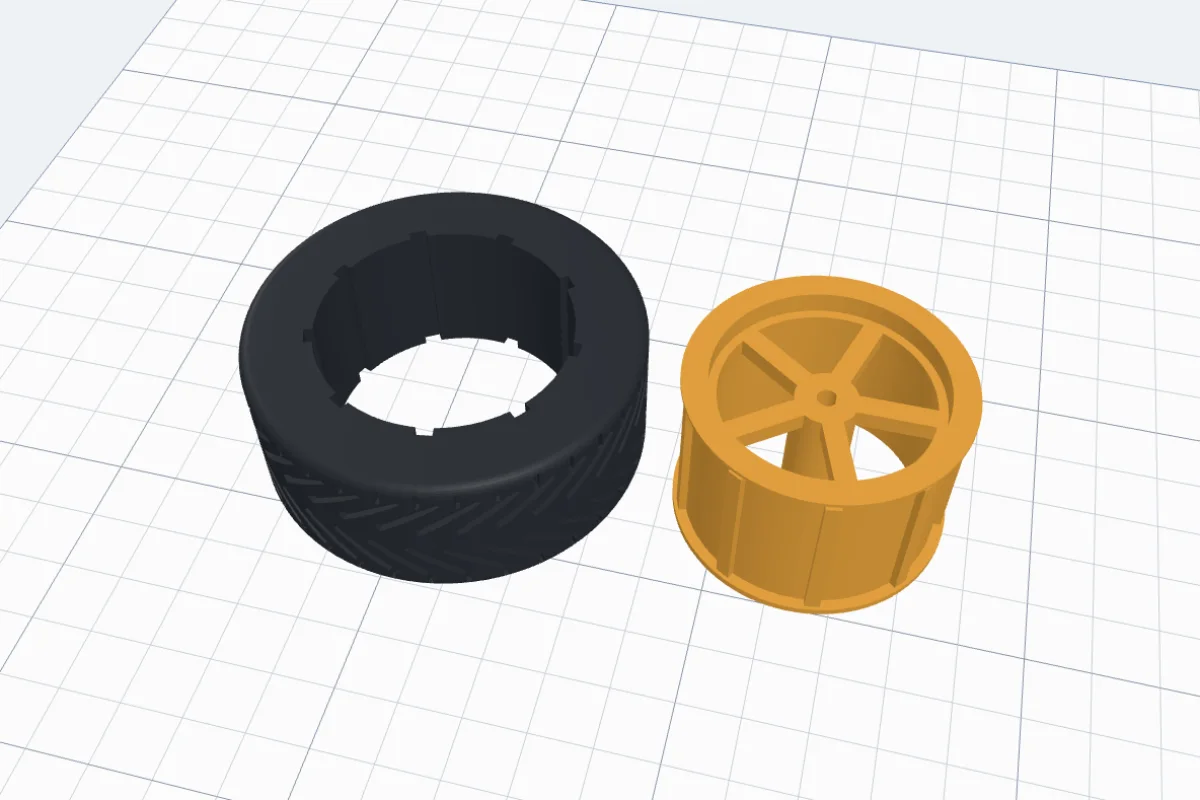
Print layout shows every piece as it prints: the rim on its back, the tyre lying flat - no supports. Print the tyre in 95A TPU, slowly (20-30 mm/s), with 2-3 walls and 10-20 % infill; the rim in PLA or PETG. Warm the tyre in hot water and stretch it over the rim. Click Create wheel and export the parts.
8A tyre ring
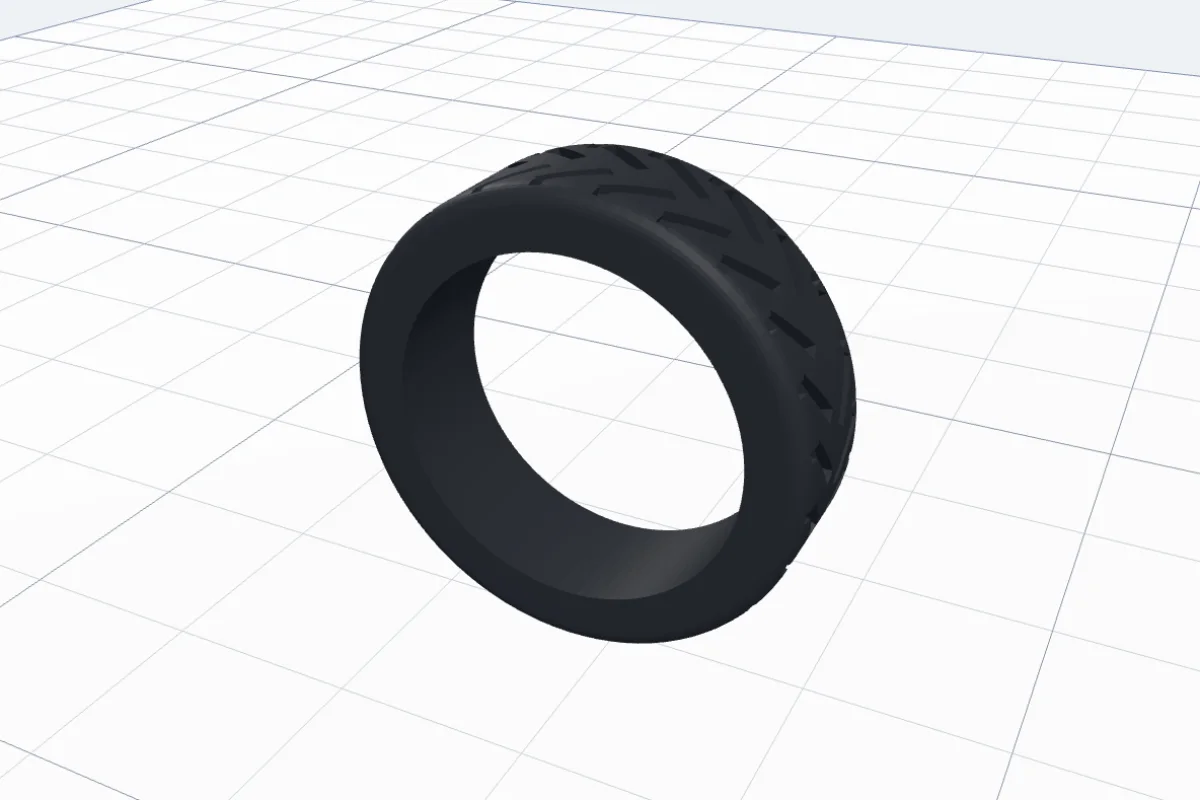
Tyre ring (the last design, or Tyre ring in the Size card) makes the tyre alone as a finger ring, with a rounded comfort edge inside. Pick your size by the inside diameter (US 5 to 12 on the chips) and any tread - the chevron looks like a racing tyre.
More generators for moving things: the Gear generator and the Bolt generator.
Questions
Which hole fits my motor?
Measure the shaft with a calliper. The small geared motors usually have a 3 mm shaft with one flat (D shaft, 2.5 mm to the flat). The yellow toy-car motors have a double D shaft: 5.4 mm round, 3.7 mm across the flats. RC cars mostly use a 12 mm hex on the wheel axle (some 14 or 17 mm), with the axle through it. Type your own sizes when yours differ, and choose how tight it sits: Press, Tight, Normal or Loose.
How do I print the TPU tyre?
Use a 95A TPU. Print slowly (20-30 mm/s), with 2-3 walls, and 10-20 % infill for a soft tyre that grips (more for a hard one). Turn retraction down or off on a Bowden printer. The tyre prints lying flat - no supports. Warm it in hot water and stretch it over the rim.
Will the tyre spin on the rim?
Not with Keys (the default): ribs along the rim sit in slots inside the tyre, like the teeth of a gear. Groove stops it sliding off sideways instead - a ridge inside the tyre snaps into a groove round the rim. Keys + groove does both. The lips on the rim's edges also keep it from sliding off.
Can I print it on a printer with one nozzle?
Yes. TPU tyre + rim prints the tyre and the rim as two separate prints. Two colours needs a multi-colour printer, or a filament change where the tyre meets the rim. One piece prints the whole wheel in one filament.
Does the rim need supports?
No. The rim prints on its back: the back lip lies on the bed, the front lip rises at 45°, and the spokes or the face bridge across at the top. The keys run straight up and down.
How do I make the ring fit?
Measure the inside of a ring you wear, or pick a size from the chips (US 5 to 12). The ring has a rounded comfort edge inside. TPU is soft on the finger; PLA or PETG keep the tread sharpest.
Make a wheel
Pick a design, then the tread, the rim and the hole.
Open 3DPrintCADAlso see: Gear generator, Stamp roller generator and Bolt generator.