3DPrintCAD - online 3D design tool for 3D printing
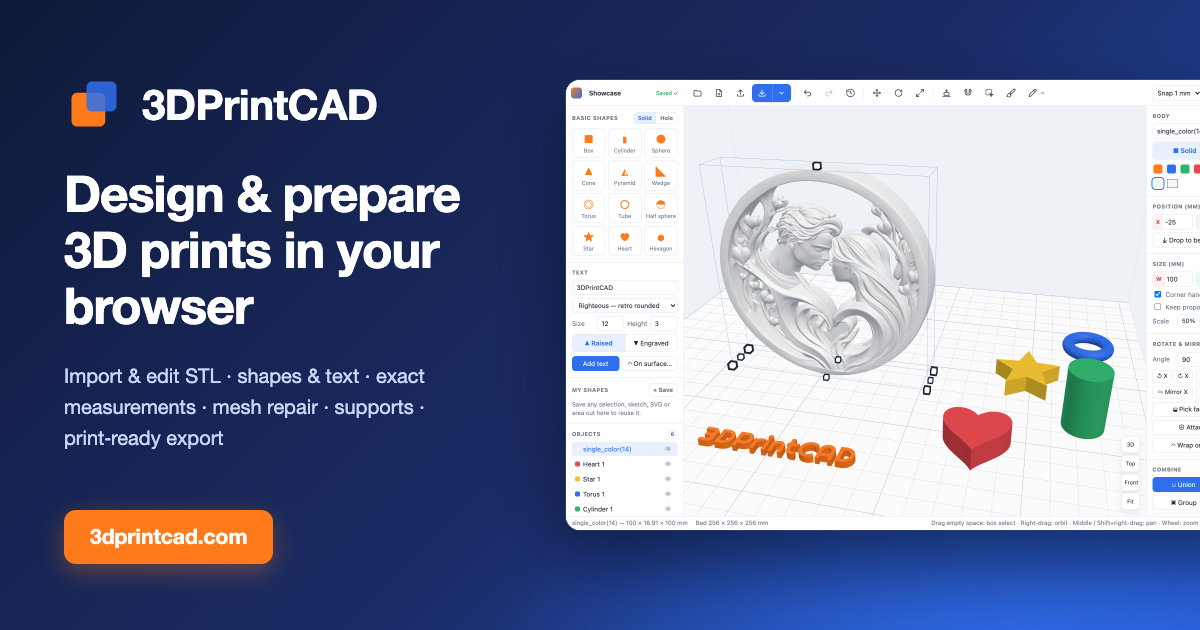
3DPrintCAD is a 3D modeling app that runs in your browser. Build models from boxes, cylinders, spheres and other shapes, add 3D text (even wrapped around curved surfaces), cut holes, and combine parts. Import STL files to resize, rotate, split, repair hollow or broken meshes, and cut out or reshape areas. Prepare for printing with lay-flat, overhang detection and automatic supports, then export a print-ready STL for Bambu Studio, OrcaSlicer, PrusaSlicer or Cura.
3DPrintCAD needs JavaScript
3DPrintCAD is an online 3D design tool for 3D printing. Please enable JavaScript in a modern browser (Chrome, Edge, Firefox or Safari) to use it.
Designed for your computer
3DPrintCAD is a full 3D design studio for 3D printing. Precise modelling needs a mouse, a keyboard and a large screen, so it runs on desktop and laptop computers.
Open 3dprintcad.com in Chrome, Edge, Firefox or Safari on your computer
Shapes, text & sketches
STL editing & repair
QR codes, keychains, puzzles
Supports & print-ready STL
Continue anyway (not recommended)
Created by DakovDev · ❤️ Support 3DPrintCAD
3DPrintCAD
Projects New Import
Move Rotate
Lay on face Attach
Area edit Sculpt Paint Sketch
Measure
Snap off Snap 0.5 mm Snap 1 mm
Snap 5 mm Snap 10 mm
Cancel (Esc)
Start building Click a shape on the left, drop an STL file here, or sketch your own shape.
3D
Top
Front
Fit
X‑ray
Holes
Nothing selected Drag empty space: box select · Right-drag: orbit · Middle / Ctrl+right-drag: pan · Wheel: zoom · Drag objects to move them Created by DakovDev · ❤️ Support 3DPrintCAD
History ✕
Click a step to go back to it. Greyed steps come back with Redo — until you make a new edit.
Import SVG
Cancel
★ Save to My shapes only
Create body
Pattern
Cancel Create pattern
Reduce file size
Merges tiny triangles where the surface barely changes. The shape stays the same within the chosen tolerance and the body stays watertight.
Calculate
Cancel
Apply
My shapes
Text 3D letters on the bed, or wrapped onto a surface. Change them later in the panel on the right.
Font
Size Height
Curve Straight ∩ Arc up ∪ Arc down
▲ Raised ▼ Engraved
Add text ◠ On surface…
Upload images
Your images
Every image you upload is kept here, only in this browser. Hover an image and click ✕ to remove it.
Stickers found Each ticked one becomes a sticker of its own with the current settings (type, size, colours…). Double-click one afterwards to change it.
Select all Select none Use the whole image as one sticker
Create stickers
Messages Copy all Clear
All Errors only
This project's messages, newest first (the last 200). They are kept in this browser only; deleting the project deletes them too.
✚ Create new project
Or start from an example
QR code Link, text or Wi-Fi, with frame, label, key ring and NFC chip Keychain Names, SVG icons, shapes and key rings, in several colours Sticker keychain Any sticker image to a multi-colour relief, with a key ring and a name Gears Spur, helical, planetary, rack, bevel and worm gears that mesh Tray Compartment trays, stackable bins and Gridfinity, with lids Puzzle Cut any body into jigsaw pieces - here a heart Paint Colour any model for multi-colour printing Flexi Experimental Bendable print-in-place segments with hidden hinges ⬆ Import backup… ⬇ Back up all
Projects save automatically in this browser, including undo history. To use them in another browser or on another computer, export a backup file here and import it there.
Created by DakovDev · ❤️ Support 3DPrintCAD
3DPrintCAD shortcuts
Guides: how to use the generators, step by step ↗
Click / Ctrl +ClickSelect / add or remove from selection (Shift or ⌘ also work) Drag on empty space Box select — left→right: objects fully inside, right→left: anything touched (Ctrl adds) Right-drag / Alt +drag Orbit the view · Middle-drag or Ctrl +right-drag: pan · Wheel: zoom Drag object Move it on the bed (snaps to grid) White handles Corners resize width + depth, sides one direction, top handle the height (grows up from the bed). Hold Shift to keep proportions T R S Show / hide move arrows · rotate rings · resize-only mode H Toggle Solid ↔ Hole Ctrl +G / +Shift Group / Ungroup Ctrl +D , Ctrl +C /V Duplicate, copy / paste Del Delete D Drop to bed L A E P B Lay on face · Attach to face · Area edit · Sketch · Sculpt Sculpt Drag on a body to carve or add · Shift flips carve/add · [ ] brush size Arrows, PgUp /PgDn Nudge (hold Shift for ×10) F / Home Zoom to selection / reset view Import STL models, or SVG drawings (logos, icons) as solid bodies, holes or saved shapes Ctrl +S / E / O Save now (also autosaves) / Export STL / Projects Ctrl +Z / Ctrl +Shift +Z Undo / Redo Esc Cancel tool / clear selection
Holes cut every solid they touch when you Union or Export . Groups keep parts together and can be ungrouped later; Union merges them for good.
 3DPrintCAD